
Performance analytics overview
The Performance section gives you a view of how individuals and teams are doing over time, based on scorecard results. It works across both Outdoo products. In Revenue Intelligence, performance data reflects scored live calls. In AI Roleplays, it reflects completed practice sessions. The same scorecard criteria apply to both, so you can compare practice results against real-call results directly.
To access Performance, go to Performance in the left sidebar and choose Activity, Scorecards, or Practice.
Overall analysis
The default view shows aggregate scorecard performance for your selected time range and team.
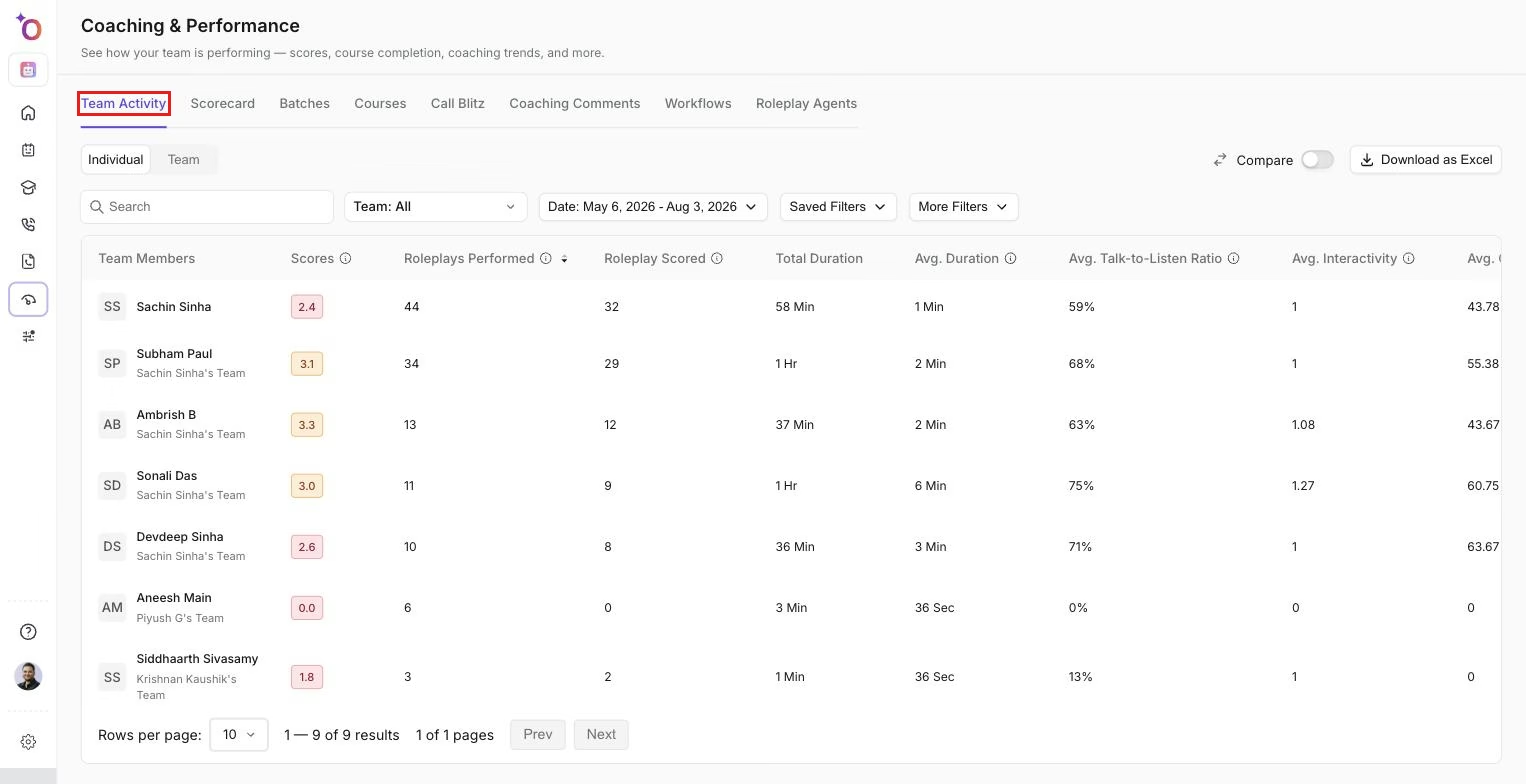
The Performance view, showing scores and metrics for each team member alongside team-wide aggregates.
You can see average scores by scorecard, how scores are distributed across the team, and which scorecard objectives are consistently passing or failing across many team members.
This view is useful for spotting team-wide gaps. If most team members are scoring low on the same objective, that usually points to a training gap or a poorly worded criterion rather than an individual problem.
Individual team member performance
Click into a team member's name to see their scorecard history. The individual view shows each scored session, the objectives that passed and failed, and how their scores have changed over time.
You can also compare a team member's average score against the team average for any given scorecard. This helps you see whether someone is improving relative to their starting point, even if they are still below the team average.
Scorecard trends
The trend chart tracks average scores over time for a selected scorecard. Use this to see whether a coaching initiative is producing results. If you introduced a new call framework last month and scores on the related scorecard are rising, the trend chart shows that movement clearly.
You can view trends at the team level or for a specific team member. Switch between scorecards using the dropdown above the chart.
Comparing practice and live call scores
Because Outdoo uses the same scorecard structure for both AI Roleplays and live call scoring, you can place practice scores and real-call scores side by side. This comparison is available in the Performance view when both products are active in your workspace.
A team member who scores well in practice but not on live calls may struggle with applying skills under pressure. A team member who scores lower in practice but higher on real calls might need less structured practice than others. The comparison gives you a basis for those conversations rather than relying on observation alone.
<iframe src="https://www.youtube.com/embed/vgs41aR6v0w" frameborder="0" allowfullscreen></iframe>
Watch: How AI Call Scoring Connects Practice to Real Sales Performance
Filtering
Use the filters at the top of the Performance view to narrow results:
- Date range: set a specific window or choose a preset like the last 30 days or this quarter.
- Team: filter to a single team or a subset of teams.
- Team members: view one team member or a selection of team members.
- Scorecard: focus on a specific scorecard rather than all scorecards combined.
Filters apply across all tabs in the Performance view. You do not need to reset them when switching between the overall analysis and individual team member views.
Hope this article was helpful. For any queries, please write to support@outdoo.ai