How to change the format of messages in Outdoo AI
Learn how to customize the format of notifications and messages in Outdoo AI by modifying notification templates through Company Settings.
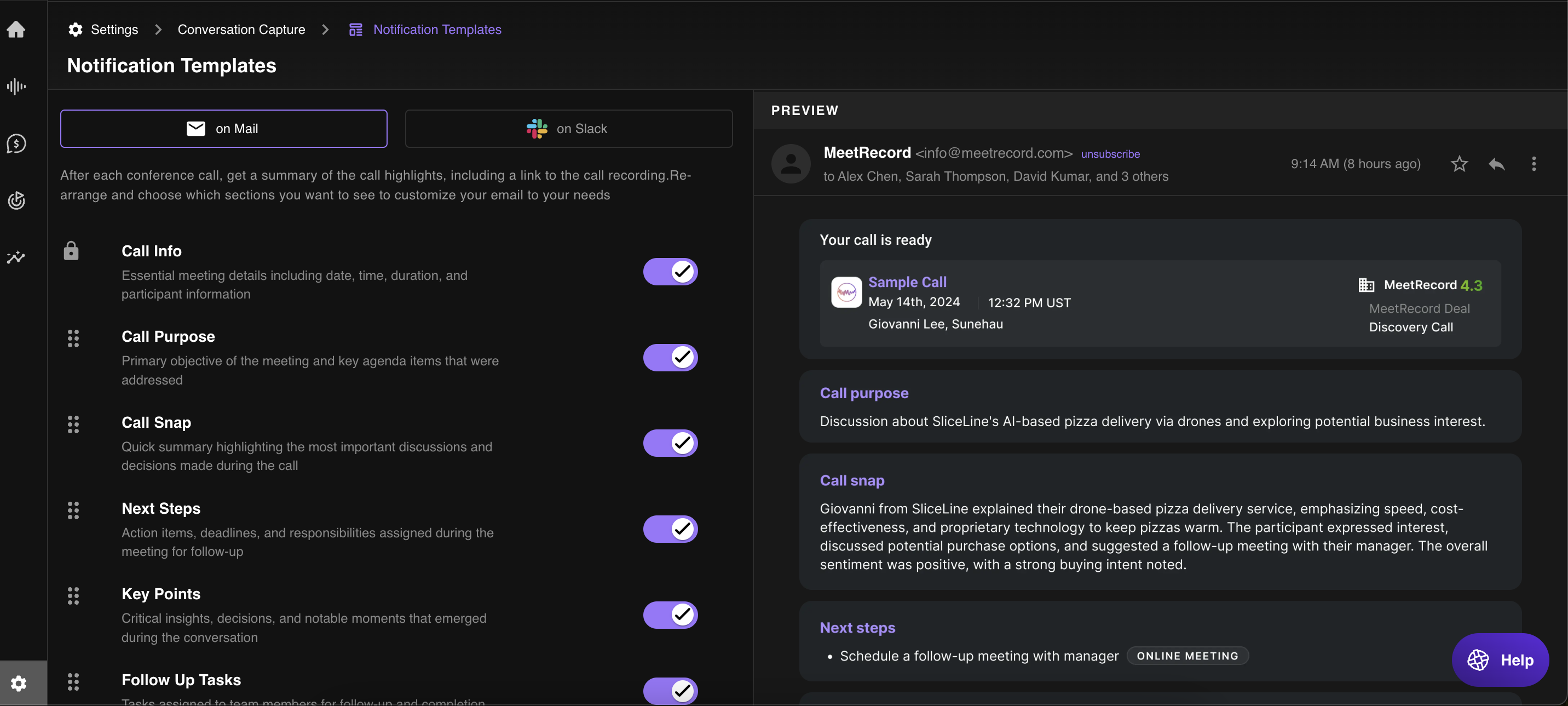
You can customise the format of notifications by modifying notification templates in Company Settings. Follow these steps:
- Go to Company Settings in Outdoo AI.
- In the left-hand menu, select Conversation Capture.
- Click Notification Templates to access and edit message formats.
- Locate the template you want to update and customise the message format.
- Click Save to apply the changes.