
Roleplay Call Types
Modes and use cases
Outdoo supports four ways to run a roleplay session, each suited to a different kind of real-world conversation.
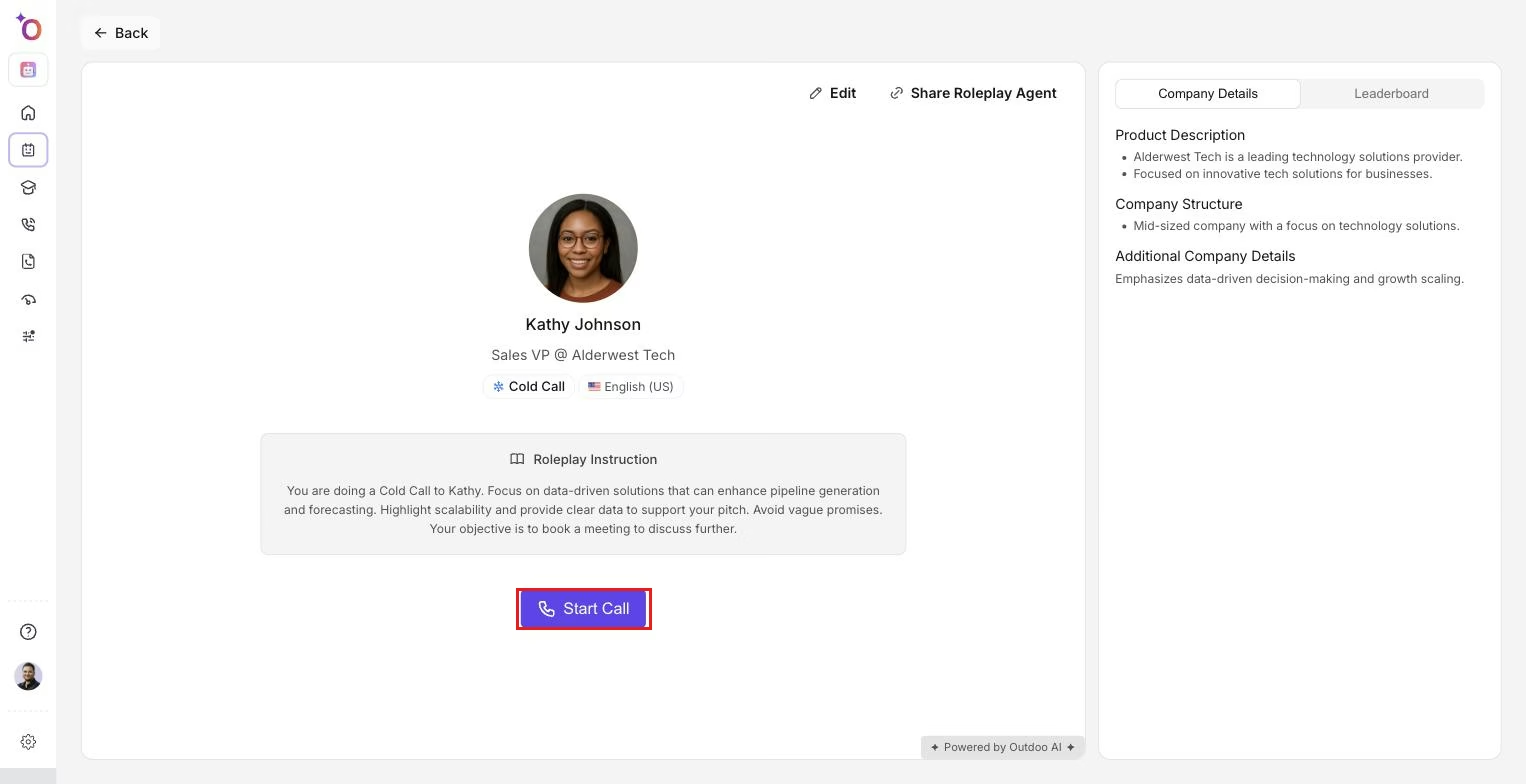 An agent's detail page, where you review the persona and instructions before starting a call in any of the modes below.
Voice mode
Live audio-driven roleplay where the agent responds by voice, with an optional transcript. Best for phone calls, voice-based customer support, and sales cold calls, for example practicing a three-minute cold call pitch or handling an escalated support call with an angry customer.
Chat mode
Text-based roleplay where the agent acts as the counterpart in a chat format. Best for customer support chat, sales live-chat practice, and scripted messaging, for example simulating a chat-based onboarding flow or practicing a live-chat escalation.
Watch: How to Create a Chat Mode Roleplay Agent (Step-by-Step)
Video mode
Roleplay with video and audio context, where the agent responds by voice and may simulate visual cues or instructions. Best for web conference meetings, demo walkthroughs, and remote interviews, for example practicing a 15-minute product demo over Zoom or running a mock interview with camera presence.
In-person mode
Roleplay configured to approximate face-to-face interactions, with agent responses focused on body language cues, timing, and physical meeting flow. Best for in-person meetings, trade show interactions, and sales pitches, for example roleplaying a coffee-shop sales pitch with interruption handling, or practicing networking introductions and elevator pitches.
How to choose a mode for your scenario
Prefer voice mode for phone call practice, where tone and timing matter most. Choose video mode for web conference practice that needs screen share and camera presence. Pick in-person mode when the meeting is face-to-face and body language is the focus. Use chat mode for practicing written message flows.
Preparing a roleplay session
- Define the objective: negotiation, demo, support resolution, or interview.
- Choose a mode: voice, chat, video, or in-person.
- Prepare a short brief for the agent covering role, persona, constraints, and success criteria.
- Set time limits and milestones, for example a 5-minute intro followed by a 10-minute negotiation.
- Run the session and record audio, video, or transcript when possible.
- Review feedback, note improvements, and re-run with adjusted prompts.
Tips
If the agent behaves unexpectedly, isolate the changed prompt and re-test with the previous version. For voice and video modes, confirm that media handling and transcription are working before your session.