
Call Blitz overview
Call Blitz is a focused practice drill for sales teams. Reps enter a timed session, typically 15 to 60 minutes, and practice calls back-to-back with minimal interruption. When a prospect does not answer, the system moves to the next contact automatically. The structure is deliberate: no multitasking, just calling.
In the AI Roleplays product, Call Blitz uses roleplay agents instead of real contacts. Reps practice a sequence of simulated buyer conversations in the same focused format.
Watch: Set Up an AI-Powered Call Blitz for Continuous Sales Practice
When to use Call Blitz
Morning warmup
A 15 to 30 minute blitz before live customer calls gets reps into a rhythm before their pipeline meetings start. Teams that do this consistently tend to have better openers on real calls because the habit is already active.
Onboarding practice
New reps use blitz sessions to practice objection handling with AI agents before they call real prospects. Running 20 simulated calls in an hour gives more repetition than a week of shadowing.
Targeted weakness drilling
If a rep struggles with a specific objection or scenario, assign a blitz using agents that focus on that scenario. The rep gets concentrated practice on the weak point rather than practicing everything equally.
End-of-quarter outreach
Run longer blitzes (1 to 2 hours) when pipeline coverage matters most. The focused format keeps outreach moving without the drop-off in call rates that happens when reps switch between calls and admin work.
Lead follow-up sprints
After a conference or a batch of inbound leads, a short blitz gets through the list quickly while the leads are still warm.
How to set up a Call Blitz
- Go to the Call Blitz section and click Create Call Blitz.
- Give the session a name and set the duration (for example, 30 minutes).
- Define the call criteria: expected pickup rate, which roleplay agents to include, and what counts as a successful outcome.
- Assign the blitz to the full team or specific members.
- Optionally set a notification to remind participants before the session starts.
Running a session
Once started, calls begin automatically in sequence. If a call is not answered, the system dials the next contact. A timer tracks the session duration. Participants work through the queue without stopping to reset or navigate; the flow is the point.
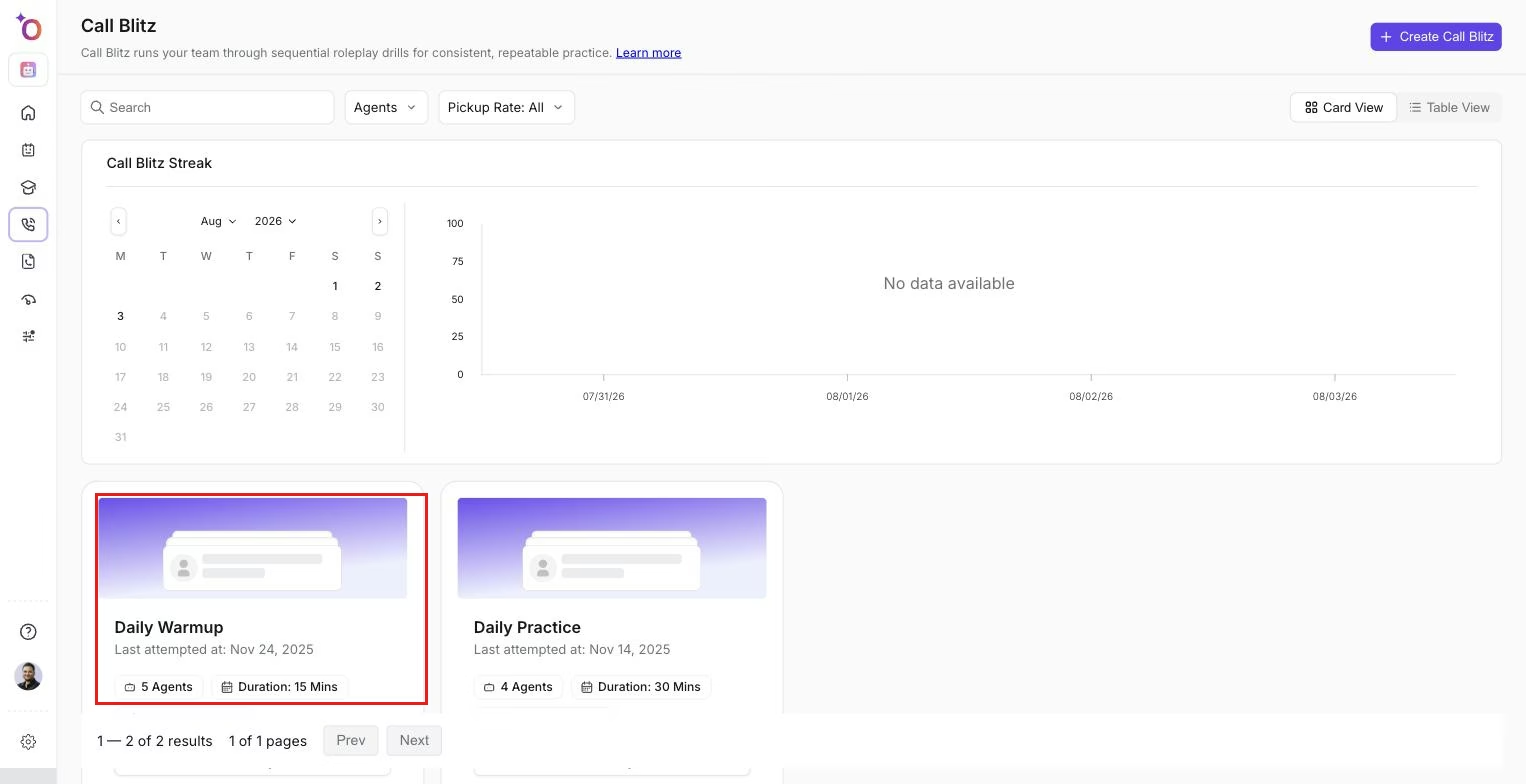 The Call Blitz list, where reps see their current streak and pick a session to start.
After the session
Review outcomes, pickup rates, and individual performance in the Call Blitz analytics. Managers can listen to recordings from the session and leave coaching notes. Performance data from blitz sessions feeds into the team's overall coaching metrics.
If you need help, contact us at support@outdoo.ai.