
Creating roleplay agents — overview
Outdoo offers several methods for creating a roleplay agent, ranging from a single written prompt to a full multi-persona buying committee, each suited to a different scenario or set of source material. If you are not sure which method fits your situation, see our full guide on choosing a method.
Watch: How to Create a Roleplay Agent from Scratch (Full Setup Guide)
Creation methods
Outdoo supports several ways to build an agent, from a single prompt to a full buying committee. Pick whichever matches the material you have on hand and the scenario you want to practice.
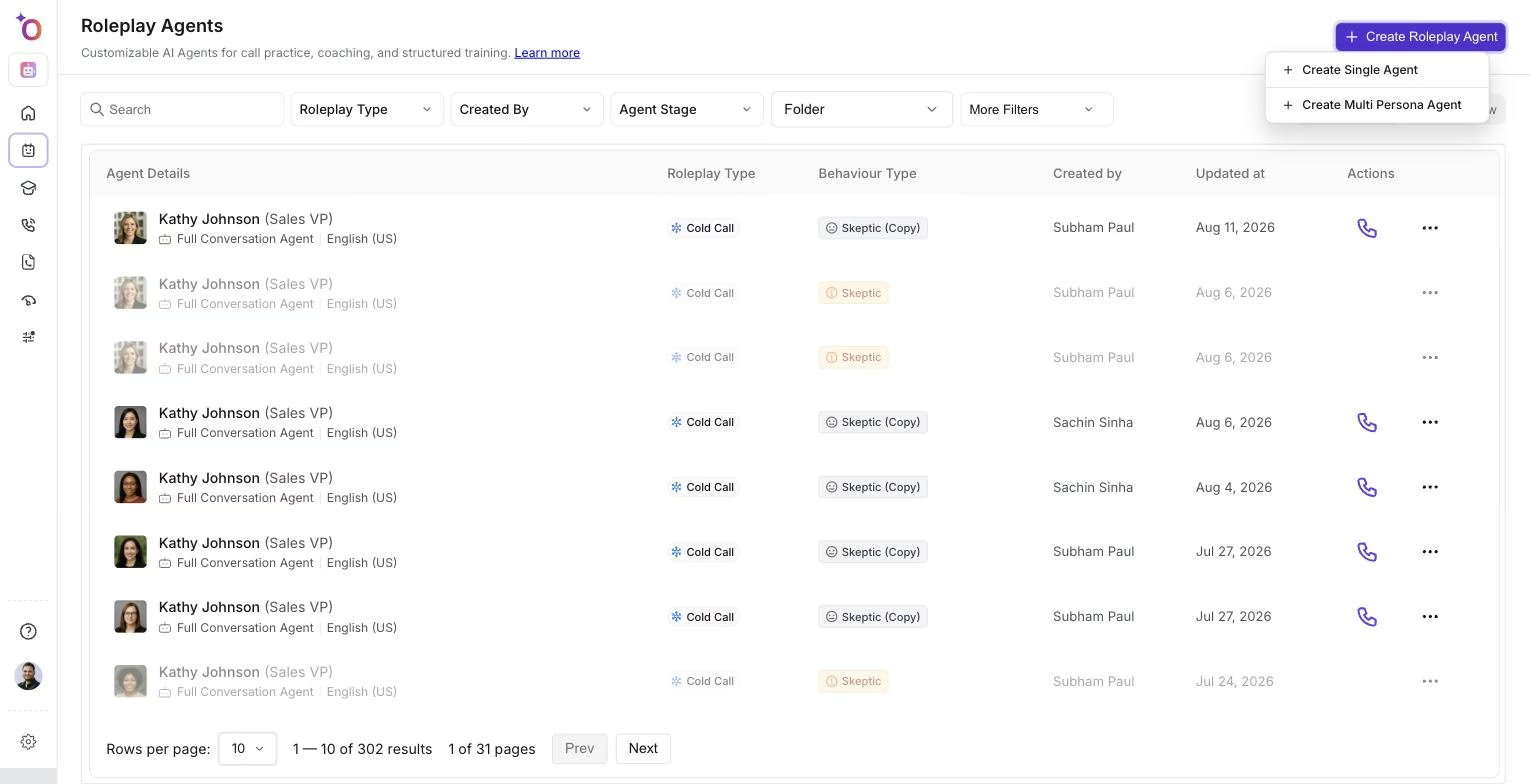 The agent creation menu, where you choose between a single buyer persona and a multi-persona buying committee.
Method | Description | Best for | Guide |
|---|---|---|---|
From Existing Calls | Upload a call or connect Gong. Outdoo extracts buyer patterns and creates a Digital Twin. | Most realistic training | |
From a Call Transcript | Paste in a call transcript instead of a recording. Outdoo builds a buyer persona from the text alone. | Teams without call recordings | |
Create Variations | Auto-generate new personas, scenarios, and voices from an existing agent. | Scaling training volume | |
Clone for New Sales Stages | Reuse an existing agent for discovery, pricing, or negotiation. | Consistency across the sales cycle | |
From Prompt | Create an agent instantly from a short written description of the buyer and scenario. | Fast persona creation | |
From Template | Start from ready-made templates for cold calls, discovery, demos, and other common scenarios. | Structured, repeatable simulations | |
From File or Resource | Attach product docs, playbooks, or call scripts to ground the agent in real materials. | Factual accuracy, persona fidelity | |
Multi-Persona | Build a buying committee of several AI personas who join the same session. | Practicing group and stakeholder conversations | |
In-Person | Configure an agent for face-to-face training such as on-site meetings and product demos. | Practicing structure and logic without a live call | |
Video Avatar | Add a video avatar so the agent appears on camera during the session. | Rehearsing video calls and in-person presence | |
Micro-Learning | Train on one section of a conversation, such as objection handling or pricing, instead of a full call. | Short, focused practice reps | |
Workflow-Enabled | Turn a real business process into a guided practice exercise reps step through. | Process and systems training | |
From a LinkedIn Profile | Build a persona directly from a prospect's LinkedIn profile. | Personalizing practice to a real target account |
From existing calls
Use a real sales call to build the most accurate simulation. Outdoo extracts buyer personality, objections, tone, and communication patterns from the recording. This works well for SDR cold call reviews, AE discovery calls, pricing conversations, and customer success renewals.
From prompt
Write a short description covering the persona, company, mindset, and call context. Outdoo generates a complete agent with persona traits, objections, emotional tone, and conversation style. This is the fastest way to create a new agent.
From file or resource
Attach product documentation, a pricing guide, a sales playbook, or any other document from your Resources library. The agent uses the content to stay accurate on facts and align to your specific messaging.
Other creation methods
A few methods are built for more specific situations:
- From a call transcript: paste a transcript directly and Outdoo builds the persona from the text, no recording needed.
- Multi-persona: create a buying committee for teams practicing to handle multiple stakeholders at once.
- In-person: configure the agent for face-to-face training instead of a phone or video call.
- Video avatar: add a video avatar so the agent is visible on camera during the session.
- Micro-learning: narrow practice down to one section of a call, such as objection handling.
- Workflow-enabled: turn a real business process into a guided exercise reps step through.
- From a LinkedIn profile: build a persona directly from a prospect's LinkedIn profile when you want practice tailored to a specific target account.
Variations and cloning
Once you have an agent that works, you do not need to build from scratch for every variation. Use Variations to generate new personas, scenarios, or voice styles from an existing agent. Use Clone to take the same buyer persona into a different sales stage, such as discovery, demo, pricing, or negotiation, updating the objections and scorecard for each context.
Organising your agents
Folders help you group agents by product line, skill area, learning path, or cohort. You can share entire folders with your team or attach them to Courses and Call Blitz sessions.
See Organising roleplay agents into folders.
Related articles
- Create a Roleplay Agent from Existing Calls
- Create a Roleplay Agent from a Prompt
- Create a Roleplay Agent Using Templates