
Google Meet and Outdoo AI
Learn how to connect Google Meet with Outdoo AI to automatically process and analyze your meeting recordings stored in Google Drive.
When you record a Google Meet session and save it to your Google Drive, Outdoo AI needs access to your Google Drive to fetch the recording and analyse it.
Steps to integrate Google Meet with Outdoo AI
- Go to Profile > My Settings > Meeting Tools. Click your profile icon in the top-right corner, select My Settings, then go to Meeting Tools.
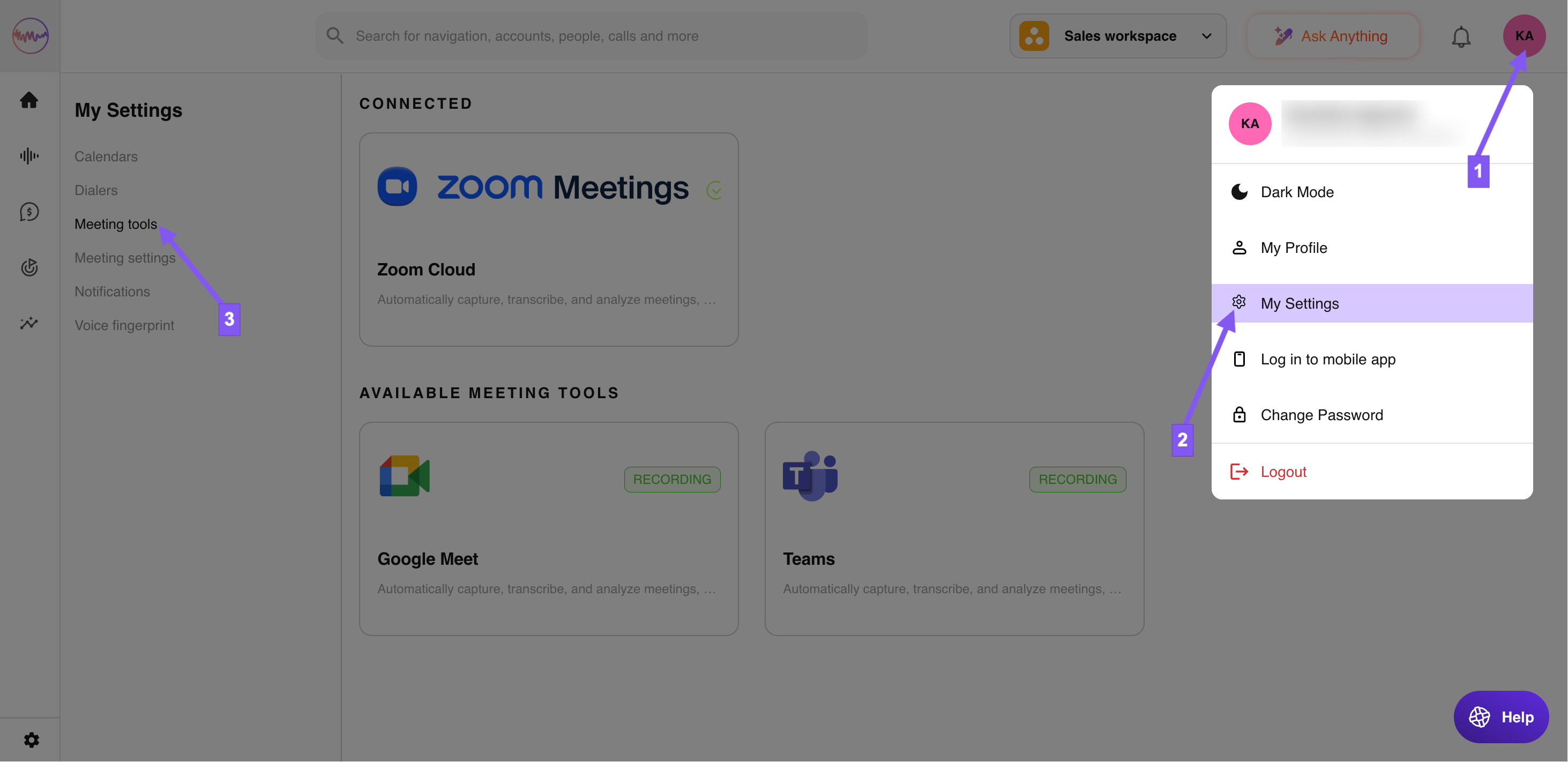
- Find the Google Meet integration and click Connect.

- Outdoo AI will immediately begin processing recordings in your Google Drive folder named Meet Recordings. Processing typically takes around 3 minutes.
Note: You do not need the Google Drive integration for the notetaker to join your Google Meet meetings. Calendar integration alone is sufficient for that.