
Zoom Phone Integration with Outdoo AI
Zoom Phone is a cloud-based phone system from Zoom that combines voice calls with Zoom's collaboration tools. Integrating Zoom Phone with Outdoo AI lets you log and analyze calls, gain AI-driven insights, and build a call repository for coaching and performance improvement.
Adding the Outdoo AI App to Zoom
- Log in to Outdoo AI
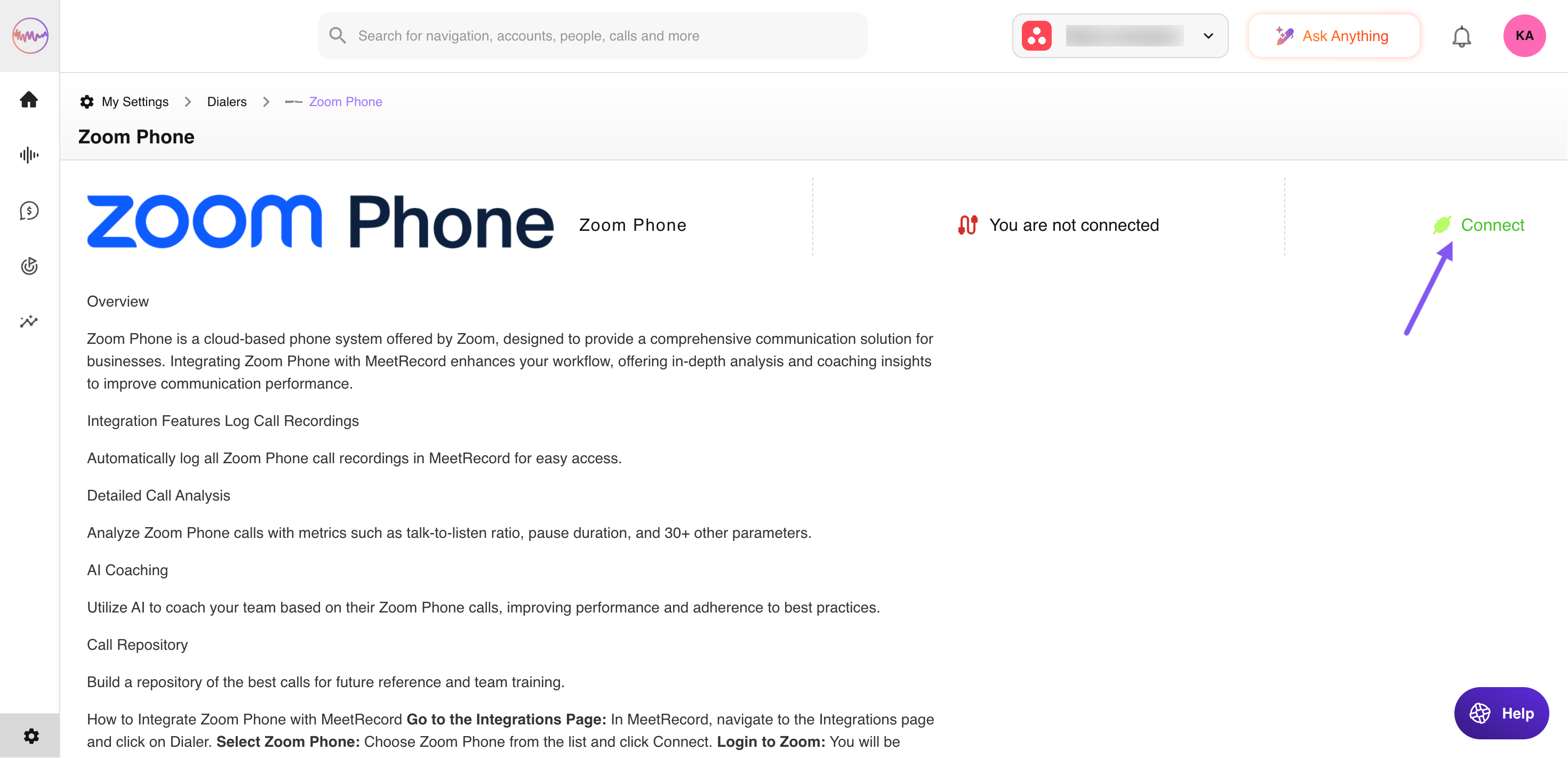
- Click on your avatar at the top right corner and navigate to My Settings > Dialers
- Select Zoom Phone from the list of Dialers
- Click Connect next to Zoom Phone
- You will be redirected to the Zoom login page
- Enter your Zoom credentials and approve the integration
Integration Features
- Log Zoom Phone call recordings in Outdoo AI automatically
- Analyze calls with 30+ AI-driven performance metrics (call-to-listen ratio, pause duration, talk ratio, etc.)
- Enable AI coaching for Zoom Phone calls to generate personalized feedback
- Build a repository of best calls for onboarding, training, and performance benchmarking
Pre-requisites
- Active Zoom Phone subscription
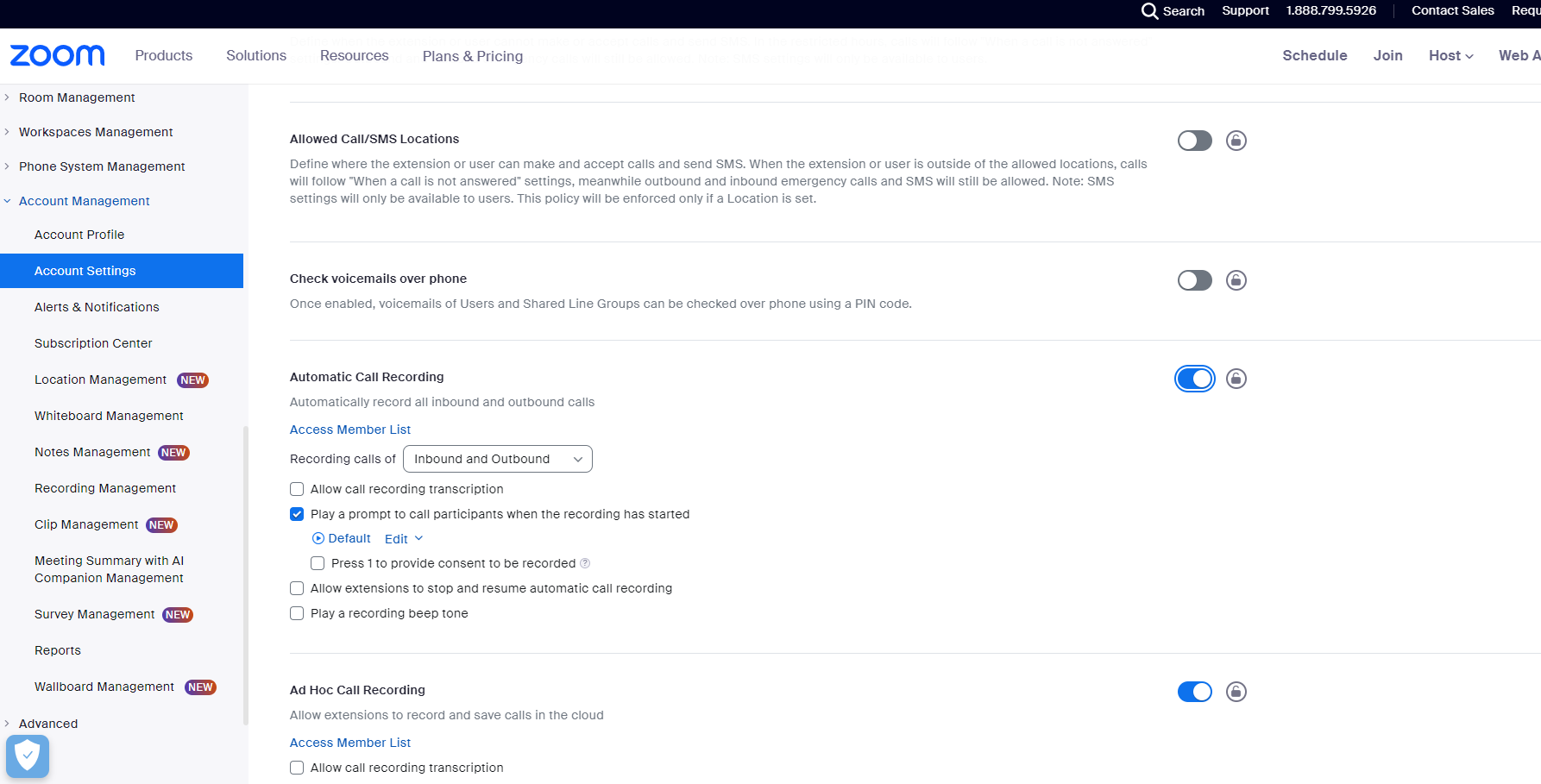
- Automatic Call Recording must be enabled: Zoom > Account Management > Account Settings > Automatic Call Recording > Turn ON
Removing the Outdoo AI App from Zoom
- Log in to your Zoom account and navigate to the Zoom App Marketplace
- Click Manage > Added Apps or search for the Outdoo AI app
- Select the Outdoo AI app
- Click Remove
Logged recordings and analytics already in Outdoo AI will remain intact unless manually deleted. No new Zoom Phone data will sync with Outdoo AI after removal.
Troubleshooting: Recording Not Showing in Outdoo AI
- Check Connection: Go to the Integrations page in Outdoo AI and verify the Zoom Phone connection is active
- Reconnect: Click Disconnect, then Connect again to reauthorize access
- Verify Zoom Settings: Navigate to Zoom > Account Management > Account Settings > Automatic Call Recording and ensure it is enabled
Frequently Asked Questions
Do I need admin permissions to connect Zoom Phone? Yes, you must be an admin or have relevant permissions on both Zoom and Outdoo AI.
Can I selectively log only certain Zoom Phone calls? No, all automatically recorded calls are pulled into Outdoo AI once connected.
What happens to data if I downgrade or cancel Zoom Phone? Existing data remains in Outdoo AI, but new calls will not be recorded or analyzed.
Contact Support
- Email: support@outdoo.ai
- Knowledge Base: help.outdoo.ai