
Authentication Methods in Outdoo
You can control how team members log in to Outdoo by configuring authentication methods. This ensures secure access to your organization's data and allows you to integrate with existing identity providers.
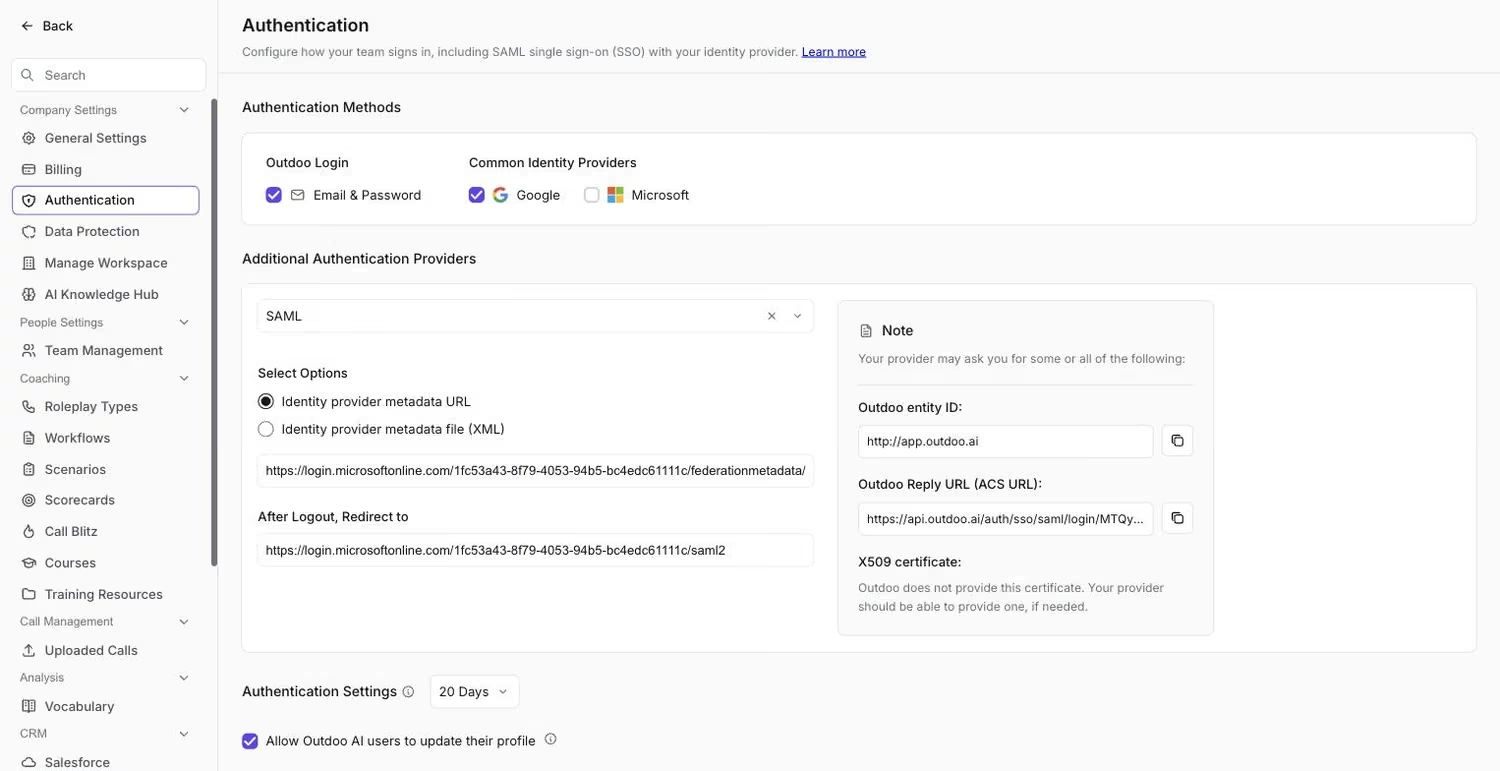 Email & Password and Google/Microsoft are enabled by default; SAML is configured separately below.
Available Login Methods
1. Email and Password
The simplest method: users create an account with their email address and a password.
2. Common Identity Providers
Outdoo supports login using existing organizational accounts:
- Microsoft (also Outlook)
3. Additional Authentication Providers
Outdoo also supports SAML-based Single Sign-On (SSO). To enable OIDC, contact your account manager or Outdoo support.
Configuring SAML Authentication
To set up SAML authentication, you will need details from your Identity Provider (IdP).
Identity Provider Metadata
You can provide one of the following:
- Metadata URL (for example, for Microsoft Entra:
https://login.microsoftonline.com/<some_id>/federationmetadata/2007-06/federationmetadata.xml?appid=<some_id>) - Metadata File (XML)
Redirect After Logout
Set your IdP to redirect users here after logout:
https://app.outdoo.ai or for Microsoft: https://myapps.microsoft.com
Required Outdoo Details
Outdoo Entity ID:
(Use this exact value. Do not substitute your customer domain.)
Outdoo Reply URL (ACS URL):
You can access your ACS URL here after logging in:
https://api.outdoo.ai/auth/sso/saml/login/<some_id>
X509 Certificate: Outdoo does not provide an X509 certificate. If required, your IdP will generate and provide one.
Authentication Settings
Session Duration (Optional): You can require team members to re-authenticate, for example every 2 months, or at an interval of your choice.
Note: This setting does not apply to call recording preferences. Team members can always manage their recording settings if configured at the user level.