
About Workspaces
Learn how to create and organize distinct workspaces in Outdoo AI to segment teams, manage permissions, meet compliance requirements, and control data capture across your organization.
Outdoo AI lets you create distinct workspaces within your instance to organize data and permissions based on your business requirements.
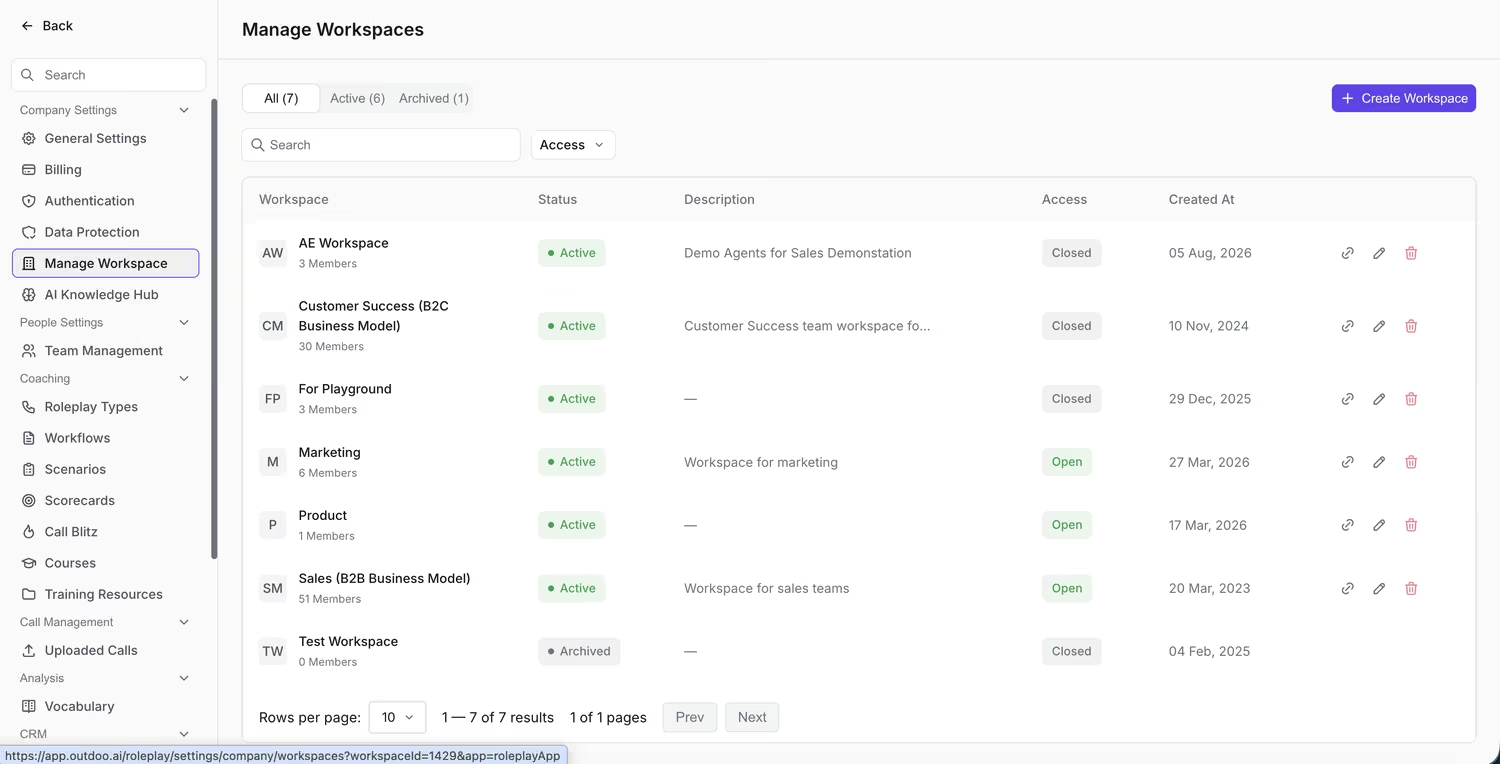 Each workspace shows its members, access level, and status.
When to Use Workspaces
For Different Lines of Business
- Segment teams working on separate products or markets to reduce clutter.
- Allow business admins to create trackers, scorecards, and other tools relevant only to their specific line of business without affecting others.
For Varied Use Cases
- Create dedicated workspaces for specialized teams such as management, coaching, and recruiting.
- Restrict access based on roles. For example, a CEO might access all workspaces, while account executives see only their sales-related data.
To Meet Regional Compliance Requirements
- Set different data retention periods per workspace to match regional requirements.
For Privacy
- Capture sensitive calls or data in restricted workspaces for added confidentiality.
How Data Is Captured in Workspaces
During setup, the technical admin assigns each team member to a home workspace:
- Calls — web conference and telephony calls are captured in the call owner's home workspace.
- Emails — emails are captured in the home workspace of any participant included in the conversation.
Admin Settings for Workspaces
Company-Level Technical Settings
- Integrations — email, calendar, CRM, and dialers (one instance of each type per customer).
- Team Member Management — control user access and roles.
- Data Protection and Privacy — company-wide policies, excluding data retention periods.
- API — API calls can span multiple workspaces, with filters applied per workspace.
Workspace-Level Business Settings
- User Roles — define access and actions for users.
- Trackers and Topics — tailor tracking and analysis for each workspace.
- Call Filters, Categories and Scorecards — organize and evaluate calls for specific use cases.
- Custom Vocabulary — set unique terminology for specific teams or functions.
Benefits of Using Workspaces in Outdoo AI
- Organization — keep teams focused by separating unrelated data.
- Compliance — maintain region-specific data policies without affecting other workspaces.
- Access Control — assign permissions based on roles and responsibilities.
- Secure Collaboration — share data within and across teams with appropriate access controls.