
Set up custom vocabulary
Learn how to create and manage custom vocabulary in Outdoo AI to improve transcription accuracy and standardize industry-specific terms for better call analysis.
Custom vocabulary in Outdoo AI lets you define industry-specific terms, company names, and other unique words to improve transcription accuracy and track relevant topics. Adding standardised terms to your vocabulary leads to more accurate transcripts and analysis.
Benefits of custom vocabulary
- Improved transcription accuracy: replace common misspellings caused by pronunciation with the correct term, across all supported languages.
- Standardised terminology: replace term variations such as acronyms or alternate spellings with your preferred format.
- Industry-specific tracking: monitor competitor names, product features, or technical terms relevant to your domain.
Common use cases
- Company and competitor names: ensure your company name and competitor names are recognised consistently.
- Product names and features: include product names or technical terms for accurate recognition in calls and emails.
- Industry terminology: add jargon, technical terms, or sector-specific keywords relevant to your business.
- Acronyms: define common acronyms and their pronunciation variations for consistent transcription.
How to add terms to the custom vocabulary
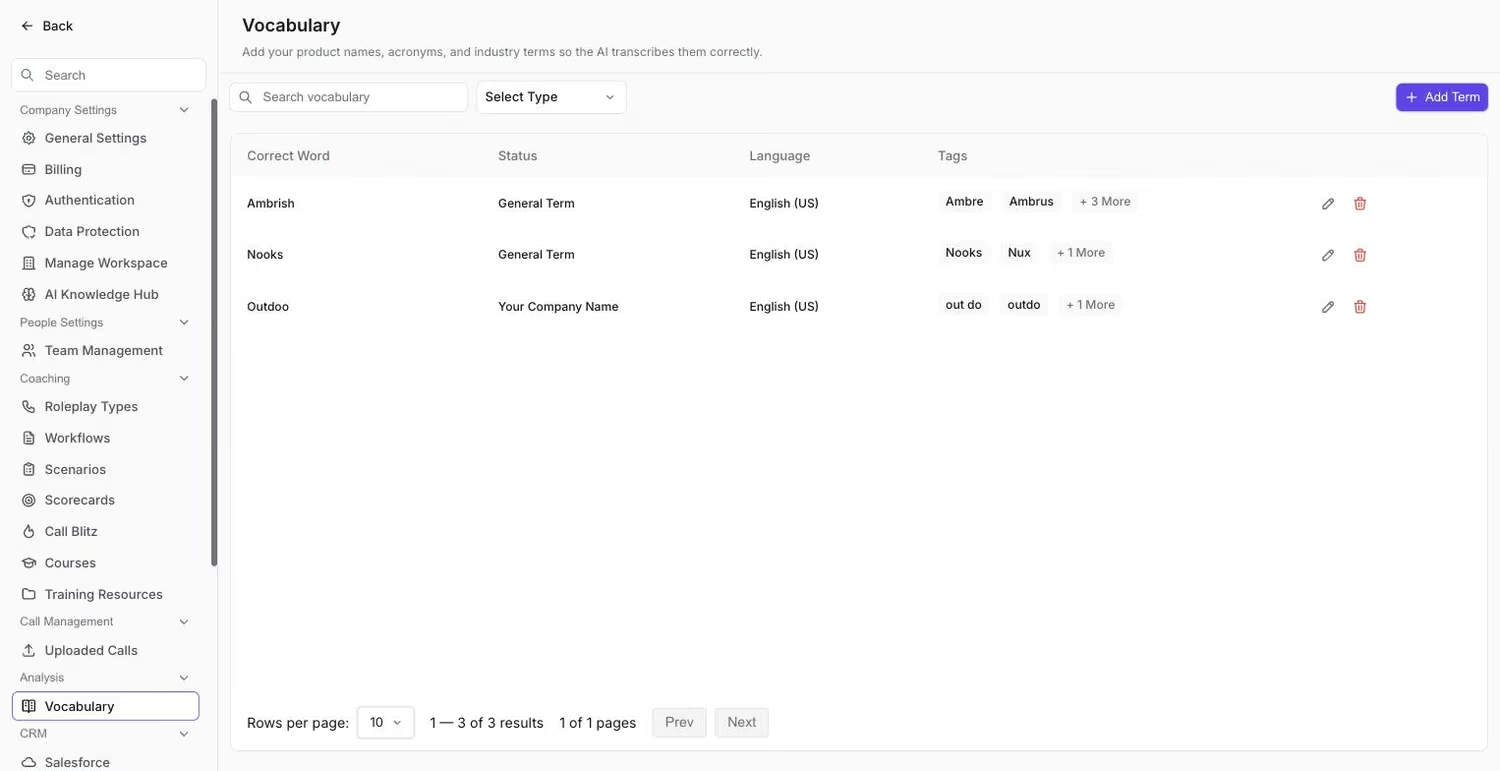 The Vocabulary list, where existing terms and their alternatives live.
- Navigate to Company Settings > Customize Analysis > Custom Vocabulary.
- Click Add Term and enter the term.
- Add alternative spellings, pronunciations, or formats. For example: SFDC, Salesforce.com, Ess Eff Dee Cee.
- If applicable, add translations or variations in multiple supported languages.
- Click Save to apply the new term.
Tips for managing custom vocabulary
- Review transcriptions regularly to identify frequently misinterpreted terms and add them promptly.
- Update for new products or competitors as they emerge.
- Focus on key terms and avoid overloading the vocabulary with low-value entries.
- Test in calls by reviewing transcripts after adding terms to confirm they are recognised accurately.
Example terms
Category | Examples |
|---|---|
Company and competitor names | YourCompanyName, Competitor A, Competitor B |
Product names and features | YourProductName, Feature X, Feature Y |
Industry terms | SaaS, ARR, MRR, CAC |
Acronyms | SFDC, API, GDPR |