
How to Stop Call Summary Emails from Being Sent to Customers
Learn how to prevent call summary emails from being automatically sent to external participants and customers by disabling this setting in your company notification preferences.
If you want to prevent call summary emails from being sent to external participants (customers), you can disable this setting at the company level.
Steps to Disable Call Summary Emails for External Participants
- Go to Company Settings
- Navigate to Notification Settings
- Locate Call Summary for External Call Participants
- Disable this option to stop call summaries from being sent to customers
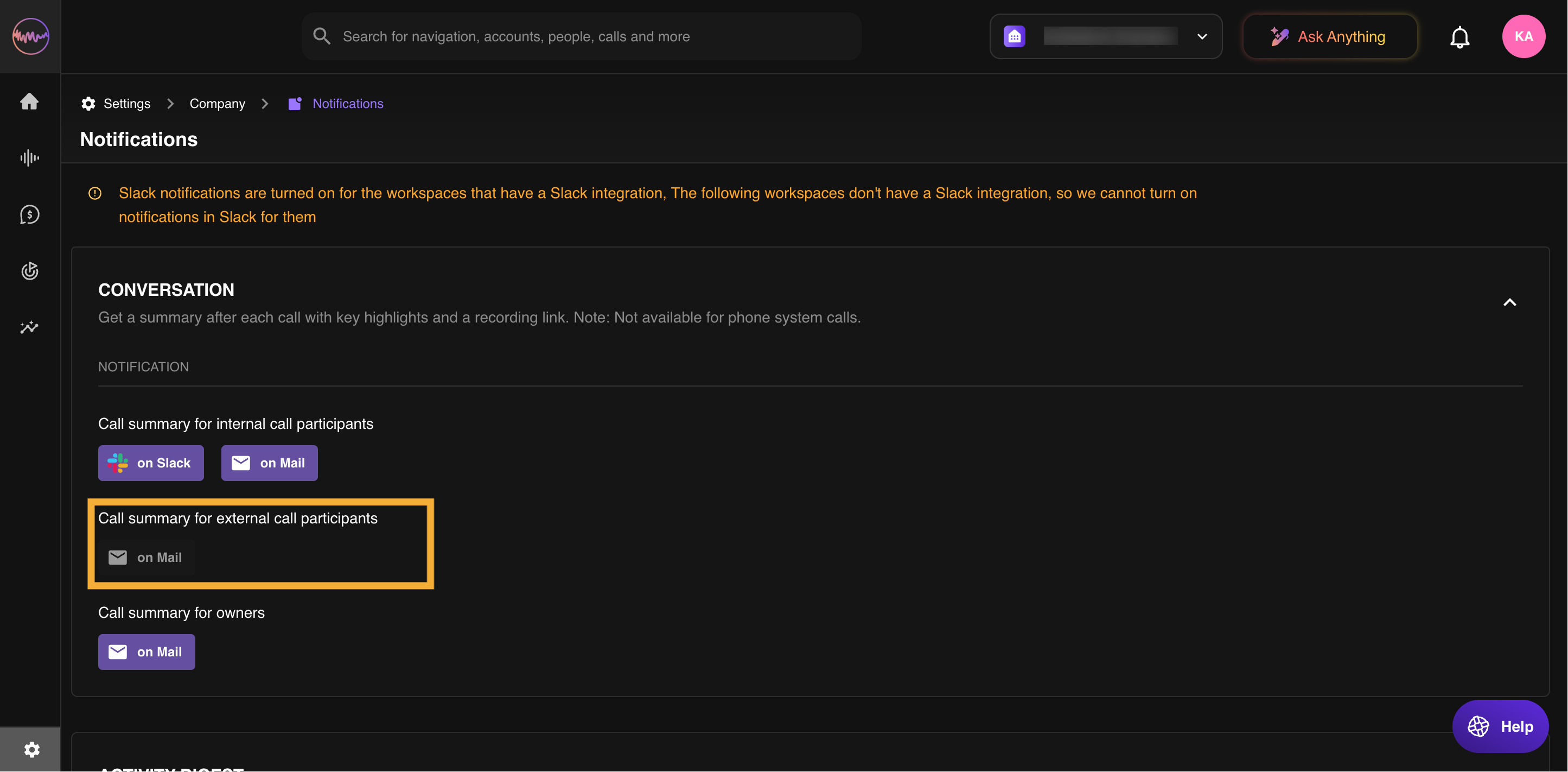
By disabling this setting, only internal team members will receive call summaries. Customers will no longer get automated email summaries.
If you have any questions or need further assistance, contact our support team at support@outdoo.ai.