Outlook and Outdoo AI
Learn how to connect your Outlook calendar to Outdoo AI and troubleshoot any authorization errors during integration.
Prerequisite: admin approval
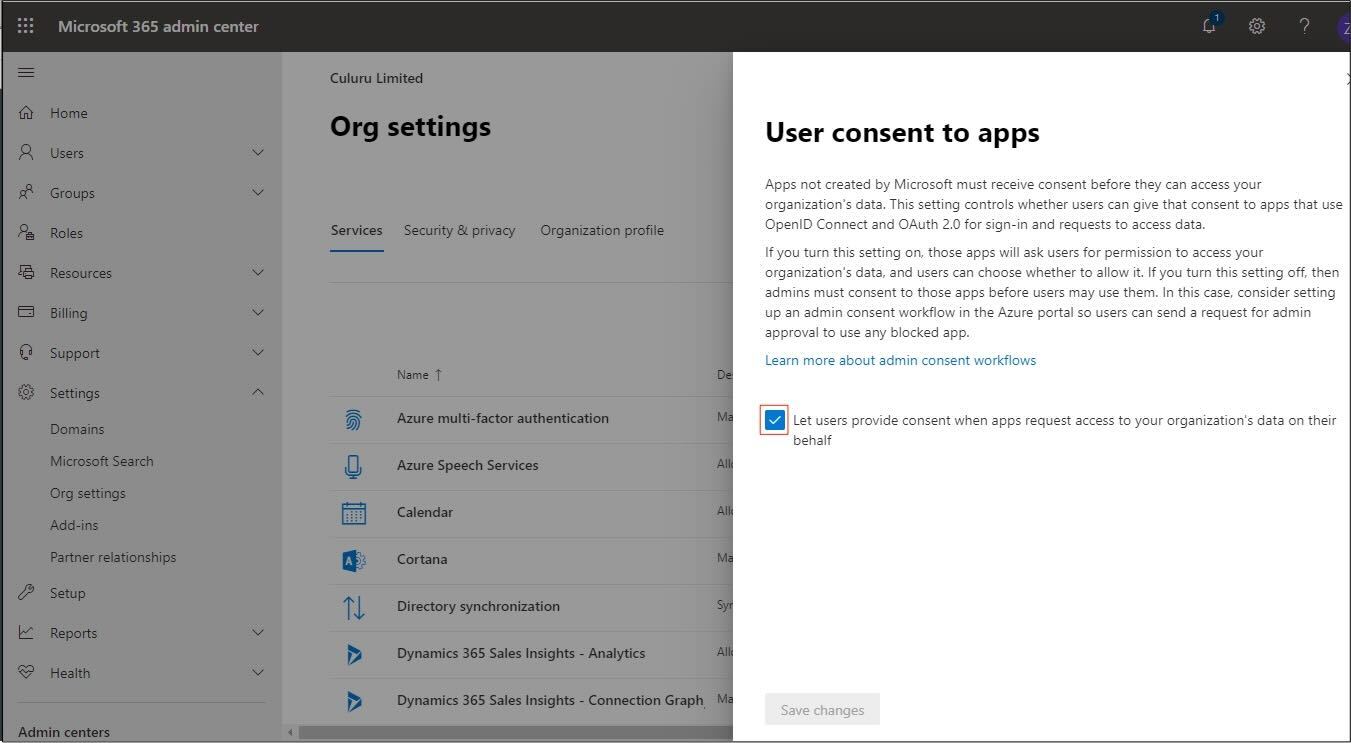
To integrate with Outlook, your Office 365 administrator must allow user consent to apps:
- Sign into your Office 365 administrator account.
- Go to Settings > Org Settings.
- Under User consent to apps, make sure the checkbox is ticked.
- Click Save Changes.
Connect Outlook Calendar to Outdoo AI
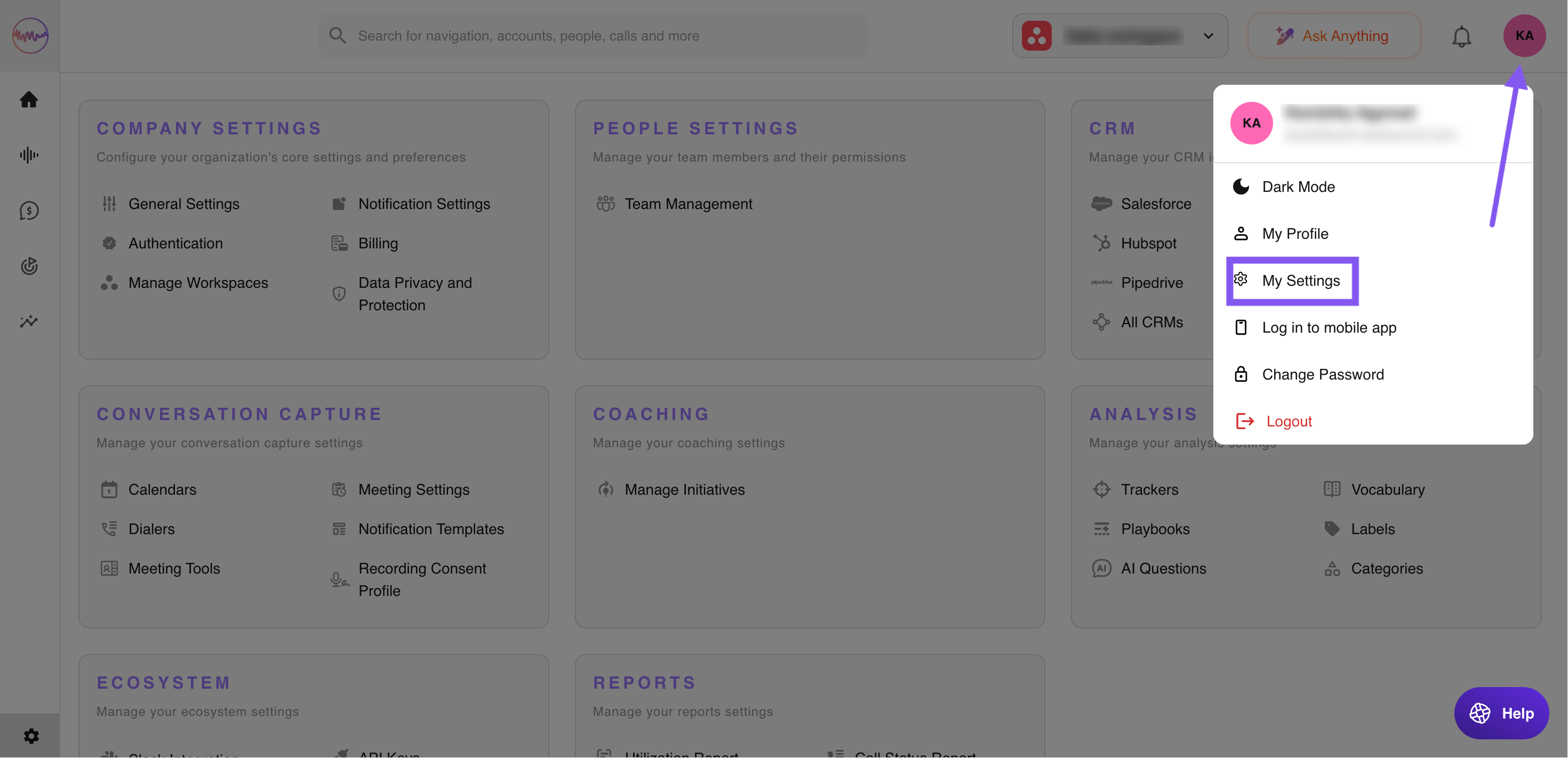
- Log in and click your profile initials in the top-right corner of the page.
- Go to My Settings > Calendars.
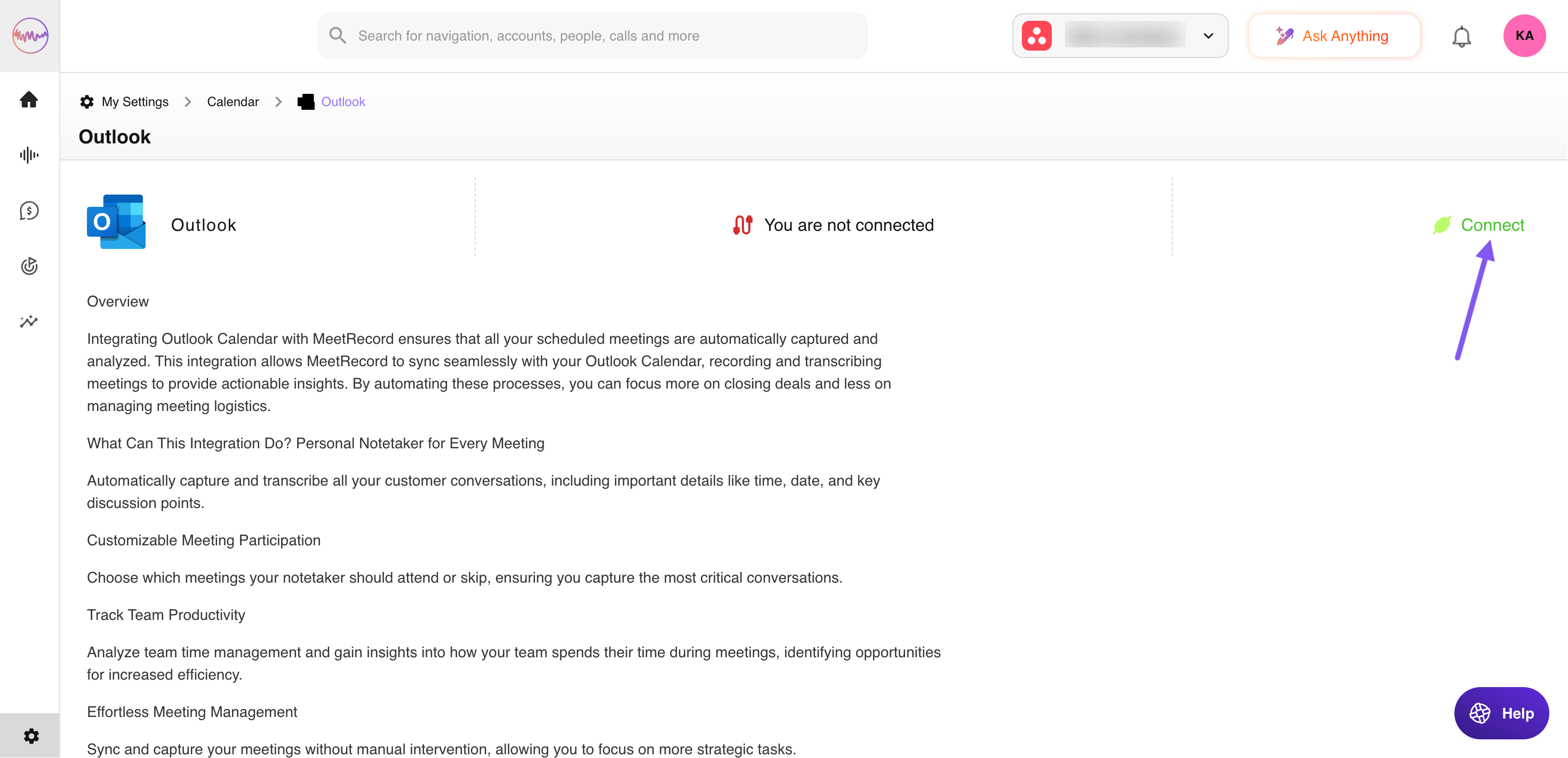
- Under Available Calendars, find Outlook and click Connect.
Troubleshooting
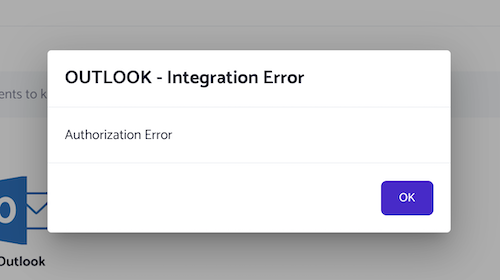
If you see an authorisation error during integration, contact your Outlook administrator and ask them to allow User consent to apps.