
Microsoft Teams and Outdoo AI
Learn how to configure Microsoft Teams to allow anonymous users to join meetings so Outdoo AI's notetaker can record and analyze your calls.
You can record and analyse calls made in Microsoft Teams using Outdoo AI. For the notetaker to join meetings, anonymous users must be allowed to join your Teams meetings. These settings are configured by a Microsoft Teams Admin.
Option A: Change default meeting policies in Teams Admin Center
This method applies the change across your entire organisation.
- Go to the Microsoft Teams Admin Center.
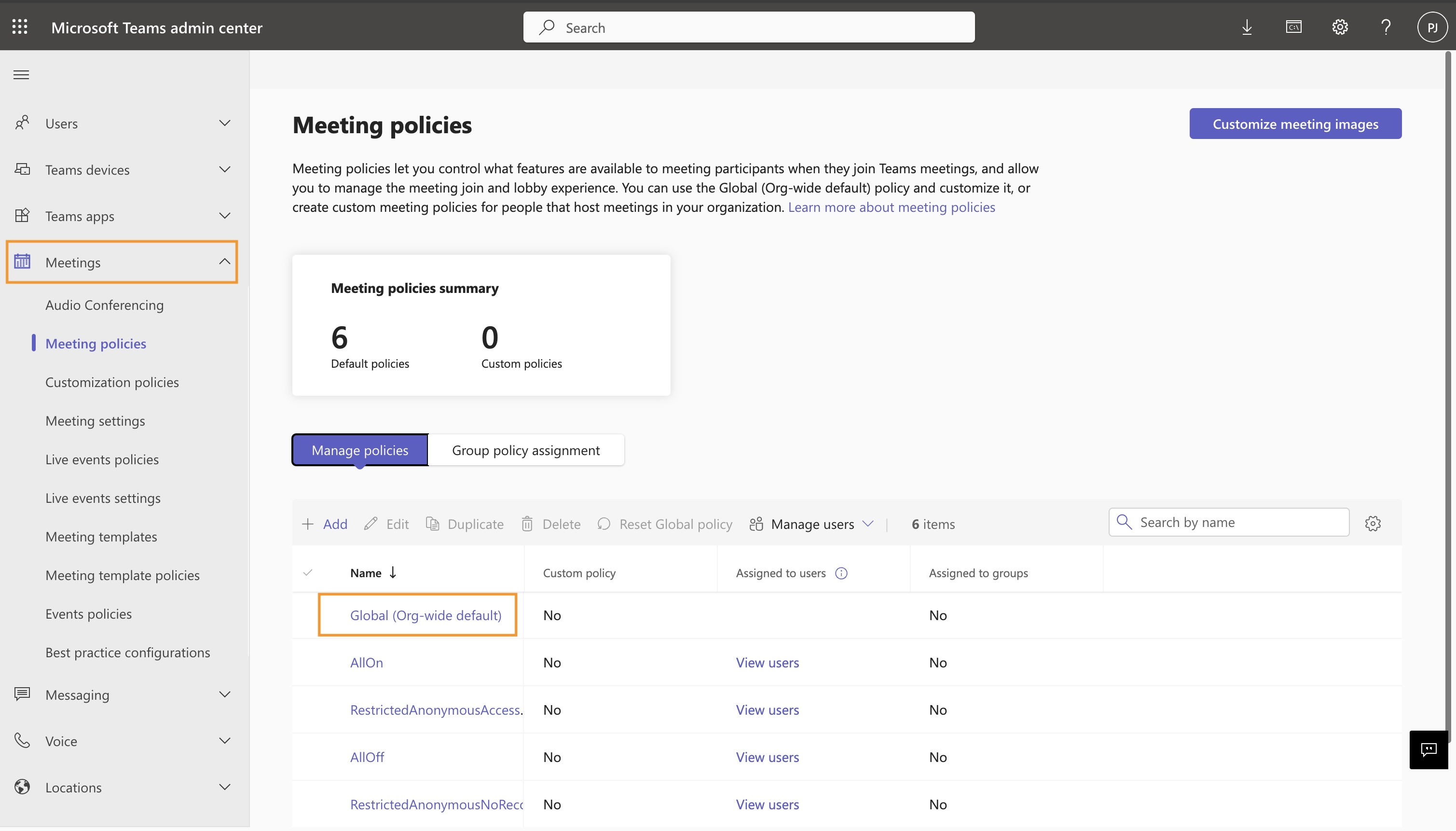
- In the left sidebar, go to Meetings > Meeting policies.
- Select the Global (Org-wide default) policy or create a new one.
- Scroll down to the Meeting join & lobby section.
- Set Anonymous users can join a meeting to On.
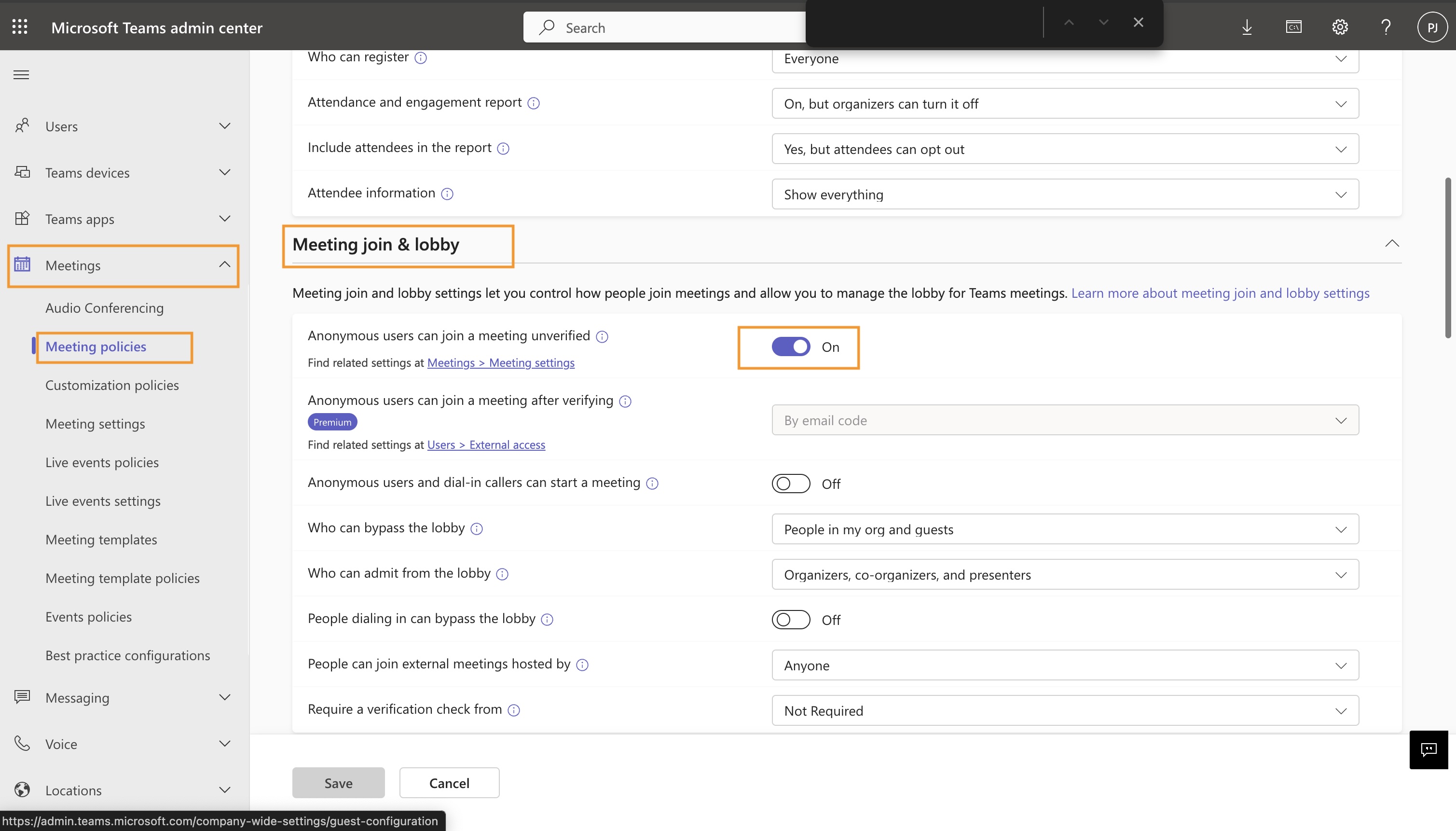
- Save and apply the policy. Changes may take a few hours to take effect.
Option B: Change meeting settings
- Go to the Microsoft Teams Admin Center.
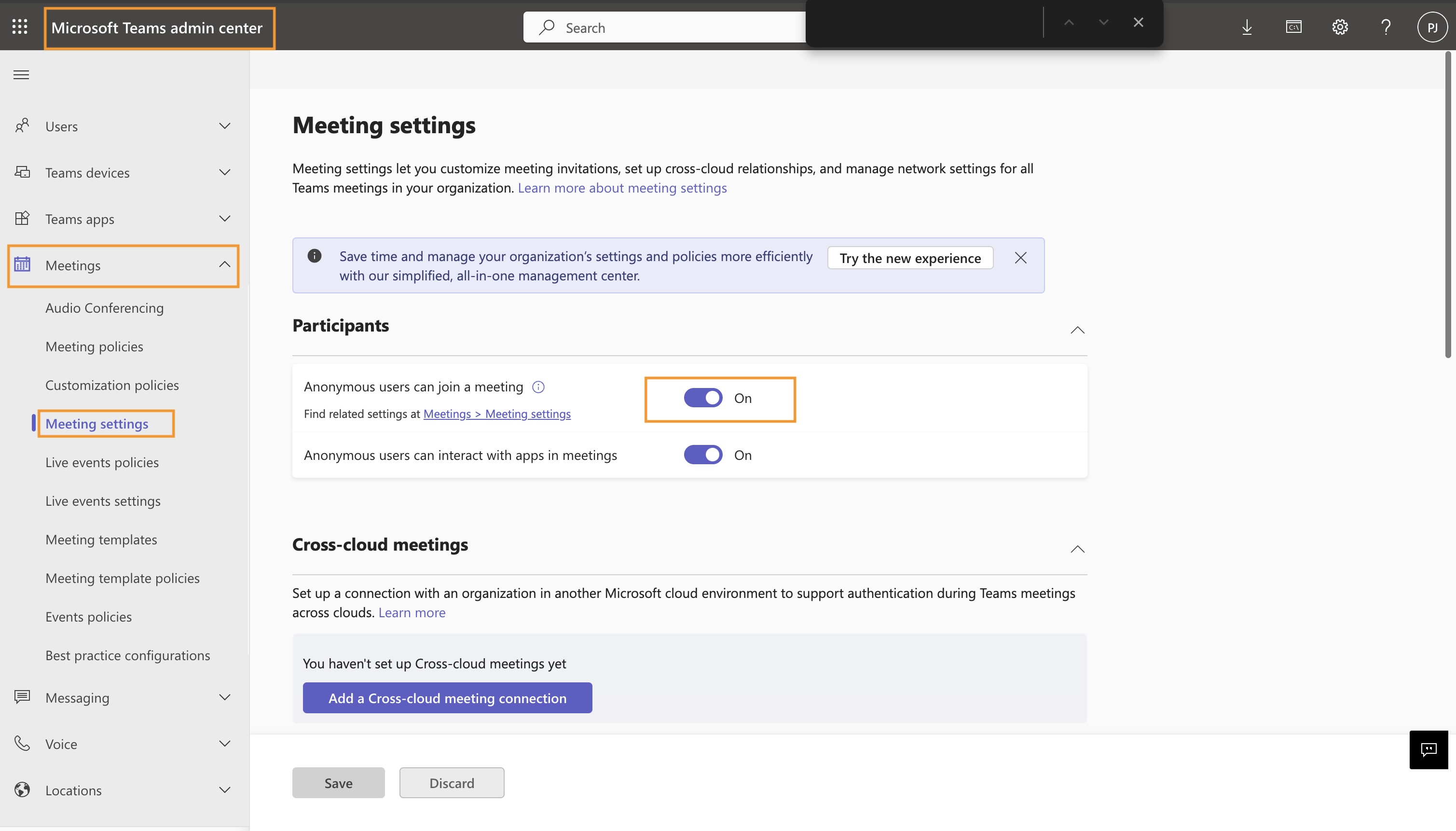
- Navigate to the Meeting Settings section.
- Set Anonymous users can join a meeting to On.
If you need any assistance, write to support@outdoo.ai.