
Cancel My Subscription
Learn how to cancel your Outdoo AI subscription and delete your account data through the Company Settings in just a few steps.
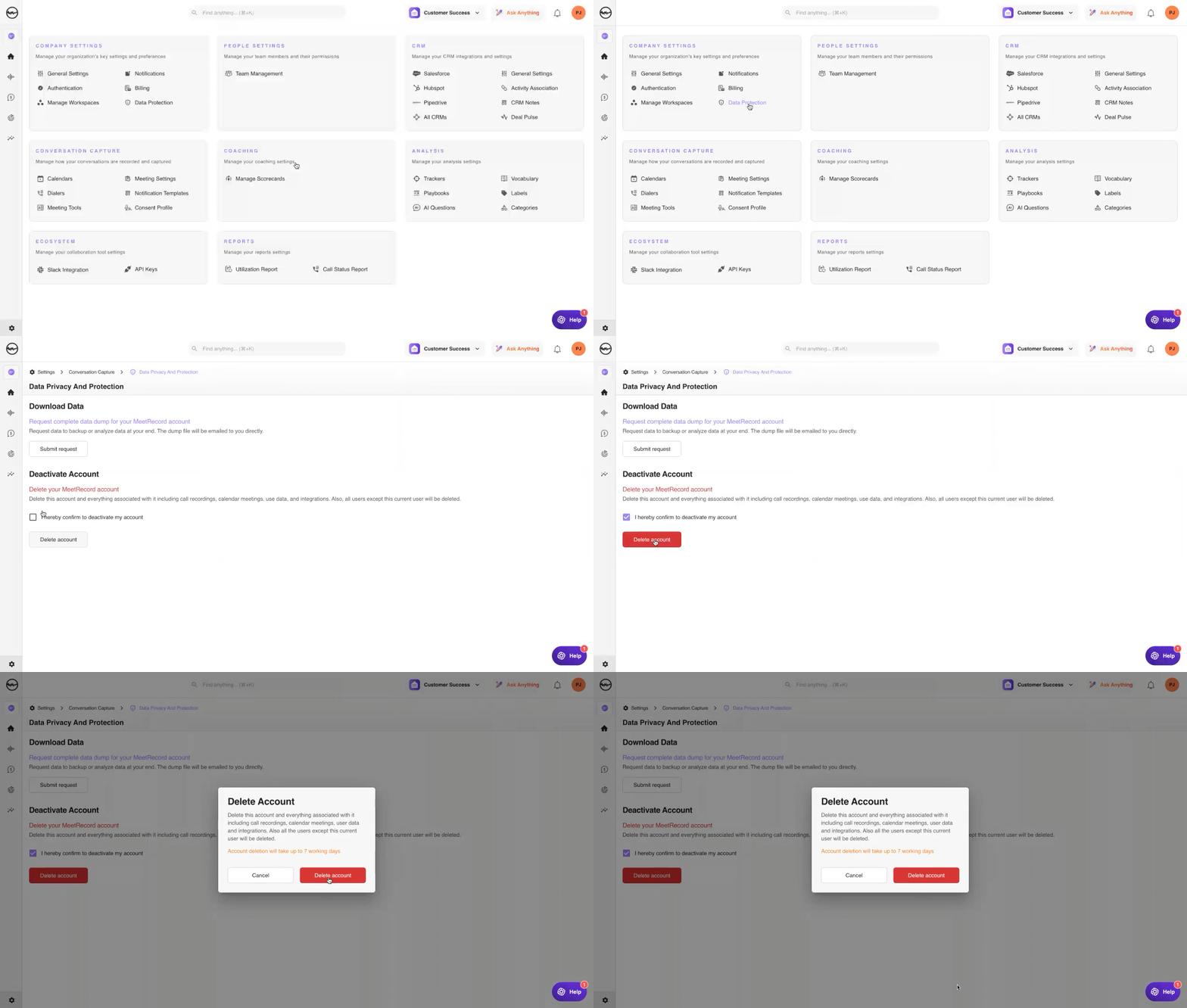
If you wish to cancel your subscription, follow these steps:
- Log into your account as Admin
- Go to Company Settings > Conversation Capture
- Navigate to Data Privacy and Protection
- Locate the option to cancel your subscription and delete your data
Note: The recording link is valid for 30 days from the day of the cancel request.
For quick access, use this direct link: Cancel Subscription.