
Create an In-Person Roleplay Agent
Watch: How to Create an In-Person Roleplay Agent (Sales Training)
Step-by-step guide
Go to Roleplay → Agents → Create (or edit an existing agent). In Roleplay Format, find Call Type and select In Person (or "In-Person"). This sets the channel to In-Person so the scenario is treated as a face-to-face context.
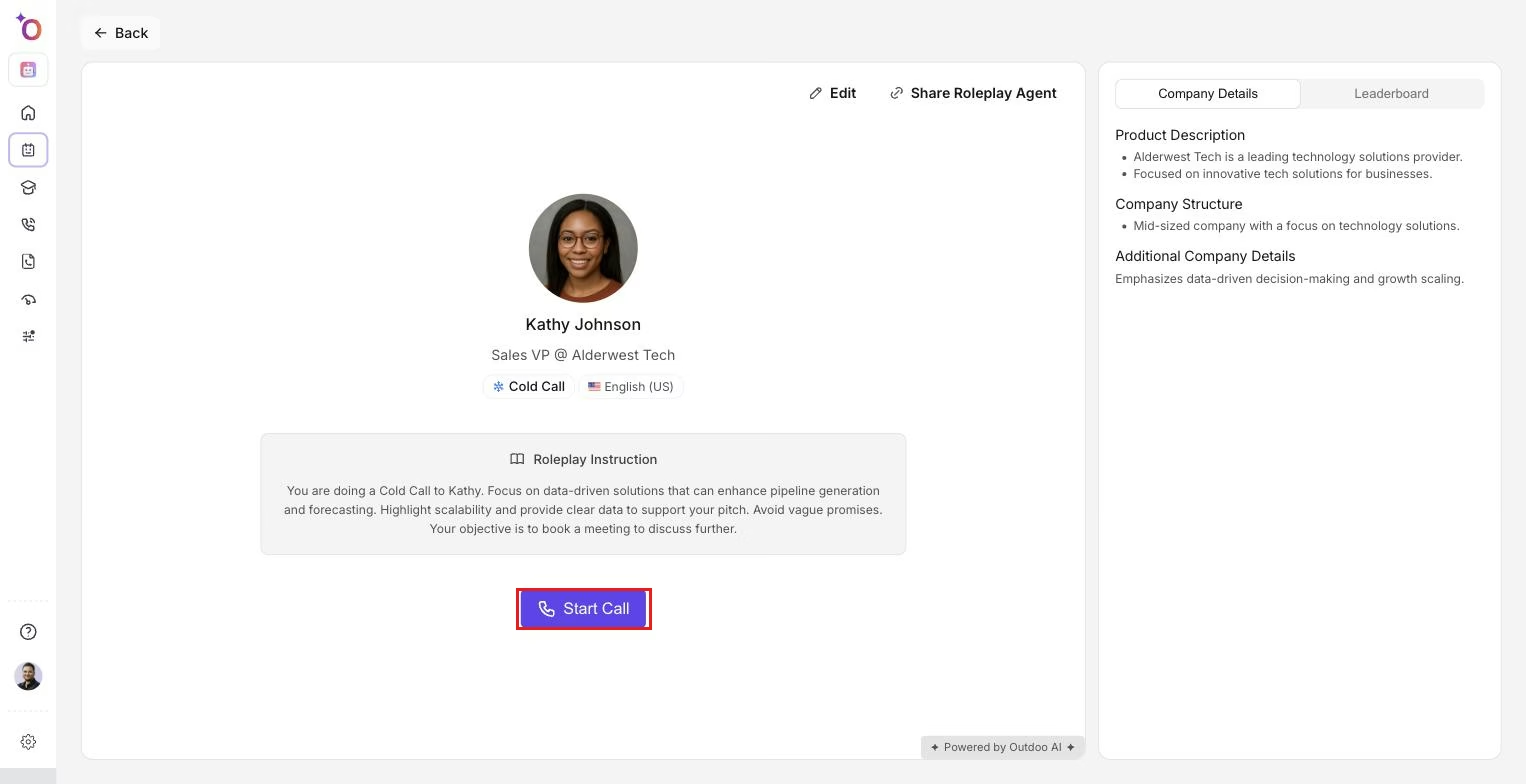 The agent detail page, where Call Type is set to In Person and the rest of the agent is configured.
Configure the rest of the agent for in-person use:
- Roleplay type: for example, Discovery, Cold Call, or Custom.
- Scenario: choose or write a scenario that fits in-person, such as "Retail walk-in," "Branch consultation," or "Site visit."
- Instructions to rep: describe the in-person setting, for example, "You're meeting the prospect at their office. Use a firm handshake and maintain eye contact. Read their body language."
- Scorecard: attach the scorecard used to evaluate the in-person conversation. If you later add a gatekeeper phase, attach a separate scorecard for the gatekeeper. The two scorecards must be different.
- Background Environment (optional): if the agent has a gatekeeper, background noise applies to the gatekeeper segment. Otherwise it applies to the main in-person context.
Save as a draft or Publish. The agent is available for practice from Try it or from Roleplay or Courses.
How to run an In-Person roleplay
From Roleplay (or Library or Courses), select an agent that uses In Person as the call type. Start the session using Try it or Start roleplay. The session runs as a voice roleplay using the same interface as Call mode.
Treat the conversation as in-person: use the scenario and instructions to imagine you're face-to-face. Pace your speech, leave natural pauses, and respond as you would in a real meeting. After the call, review feedback and scores. If the setup has two phases, such as gatekeeper followed by in-person, you may see separate scorecards for each phase.
Separate scorecards and background noise
For a two-phase flow, such as gatekeeper followed by in-person, use one scorecard for the gatekeeper phase and a different scorecard for the in-person phase. Background noise is applied to the gatekeeper part of the flow, for example reception ambience. Configure this when the agent supports a gatekeeper in Call type with gatekeeper enabled. For In-Person-only agents, use a single in-person scorecard.
For a single in-person phase, one scorecard evaluates the in-person conversation, and background noise, if set, applies to the main in-person context.
Best practices for in-person scenarios
In the instructions to rep, clearly describe the setting, such as store, branch, property, or client office, and any physical context such as "Customer is at the counter" or "You're in the conference room." Use scenario names or descriptions that signal in-person, for example, "Retail walk-in," "In-branch consultation," or "Site visit, closing." In the scorecard, include criteria that reflect in-person skills where possible, such as clarity, pacing, objection handling, and next steps, so feedback aligns with face-to-face performance.
Related articles
- Intro to In-Person Roleplay Agents
- In-person roleplay: how scoring works
- Create a Gatekeeper to a Roleplay