
Create and Manage Folders
Learn how to create and manage folders in your Library to organize conversations, calls, and content for your team or personal use.
Folder Libraries
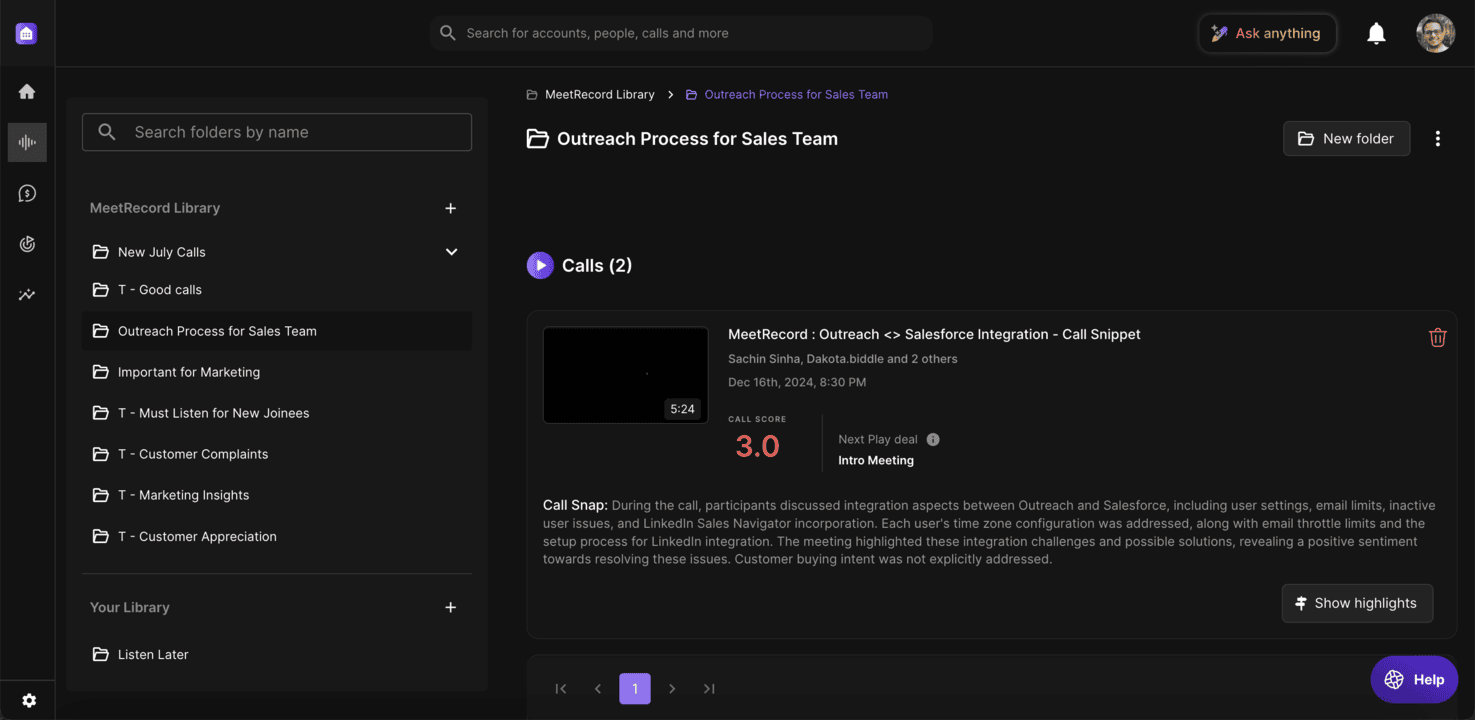
Your Library:
- Includes folders you create or that are shared with you
- Useful for private calls or content specific to certain teams or individuals
- Saving calls here does not change their access settings. Public calls remain public
Company Library:
- Contains folders relevant to all teams, often managed by company-wide teams such as enablement
- Useful for training, onboarding, and strategy materials
Creating Folders
You can create folders either from the library or directly from a call. Folders display key details like the name, creator, number of calls, and internal views.
From the Library
- Navigate to Conversations > Library > Your Library or Conversations > Library > Company Library
- Click New folder in the top-left panel or + beside an existing folder and select Folder
- Name the folder and choose its destination folder
- Click Create
Deleting and Archiving Folders
- To delete a folder: click the action menu and select Delete. Shared folders prompt a notification before deletion