
Creating a scorecard
A scorecard is a set of criteria used to evaluate a conversation call. It tells reviewers what to look for and how to score what they observe. The same scorecard framework applies to both live calls and roleplay sessions, so practice scores and real-call scores are directly comparable.
What a scorecard contains
Each scorecard has objectives, the individual criteria being evaluated. For each objective, you set a description, a scoring method (pass/fail, a numeric range, or a percentage), and optionally coaching guidance for each outcome. Keep scorecards focused: 5 to 10 objectives is usually enough. More than that and reviewers start skimming.
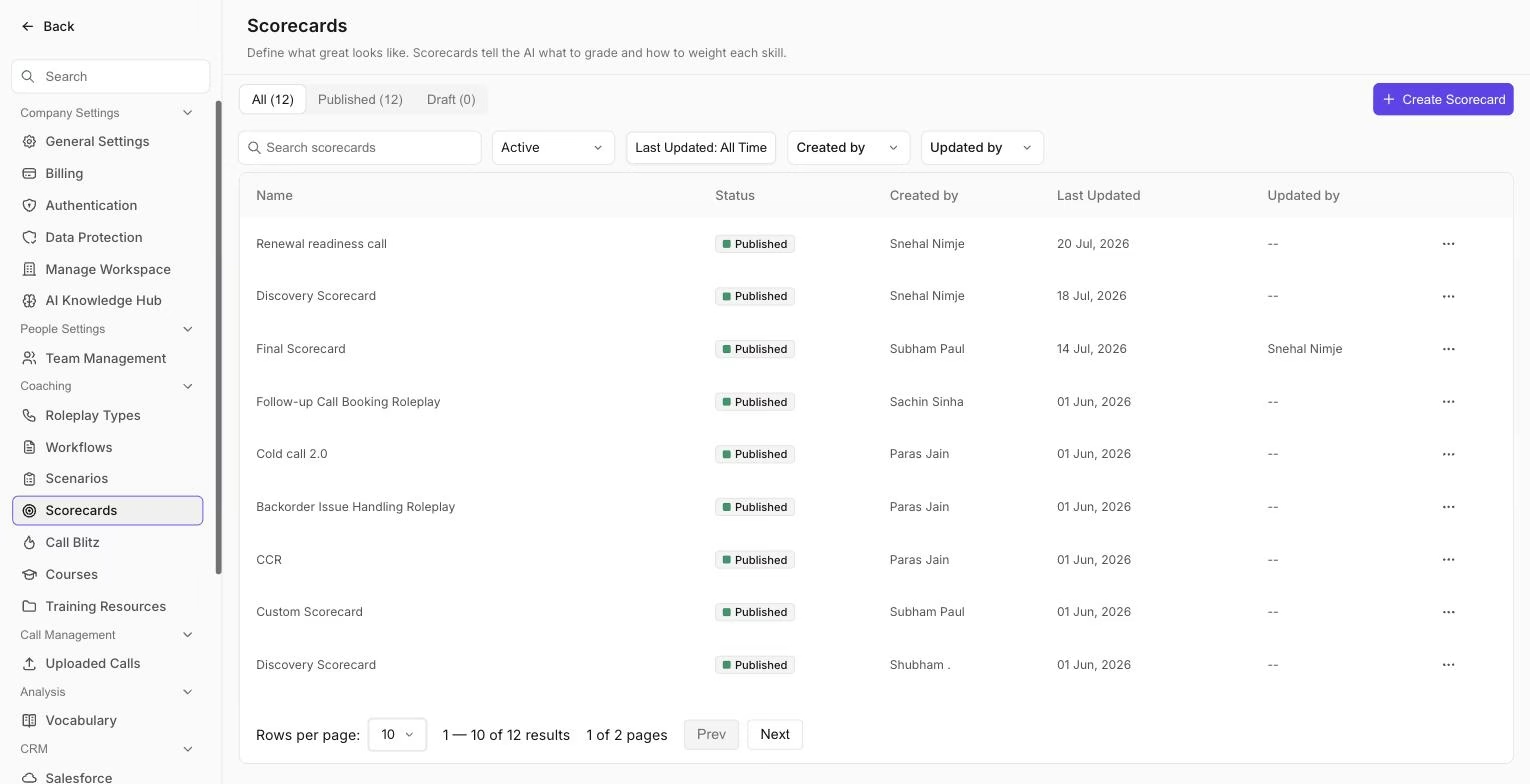 The Manage Scorecards page, where every scorecard you create appears alongside its publish status.
Create a scorecard from a template
- Go to Settings > Coaching > Manage Scorecards and click Add Scorecard.
- Select Choose Scorecard Template and pick the template closest to your use case.
- Review the pre-built objectives on the left panel. Edit any that do not match your process.
- Click Publish when you are ready to use it.
Templates are fully editable. You are not locked into the template's structure: change the objectives, scoring scale, or anything else after you select it.
Create a custom scorecard
- Go to Settings > Coaching > Manage Scorecards and click Add Scorecard.
- Choose Custom from the template section.
- Click + Add on the left panel to create each objective.
- Write the objective name, set the scoring criteria, and add coaching notes if relevant.
- Click Publish when finished.
Generate a scorecard with AI
You can also describe the call type and what good looks like, and Outdoo will generate a draft scorecard. This is faster than starting from scratch and gives you a structure to edit rather than build.
To use AI generation with your own documents, such as playbooks, methodology guides, and persona profiles, attach them as resources when submitting the generation request. The AI will align the scorecard criteria with your uploaded content rather than using generic templates.
See: Create a scorecard using AI with resources
Tips
- Use clear, observable language. "Rep asked at least two open-ended discovery questions" is easier to score consistently than "Rep showed curiosity."
- Align each objective with a real behavior you want reps to change or reinforce.
- Review the scorecard after the first few uses. Criteria that score the same way on every call are either too easy or too hard and should be adjusted.
If you need help, contact us at support@outdoo.ai.