
Creating a scorecard for the roleplay agent
Learn how to create and customize scorecards for evaluating roleplay performance. Discover how to use pre-built templates or design custom scorecards tailored to your team's needs.
What is a scorecard?
A scorecard is a structured evaluation tool that lets managers, coaches, or peers assess roleplays based on predefined criteria. It provides objective feedback, helps identify strengths and areas for improvement, and gives your team a consistent way to measure roleplay performance.
Think of it as a checklist or rubric that guides the reviewer through what to look for and how to rate the participant's performance.
Why use scorecards?
- Drive consistency in evaluation.
- Align roleplay goals with key sales or support behaviors.
- Provide targeted, specific feedback.
- Track progress over time with measurable metrics.
How to select a pre-existing scorecard template
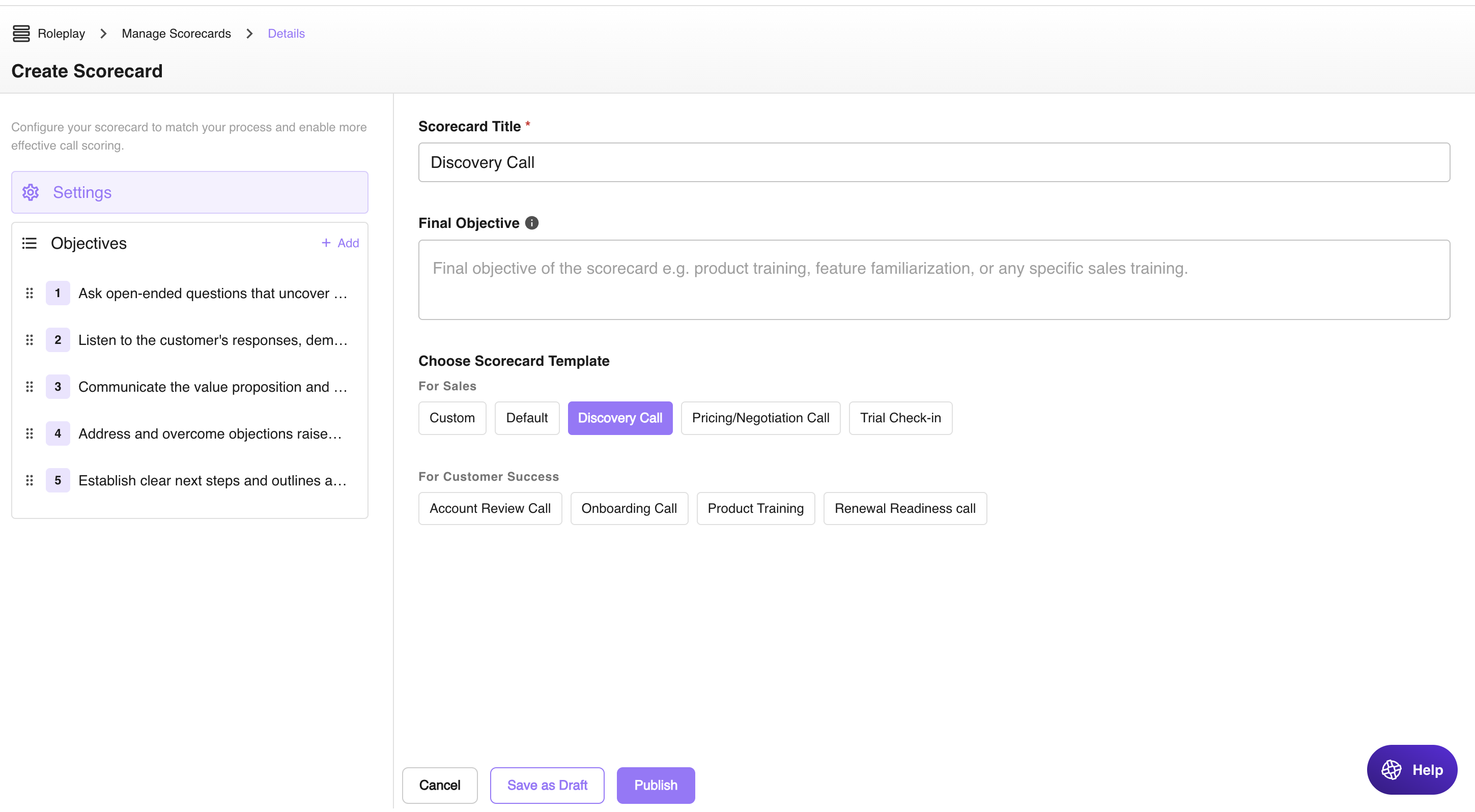
- Go to Manage Scorecard and click Add Scorecard.
- Choose a template from Choose Scorecard Template.
- Objectives will appear on the left side of the screen. Edit any points you want and click Publish.
Templates are customizable. You can adjust objectives even after selecting a template.
How to create a custom scorecard
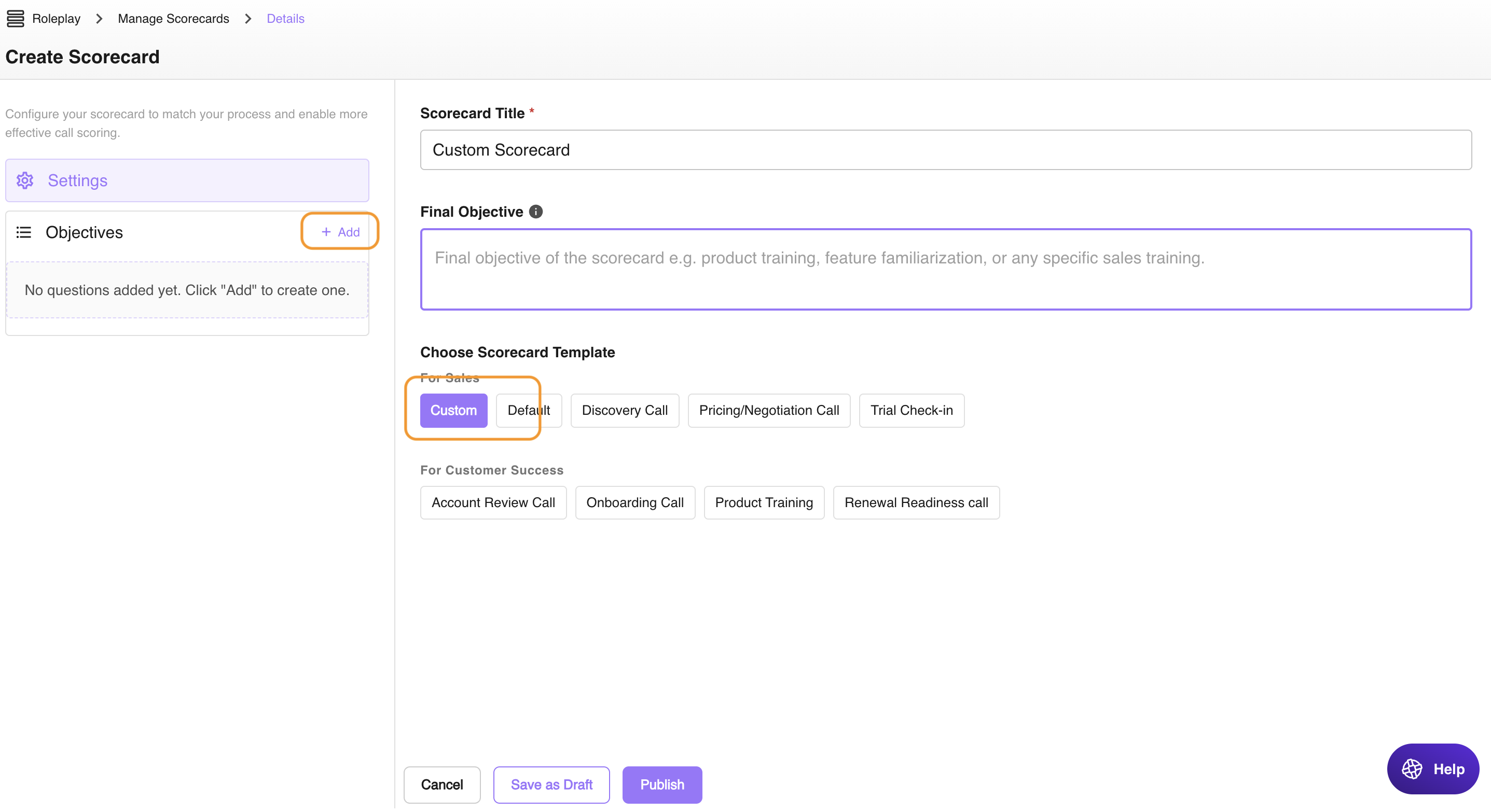
- Go to Manage Scorecard and click Add Scorecard.
- In the Template section, click Custom and then click +Add on the left side.
- Add your custom objectives and scoring criteria (optional), then click Publish.
Tips for building a good scorecard
- Keep it concise: focus on 5–10 key behaviors.
- Use clear, specific language in each criterion.
- Align your scorecard with real-world expectations and outcomes.
- Review and iterate based on team feedback.
Need help designing a custom scorecard? Contact the support team at support@outdoo.ai.