
Create a Roleplay Agent from Existing Calls
Learn how to create AI-powered roleplay agents from your real sales calls to give reps authentic practice scenarios with buyers that match your actual customer behavior.
This method is ideal when you want your reps to practice with buyers that feel exactly like your real customers.
When to Use This Method
Use this method when you want to train on:
- Real discovery calls
- Objection-heavy sales conversations
- Pricing and negotiation calls
- SDR cold call reviews
- Customer success renewals
- Any call you want replicated as a training simulation
How It Works
Outdoo automatically extracts:
- Persona traits
- Emotional state and tone
- Conversation style
- Common objections
- Buyer interests and concerns
- Patterns and behaviors from the call
It then turns this data into a fully configurable Roleplay Agent.
Step-by-Step Instructions
Step 1: Upload or Connect Your Call Source
You can upload any audio or video file, or connect your platform (for example, Gong) to access your call library.
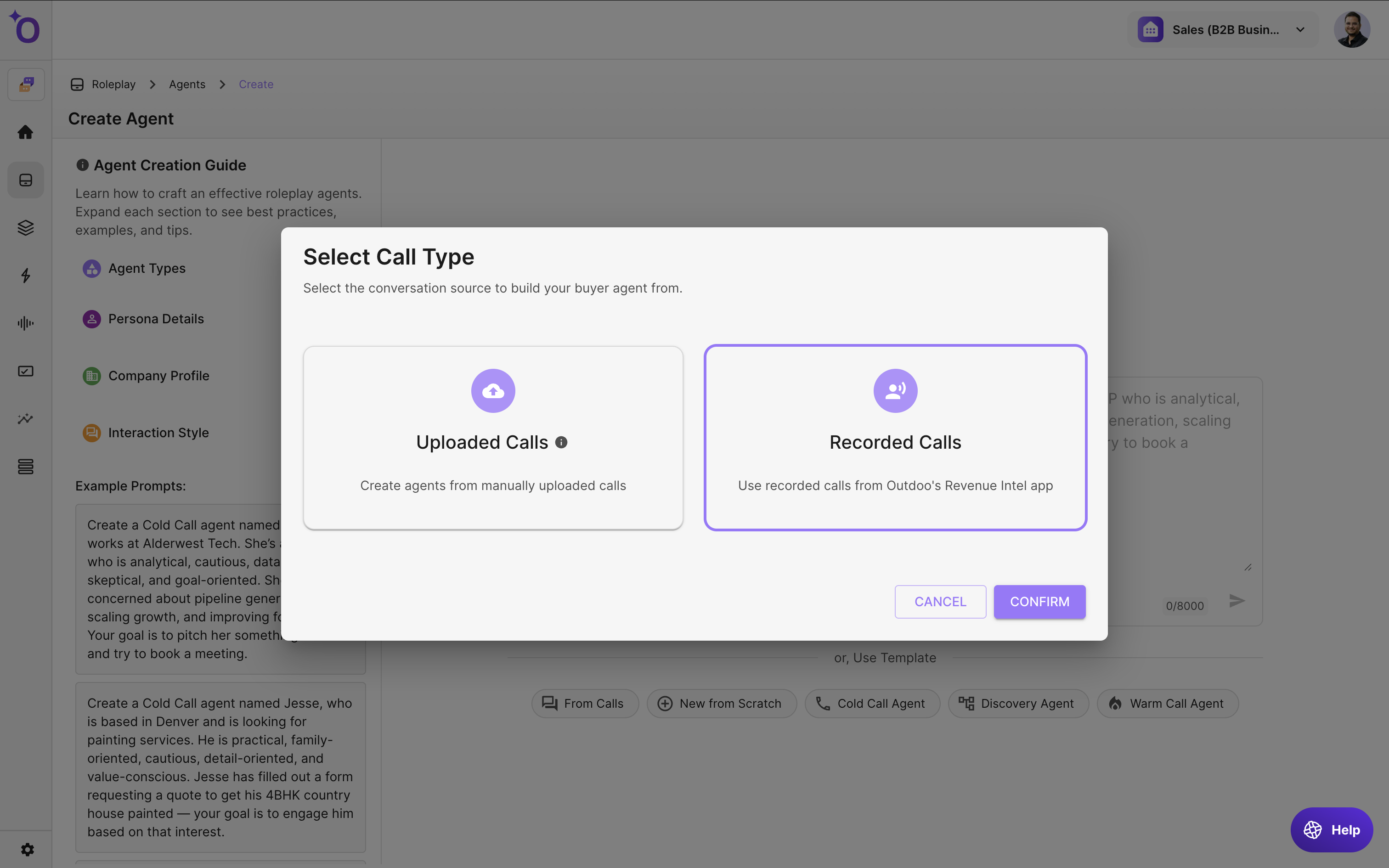
Step 2: Select the Call
Browse your call list and choose the recording you want to convert.
Step 3: Identify the Buyer
Select the participant or participants in the call who should become the AI buyer.
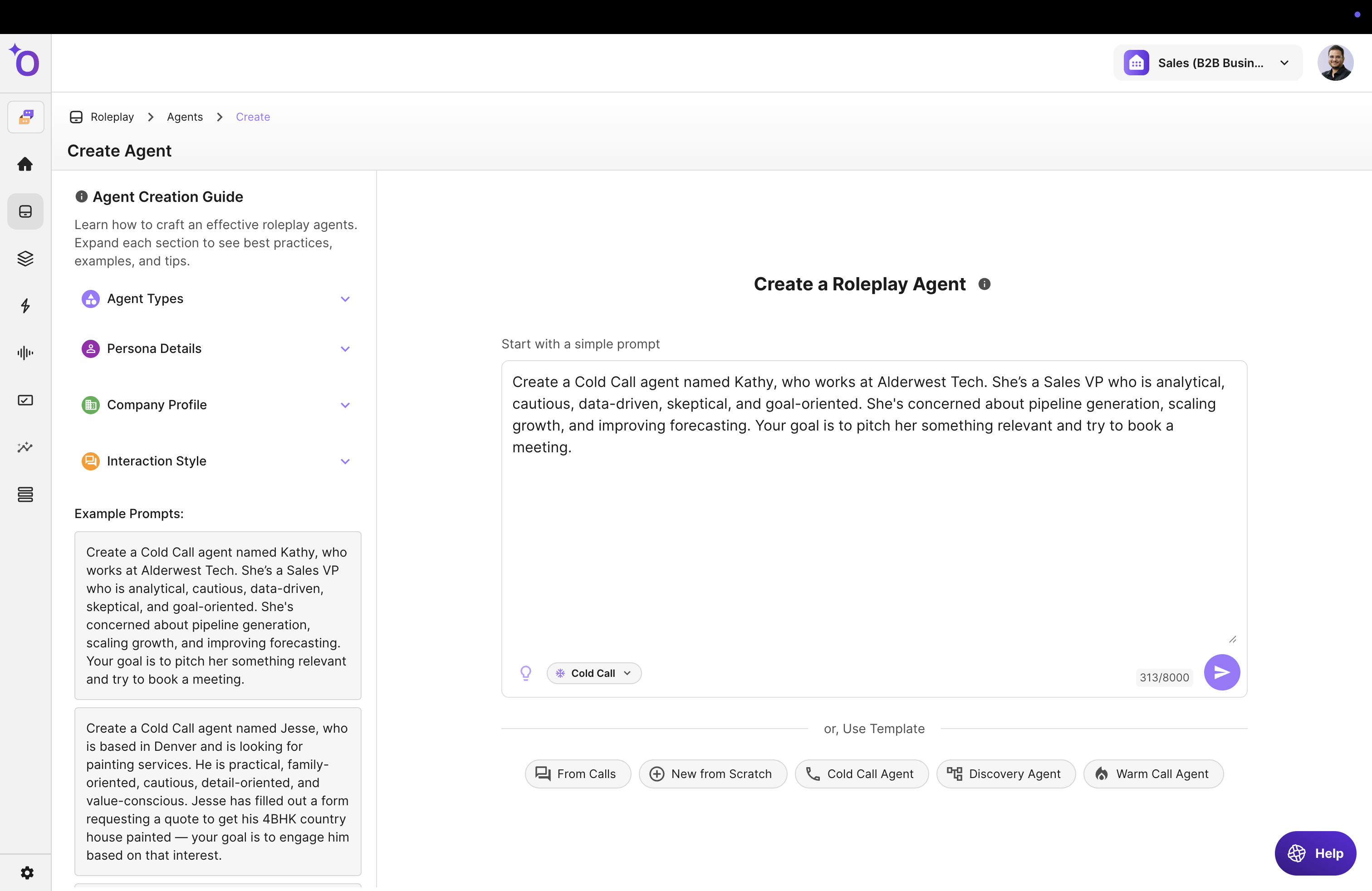
Step 4: Review the Auto-Generated Persona
Outdoo extracts:
- Personality
- Emotional tone
- Interests and motivations
- Communication style
You can refine all of these settings.
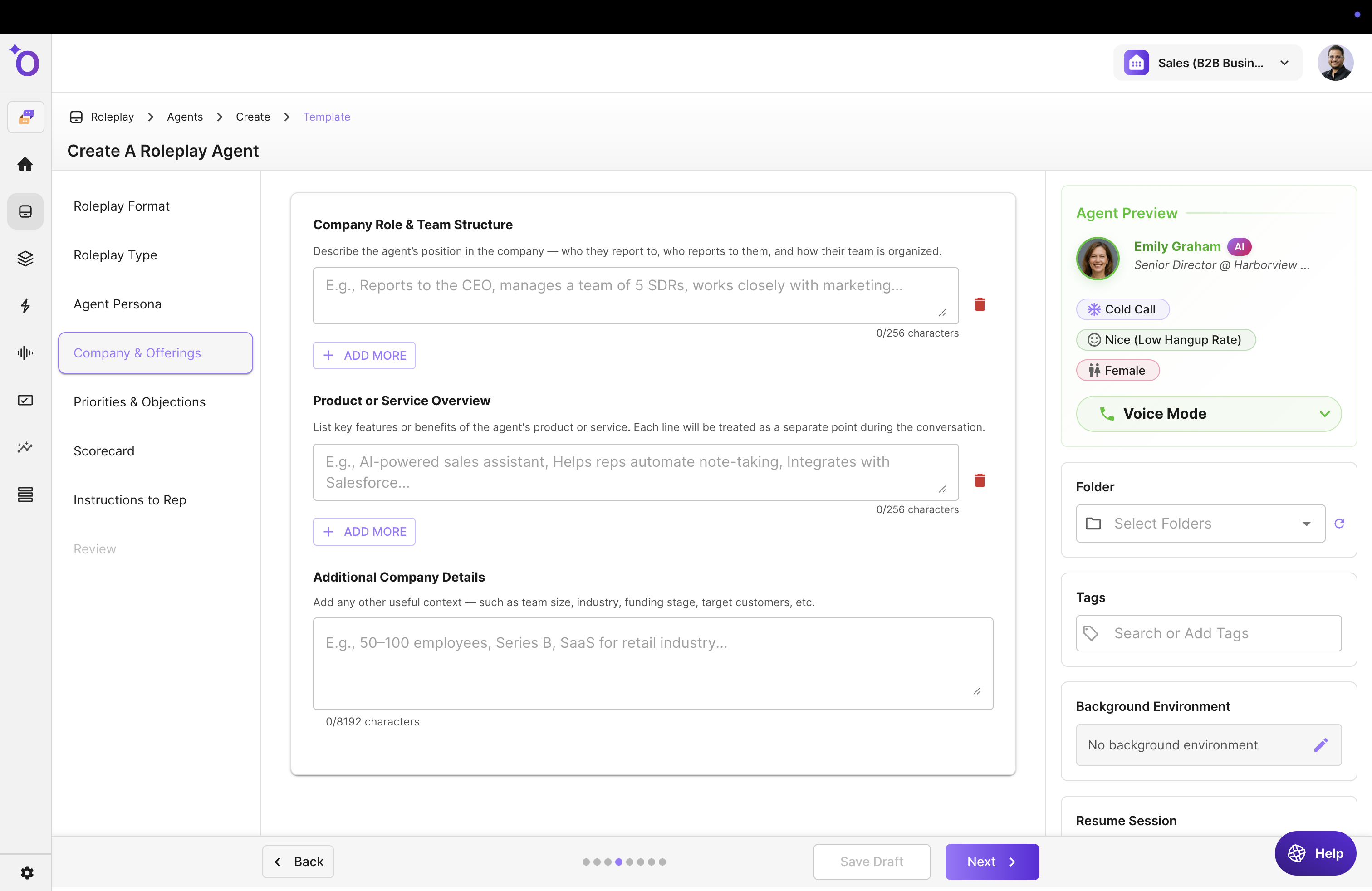
Step 5: Configure the Simulation
Choose:
- Call type (cold, discovery, negotiation, etc.)
- Scenarios
- Persona traits
- Interests and preferences
- Common objections
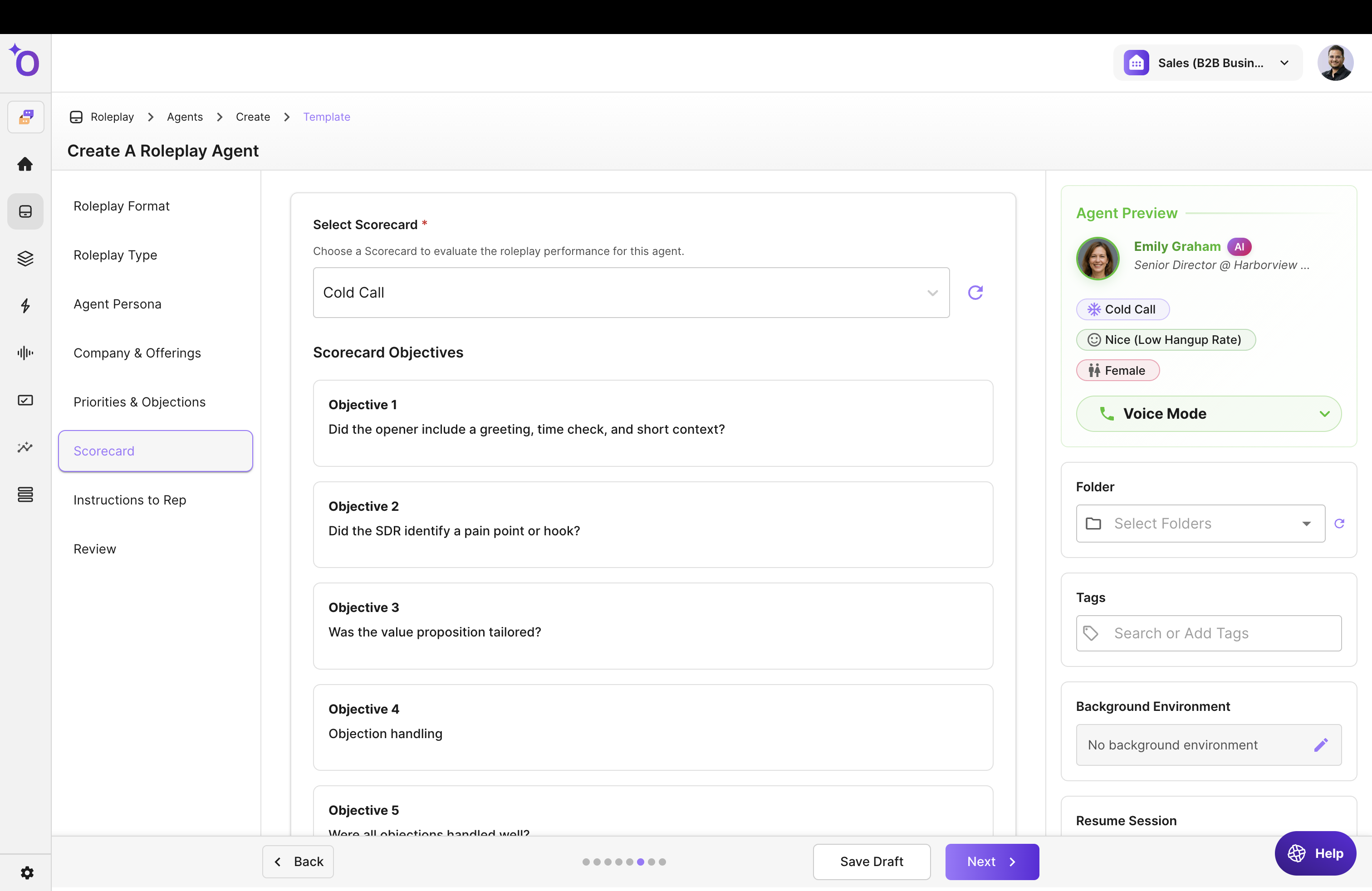
Step 6: Add a Scorecard and Coaching Instructions
Scorecards provide instant feedback. Coaching instructions guide the simulation.
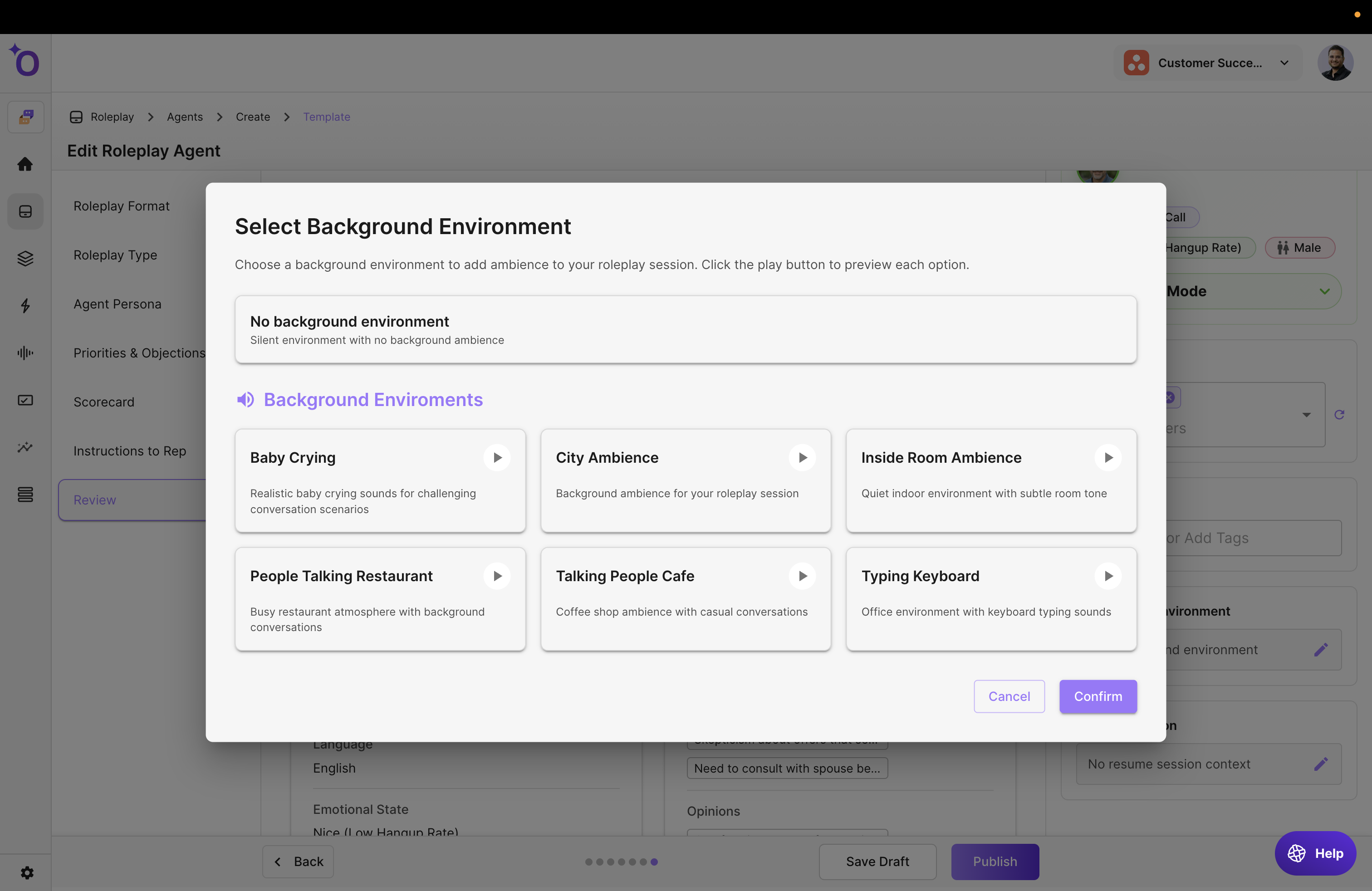
Step 7: Set an Optional Background Environment
Example options: office, cafe, conference call.
Step 8: Save and Share
Your Roleplay Agent is now ready for:
- Courses
- Loops
- Call Blitz
- Team practice