
Mastery Cheat Sheet for Managers
Reviewing your team's calls
See all your team's calls in one place
Go to Conversations > Calls. Filter by team member or date range. You can see completed calls, upcoming scheduled recordings, and calls flagged for review. Sort by score to find the calls that need attention without listening to everything.
Use scorecards to make feedback specific
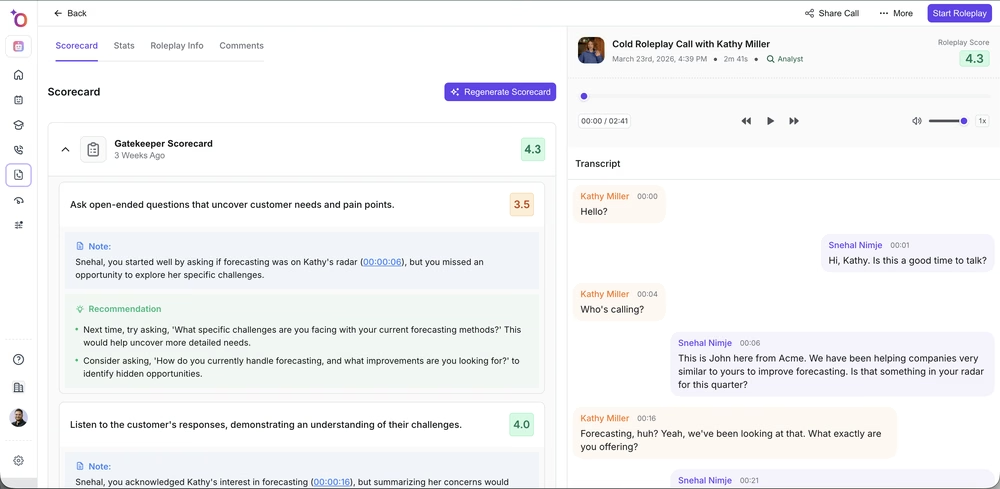
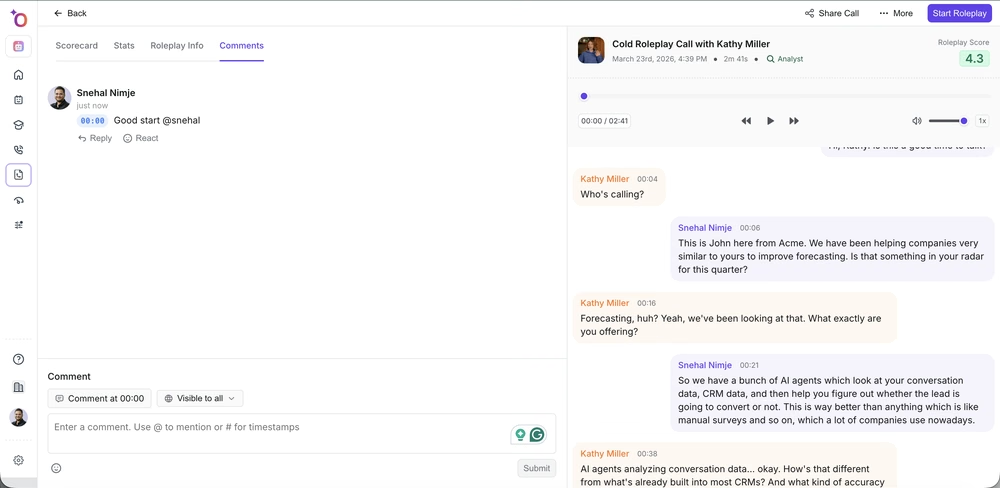
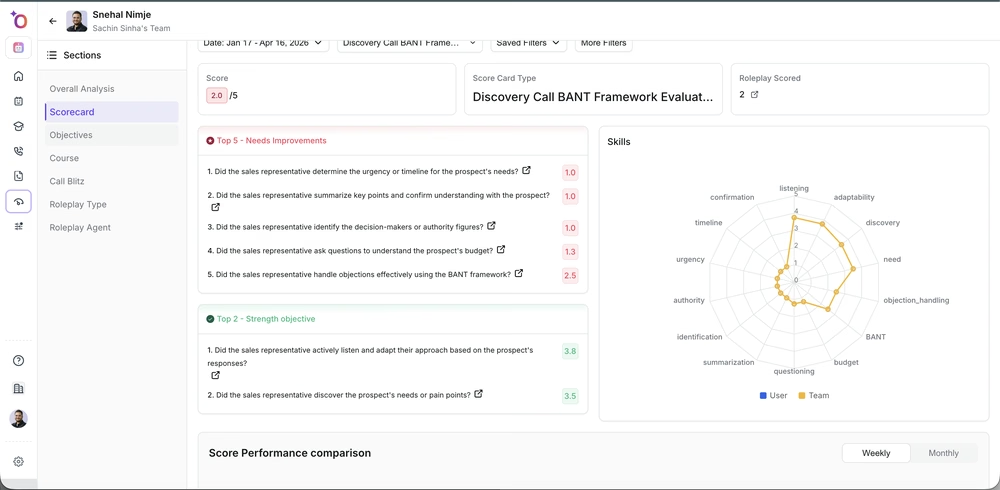
When you open a call, the AI scorecard is already there. Before you add a comment, check which criteria the rep dropped points on. "Your discovery questions were too closed" is more useful than "the call could have been better." Time-stamp your comments so the rep can jump directly to the moment you are referencing.
Coaching through roleplay
Review roleplay scores alongside live call scores
Go to Coaching > Roleplay. You can see each rep's roleplay history, scores, and improvement trends. Compare these against their live call scores. If a rep scores well in roleplay but drops in live calls, the issue is execution. If they score poorly in both, the skill gap is real.

Assign targeted roleplay practice
When you see a specific gap in a rep's live calls, say they consistently lose momentum after pricing comes up, assign a roleplay agent specifically designed for that scenario. Do not send them generic practice. Send them the exact thing they need.
Tracking readiness
Check course completion and certification status
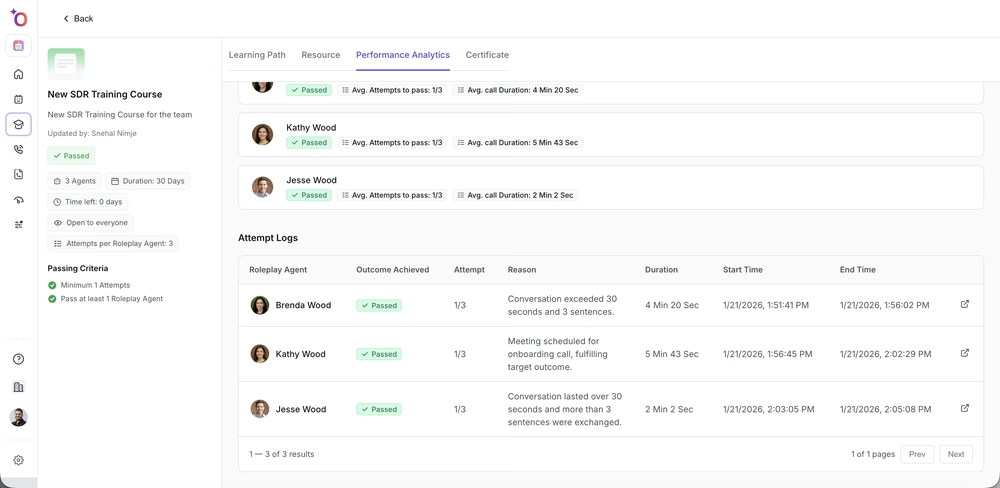
Go to Courses. You can see which reps have completed assigned courses, where they are in progress, and who holds current certifications. Certifications are dated, so you can see if someone passed a course six months ago but has not been recertified since a process change.

Use Insights for team patterns
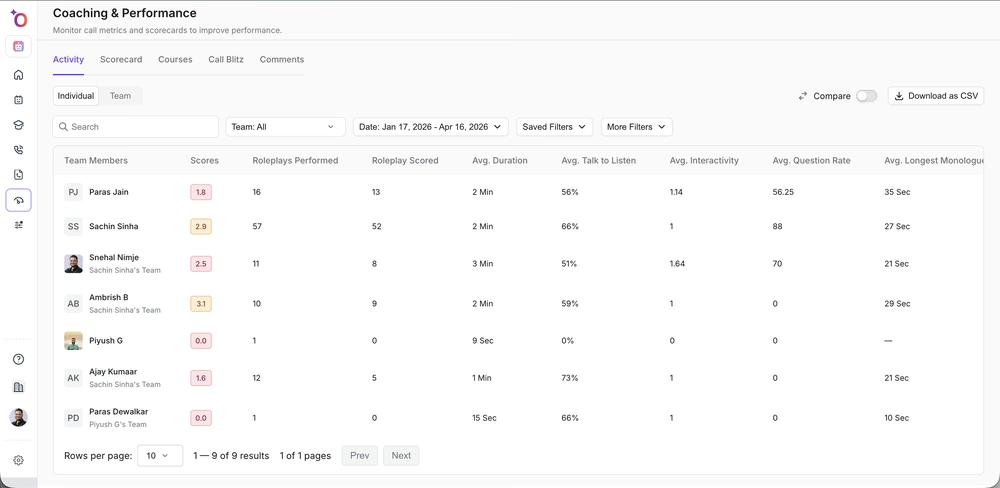
Go to Insights > Teams. You can see talk ratios, longest monologues, tracker hit rates, and scorecard trends across the team. Individual coaching is important, but patterns across the team often point to a training gap or a process that needs fixing, not a person problem.
Running a coaching cadence
Set up alerts for things that should not happen
Go to Settings > Alerts. Set up notifications for specific situations: a call in the negotiation stage where next steps were not discussed, a call where the competitor tracker fired but was not handled, or a call below a certain score threshold. This saves you from having to review every call manually.
Use call libraries for team learning
When you hear an exceptional call — a great objection handled, a perfect discovery, a clean close — add it to a library folder. Label it clearly. Use these in team meetings and 1:1s. Real examples from your own team are more effective than generic training material.
Debrief after call blitzes
If your team runs call blitz drills, review the aggregate scores after, not just individual results. Where did everyone drop points? That is the next coaching session. One targeted 30-minute debrief after a blitz is more useful than a week of individual 1:1s.
If you need help, contact us at support@outdoo.ai.