
Choosing the right roleplay creation method
Outdoo supports several ways to build a roleplay agent. They all end in the same place, a persona your team can practice against, but they start from different inputs and suit different situations. This article compares them so you can pick the right starting point instead of defaulting to the first option you see.
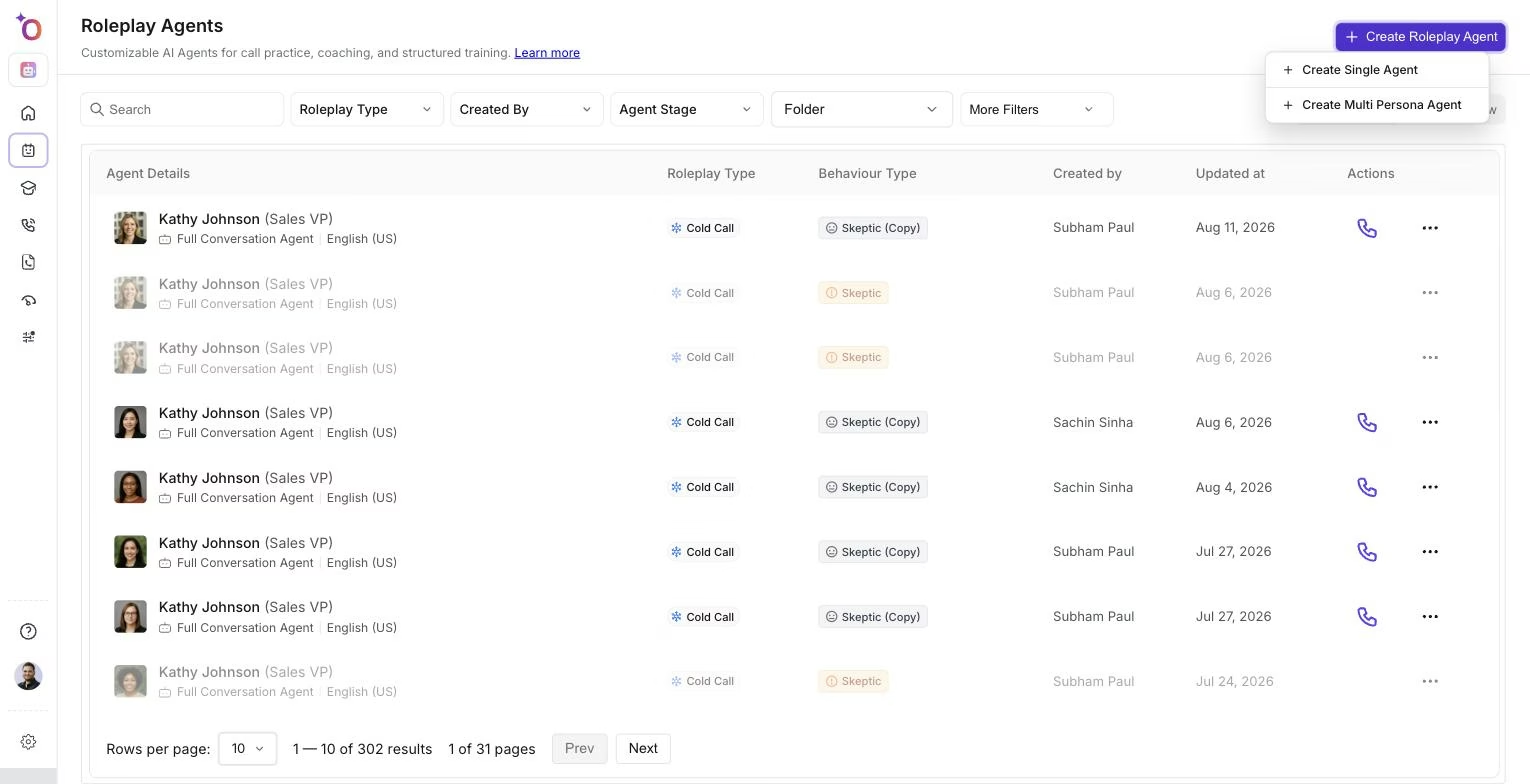
The Create Roleplay Agent menu is the entry point for every method below.
Click Create Roleplay Agent on the agents list and choose Create Single Agent to open the Create a Roleplay Agent page, where most of the options below live: the prompt box, the Examples, Add Context and Create from menus under it, and the Create Multi Persona Agent and Build from Scratch buttons.
Comparing the methods
From real calls (Add Context > From Uploaded Calls, or Create from > Import)
Use Add Context > From Uploaded Calls to upload a real call recording (MP3 or MP4), or Create from > Import to pick a call already recorded in Outdoo. Outdoo extracts buyer personality, objections, tone, and communication patterns from it. Best for training that needs to feel exactly like your real customers. See Create a Roleplay Agent from Existing Calls.
From a transcript (Create from > Transcript)
Similar to the calls method, but you paste a text transcript through Create from > Transcript instead of an audio or video recording. Best for teams that already have transcripts on hand from a call intelligence tool but not the original recordings. See Create an AI Roleplay Agent from a Call Transcript.
From a prompt (the prompt box)
Type a short description of the buyer, company, mindset, and call context into the prompt box, and Outdoo generates persona traits, objections, and conversation style from it. Best for fast, on-demand persona creation when you do not have a source call or document to build from. See Create a Roleplay Agent from a Prompt.
From an example prompt (Examples)
Click Examples under the prompt box to start from a ready-made prompt for the selected call type, such as a cold call, discovery, or demo, then adjust it before generating. Best for structured, repeatable simulations and for new managers who want a proven starting point rather than building from scratch. See Create a Roleplay Agent Using Templates.
From a resource (Add Context > From Resources)
Use Add Context > From Resources to attach product documentation, a pricing guide, or a sales playbook from your Resources library (one resource per agent), and the agent grounds its behavior and facts in that content. Best for factual accuracy and keeping the agent aligned to your specific messaging. See Create a Roleplay Agent from a File or Resource.
From a LinkedIn profile (Create from > LinkedIn)
Use Create from > LinkedIn to paste a public LinkedIn profile URL, and Outdoo builds a persona around that person's job title, responsibilities, company background, seniority, and likely priorities. Best for outbound prospecting, account-based selling, and prepping for a specific named stakeholder. See Create a Roleplay Agent from a LinkedIn Profile.
Multi-persona (Create Multi Persona Agent)
Click Create Multi Persona Agent on the creation page, or choose it from the Create Roleplay Agent menu, to build an agent that plays multiple stakeholders in the same conversation rather than a single buyer. Best for simulating buying committees and multi-threaded deals where team members need to manage several viewpoints at once. See Create a Multi Persona Roleplay Agent.
Build from Scratch
Click Build from Scratch to skip AI generation and fill in the persona, scenario and settings yourself. This is also the option available to team members who don't have permission to generate agents with AI.
In-person
Configure an agent for face-to-face practice rather than a phone or video call. Best for field sales, retail, or any role where the real conversation happens in person rather than over a call. See Create an In-Person Roleplay Agent.
Video avatar (video mode)
Run the roleplay against a visual, on-screen avatar instead of a voice-only or chat-only agent. Best for team members who need to practice reading and reacting to visual cues, or for video-first sales motions. See Create a Video Avatar (Video Mode) Roleplay Agent.
Micro-learning
Build an agent that focuses on one narrow slice of a conversation, such as objection handling or pricing negotiation, instead of a full end-to-end call. Best for short, targeted practice team members can complete in the flow of their day. See Create a Micro-Learning Roleplay Agent.
If you're not sure, start here
If you have a real call recording or transcript available, start from that, it produces the most realistic persona with the least manual setup. If you do not, a prompt is the fastest way to get something usable in minutes, and you can always add resources or clone the agent into other sales stages later.
Hope this article was helpful. For any queries, please write to support@outdoo.ai