
LMS integration (SCORM export)
Outdoo courses can be exported as SCORM packages and uploaded to your LMS. This lets you deliver Outdoo roleplay training through your existing learning platform without requiring learners to switch between systems.
<iframe src="https://www.youtube.com/embed/l72luRuYH1k" frameborder="0" allowfullscreen></iframe>
Watch: How to Upload a Roleplay SCORM Course to LMS
What is exported
The SCORM export packages the course structure, including lessons, resources, and sequence settings, into a SCORM 2004 (4th edition) file. Once the course is uploaded to your LMS, the exported package pulls live course, session, and scorecard data from Outdoo at runtime, so learners see up-to-date content without re-exporting. When a learner completes the course inside your LMS, completion and pass/fail status (based on the passing criteria set in Outdoo) report back to the LMS according to the SCORM standard.
How to export a course as SCORM
- Go to Manage > Courses and find the course you want to export.
- Click the download icon on the course row.
- In the Export SCORM with configuration popup, choose what to include (see below), then click Export.
- A SCORM 2004 4th edition .zip file will download to your device.
- Upload the .zip file to your LMS using your LMS's standard SCORM import process.
Export configuration options
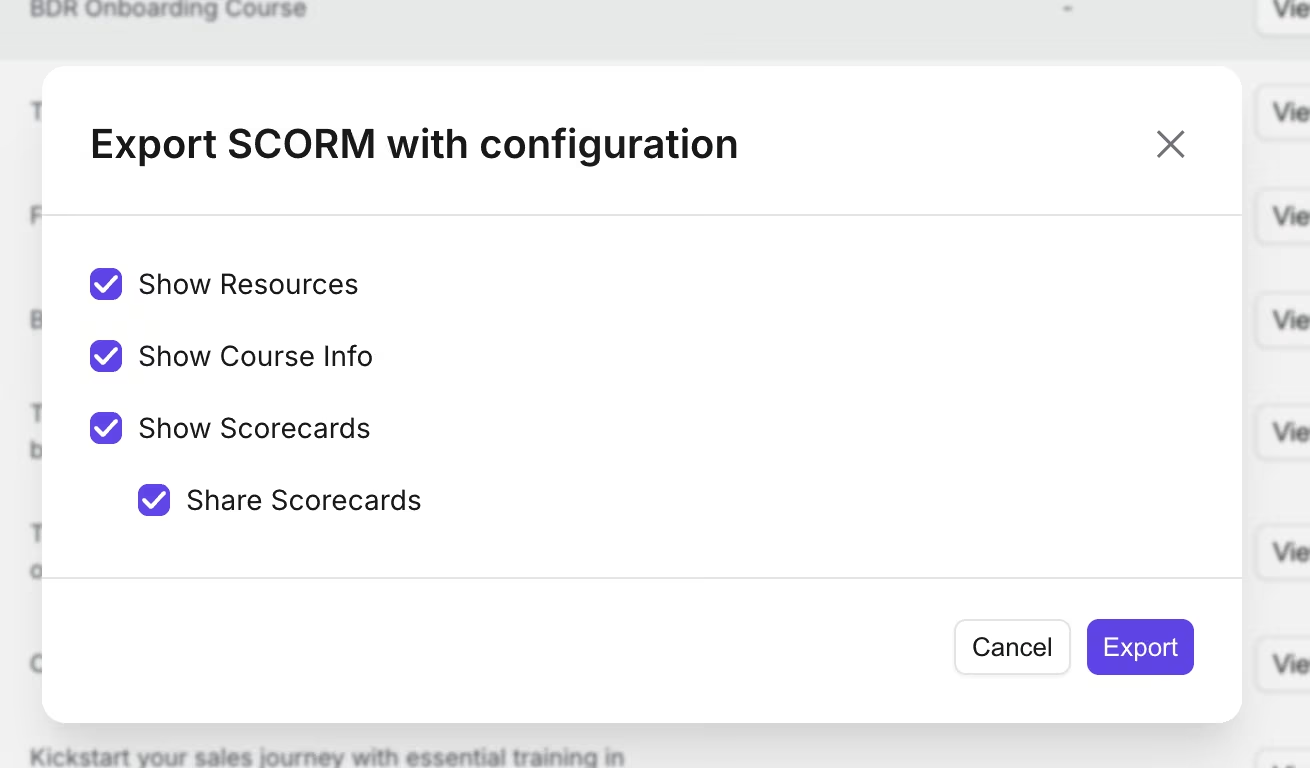
The Export SCORM with configuration popup.
The export popup lets you choose what the LMS-hosted course includes:
- Show Resources — include attached course resources.
- Show Course Info — include the course description and details.
- Show Scorecards — show learners their roleplay scorecard and feedback inside the LMS after each session, instead of only in Outdoo.
- Share Scorecards — additionally let managers view learner scorecards directly inside the LMS, without needing to log into Outdoo separately. Only available when Show Scorecards is on.
All options are enabled by default. You can turn any of them off before exporting.
Supported LMS platforms
Any LMS that supports SCORM 2004 will work. Common platforms include:
- Docebo
- Cornerstone OnDemand
- TalentLMS
- Workday Learning
- SAP Litmos / SAP SuccessFactors
- Moodle
- D2L Brightspace
- 360Learning
- LearnUpon
- Absorb LMS
- iSpring
- Adobe Learning Manager
- Thought Industries
- LearnWorlds
If your platform supports SCORM 2004, it will work. If you are unsure, check with your LMS administrator.
LMS learner ID
To track individual learner completion back to Outdoo, each learner needs their LMS Learner ID set in their Outdoo profile. This links their activity in the LMS-delivered course to their Outdoo account.
Admins can set or update the LMS Learner ID for each team member at Settings > People Settings > Team Management. Open the member's record and update the LMS Learner ID field.
What learners see
When a learner opens the SCORM course in their LMS, they see the same course interface as in Outdoo: the list of roleplay sessions, attached resources, and their progress status. If Show Scorecards was enabled at export, learners also see their scorecard and feedback after completing a roleplay session, directly inside the LMS. Completing the course inside the LMS reports completion back to the LMS gradebook.
How scorecards and pass criteria show up in the LMS
Scores, course status, and feedback sync to your LMS as well as living in Outdoo, so team members and managers can view them without leaving the LMS. The exported course stays connected to Outdoo: course content, session data, and (if enabled) scorecards are pulled live from Outdoo each time the course is opened in the LMS, and completion/pass-fail status (based on the passing criteria configured in Outdoo) reports back to the LMS gradebook as learners progress.
With Share Scorecards enabled, managers can review team members' scorecards and pass/fail results right inside the LMS, without switching over to Outdoo.
Hope this article was helpful. For any queries, please write to support@outdoo.ai