
Add a term to the custom vocabulary
Adding terms to your custom vocabulary lets you correct transcription errors and track terms that are important to your business. When Outdoo AI detects an alternative transcription, it replaces it with the correct term. This applies to both current and historical calls.
This article is the step-by-step guide. For an overview of what custom vocabulary does and when to use it, see Set up custom vocabulary.
Guidelines for custom vocabulary
What to include
- Key nouns relevant to your business.
- Multi-word terms split into parts. For example, for MuleSoft, add mule and soft as individual words.
- Long phrases such as ADP Workforce Now or Create Dynamic Teams.
- A single term with multiple alternatives. For example, add Covid19 with alternatives like coronavirus, covid, corona, covet 19.
- Industry jargon such as quotas.
- Related word forms to reduce redundancy. For example, tracking record can also cover recorded and recording.
What to avoid
- Generic terms such as common numbers, unless critical to your company (e.g., 121eCommerce).
- Common transcriptions as alternatives for similar-sounding proprietary terms. For example, avoid adding talent as an alternative for Talend.
- Punctuation or special characters.
- Derivatives added manually. For example, adding POC automatically accounts for derivatives like POCs.
- Separate terms for similar pronunciations such as Salesforce and SFDC.
- Alternatives based solely on accent variations (e.g., blue vs. blow).
Steps to add a term
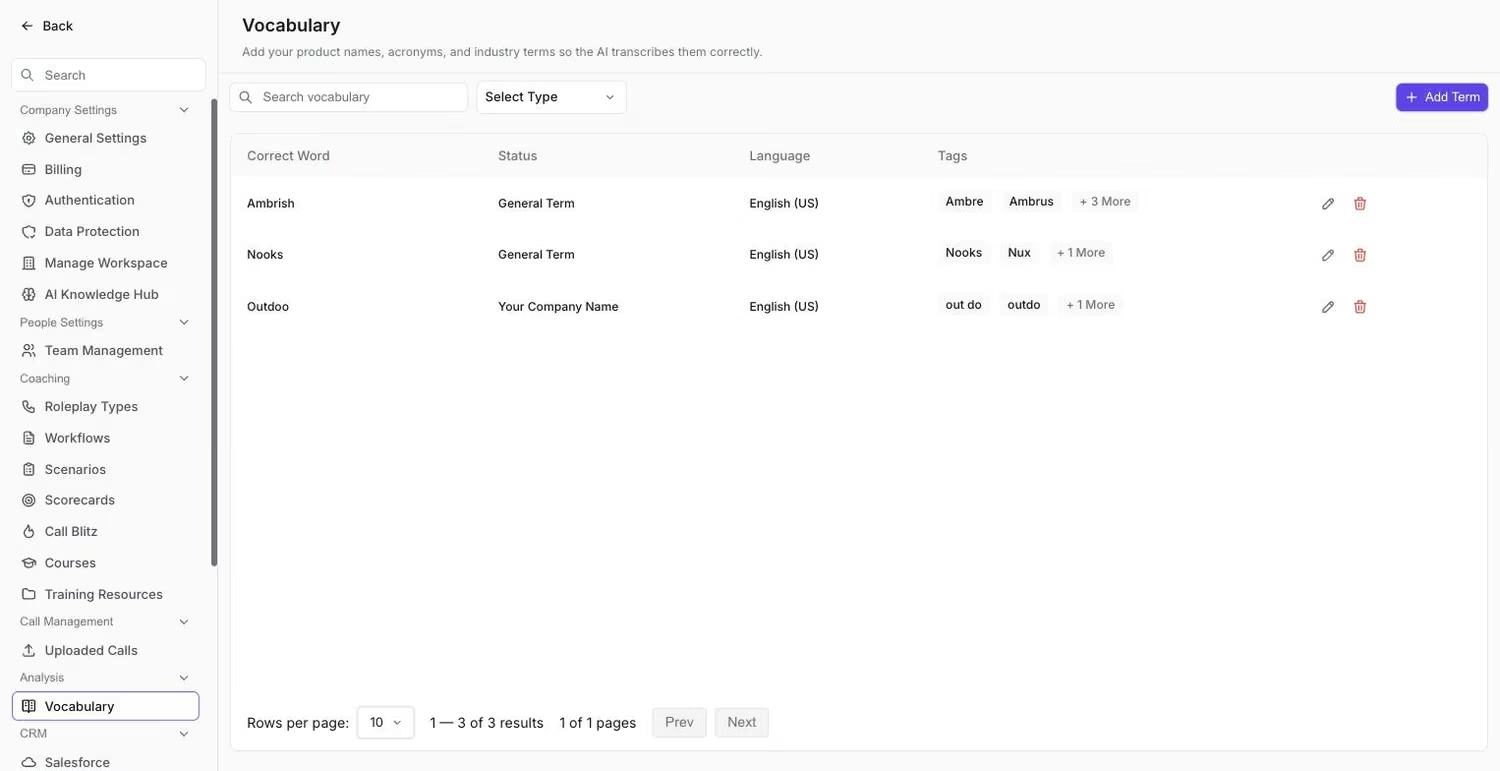
The Vocabulary list, where existing terms and their alternatives live.
- Go to Manage > Vocabulary and click Add Term.
- Enter the term as the Correct Word and choose a Type:
- General Term for industry-specific terms like GDPR.
- Our Company Name for your own company's name.
- Company Name for competitors or partners, such as Airbnb.
- Select the Language. Each term applies to one language, so add the term again for each additional language.
- List alternative pronunciations or spellings, pressing Enter after each one (e.g., corona, covid).
- Click Create Term to add the term.
To change a term later, click the edit icon on its row in the list, make your changes, and click Save Changes.
How it works
- New terms and their alternatives apply to all future calls immediately.
- Transcriptions in past calls are updated automatically in the background. Corrected terms appear within a few hours.
Examples
Term | Classification | Alternatives |
|---|---|---|
GDPR | General Term | General Data Protection Regulation, data privacy regulation |
YourCompanyName | Our Company Name | Your Company, YCN |
Airbnb | Company Name | Air B and B, air bnb |
Hope this article was helpful. For any queries, please write to support@outdoo.ai
Related articles
- Set up custom vocabulary: what custom vocabulary does and when to use it