
Call Blitz manager guide
A Call Blitz is a timed practice session where team members work through a set of roleplay agents, either independently or as a team drill. This article covers what managers can configure, how to run a session, and how to review results. For the team member experience, see How to practice a Call Blitz.
Creating a Call Blitz
Go to Manage > Call Blitz and click Create Call Blitz. You will be taken to the setup form.
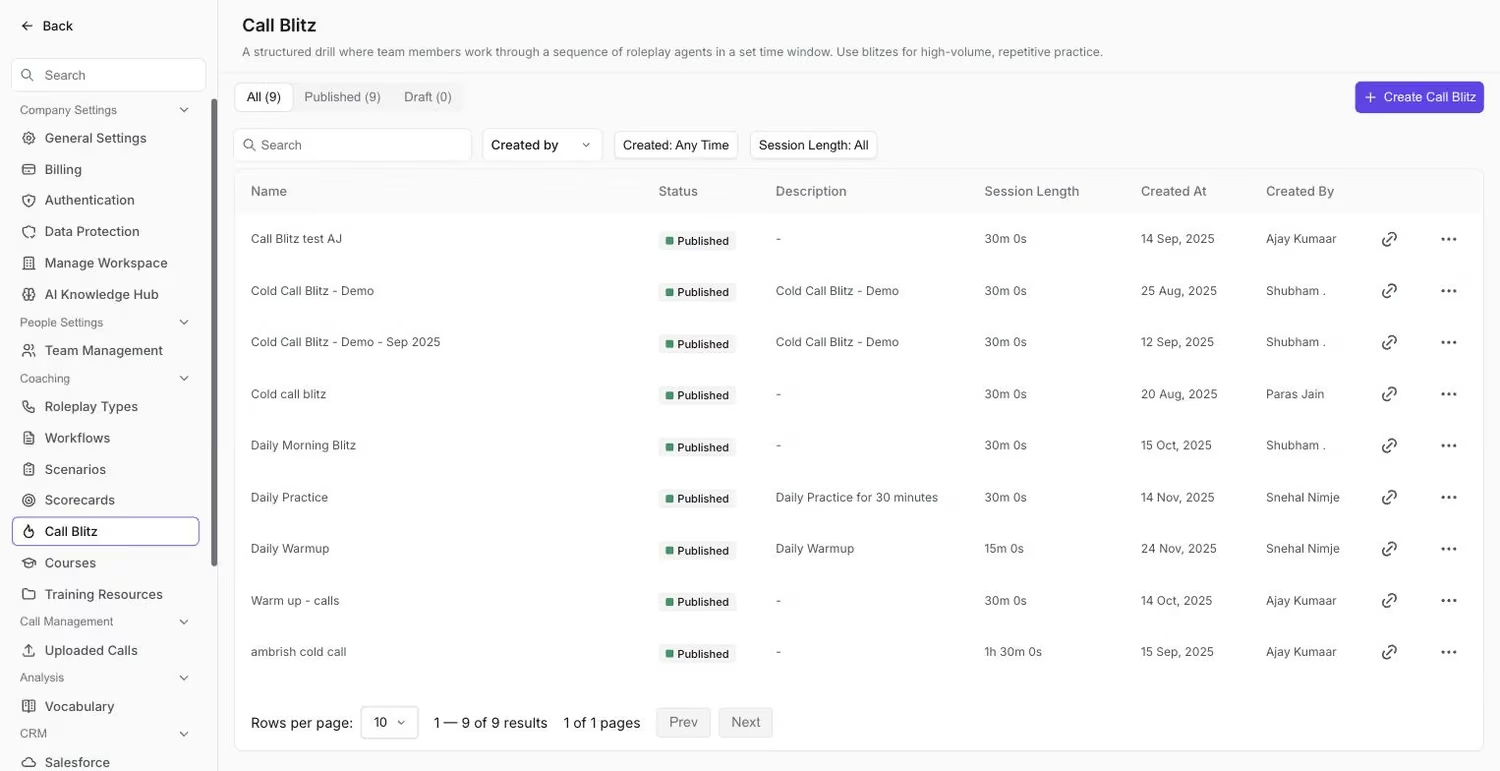
The Call Blitz settings list, where existing sessions live and new ones are created.
General settings
Give the session a Title and Description, since team members will see both when they open it. Set the Session Length in hours and minutes (it defaults to 30 minutes).
Pickup Rate controls how often agents pick up when team members dial. Drag the slider anywhere from 5% to 100% (the default is 90%). A lower rate means more unanswered calls, which makes the blitz feel more like a real calling session; a higher rate gives team members more conversations to practice in the same time.
Under Email Reminders, you can schedule reminder emails: choose the time (Send At), the days (Repeat on: weekdays or custom days), and the Timezone.
Adding agents
Under Roleplay Agents, click Select Agents and choose the roleplay agents team members will practice in this session. You can add multiple agents and drag to reorder them, since the order determines the sequence team members see.
Assigning participants
Under Who takes this blitz, choose Assign to Everyone or Assign to Members, then pick the teams or team members who should take it.
Saving and publishing
Click Save Draft to continue editing later, or click Publish to make it live.
Reviewing results
There are two places to review Call Blitz results: the team view under Performance, and the analytics page for a single blitz.
Team results: Performance > Practice > Call Blitz
Go to Performance > Practice and open the Call Blitz tab. Filter by call blitz, team, date range, or duration range. The tab shows:
- Summary counts: Active Call blitz, Active Users, and Roleplays.
- Leaderboard: ranks team members by roleplay sessions completed, with average score and time spent. Toggle between Individual and Team to see results per person or aggregated by team. Click Download as Excel to export it.
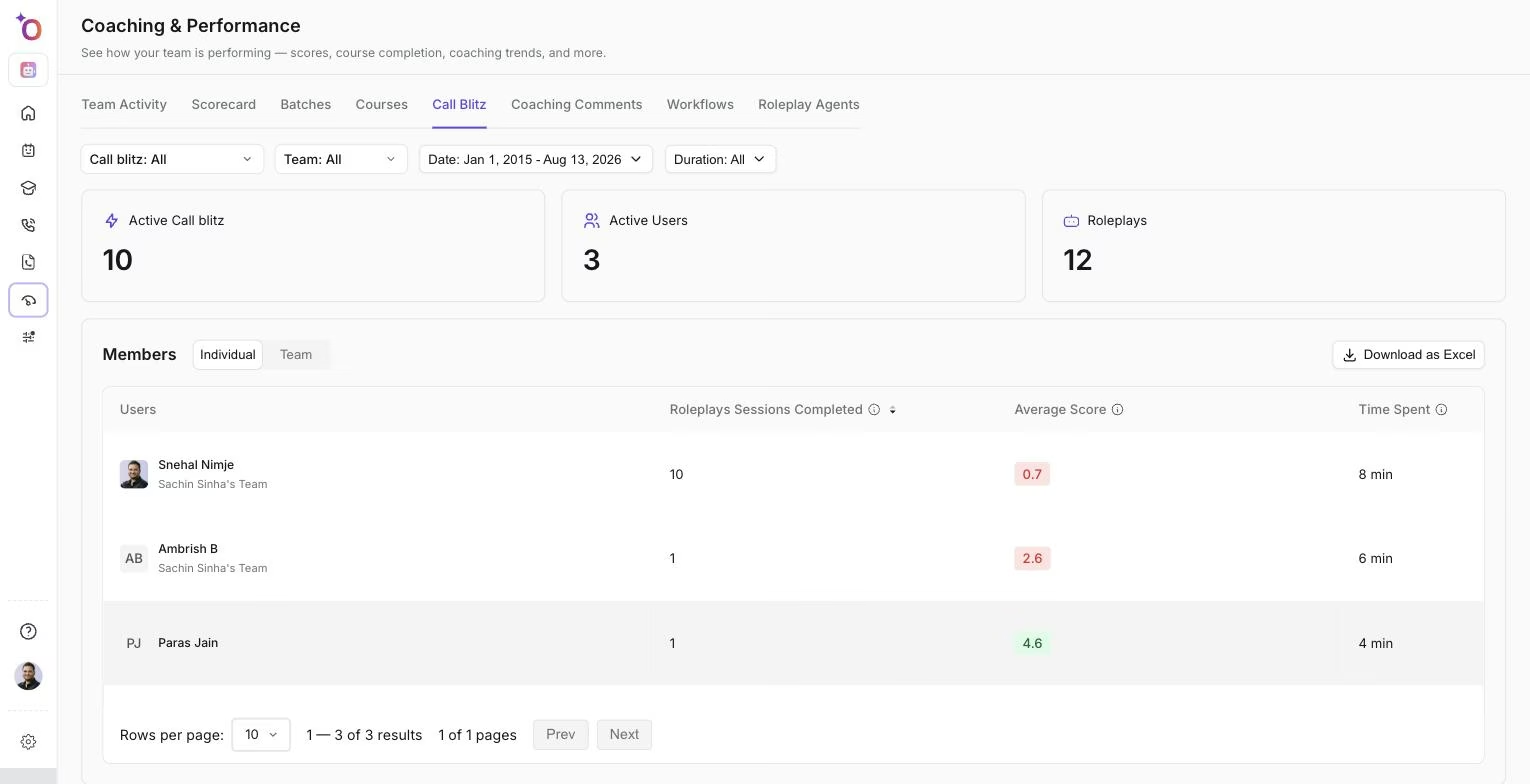
The Individual leaderboard, ranked by roleplay sessions completed.
- Call Blitz Performance: one row per blitz with roleplay sessions completed, time spent, and average score. This table can also be downloaded as Excel.
Click a team member on the leaderboard to open their performance page. Its Call Blitz view shows their score, blitzes assigned, roleplay sessions, time spent, and last activity; a Call Blitz Streak calendar of the days they practiced; a Performance by Call Blitz table; and a breakdown by roleplay agent with average score. Use the streak calendar to spot who practices consistently and who only shows up occasionally.
Single-blitz analytics
From Practice > Call Blitz, open a blitz's analytics. The header shows the number of Agents, the Duration, and the Pickup Rate. Below it, Performance Analytics shows your own activity in that blitz: a Call Blitz Streak calendar and an agent table with Agent Name, Roleplay Type, No of Roleplays done, and Avg Score. For results across your team, use the Performance tab described above.
Tips for running effective blitzes
- Keep the agent list focused. Three to five agents works better than ten for a 30-minute session.
- Use the per-agent breakdown on a team member's performance page to identify which agents trip them up most, and follow up with targeted coaching on those.
- Pair a blitz with a team debrief: share the leaderboard, discuss what the top performers did differently, and let team members listen to each other's sessions.
- Turn on email reminders to build consistent practice habits rather than one-off events.
Hope this article was helpful. For any queries, please write to support@outdoo.ai