
Avoma Integration with Outdoo AI
Overview
Avoma is a conversation intelligence platform that records, transcribes, and analyzes customer calls across the team. By integrating Avoma with Outdoo AI, you can take selected recordings and turn them into AI roleplays, giving your team a way to practice the exact objections and conversations already captured in Avoma.
This integration lets you create AI roleplays from real calls, build custom roleplay agents based on specific buyer personas, and use coaching insights from each attempt to sharpen team member performance. Avoma continues to handle analytics while Outdoo AI focuses on practice, coaching, and skill improvement.
What can this integration do?
- Build roleplay agents from real calls: Import Avoma recordings and convert them into practice scenarios.
- Coach faster: Build custom roleplay agents from selected recordings, with your own scenarios, buyer personas, and goals for targeted practice.
- Standardize training: Consistent exercises for onboarding and ongoing enablement.
- Measure outcomes: Track attempts, scores, and feedback inside Outdoo AI.
How to connect Avoma to Outdoo AI
- Go to Company Settings > Ecosystem > Conversation Intelligence and find Avoma.
- Click Connect. The integration page opens with the status Not Connected.
- Click Contact Support. The Outdoo AI team gets in touch to finish the connection with you. Have your Avoma API credentials ready:
- Generate an Avoma API Key (Avoma admin required):
- Log in to Avoma
- Navigate to Settings → Organization → Developer
- Click Create API Key
- When the connection is live, Avoma moves to the Connected tab.
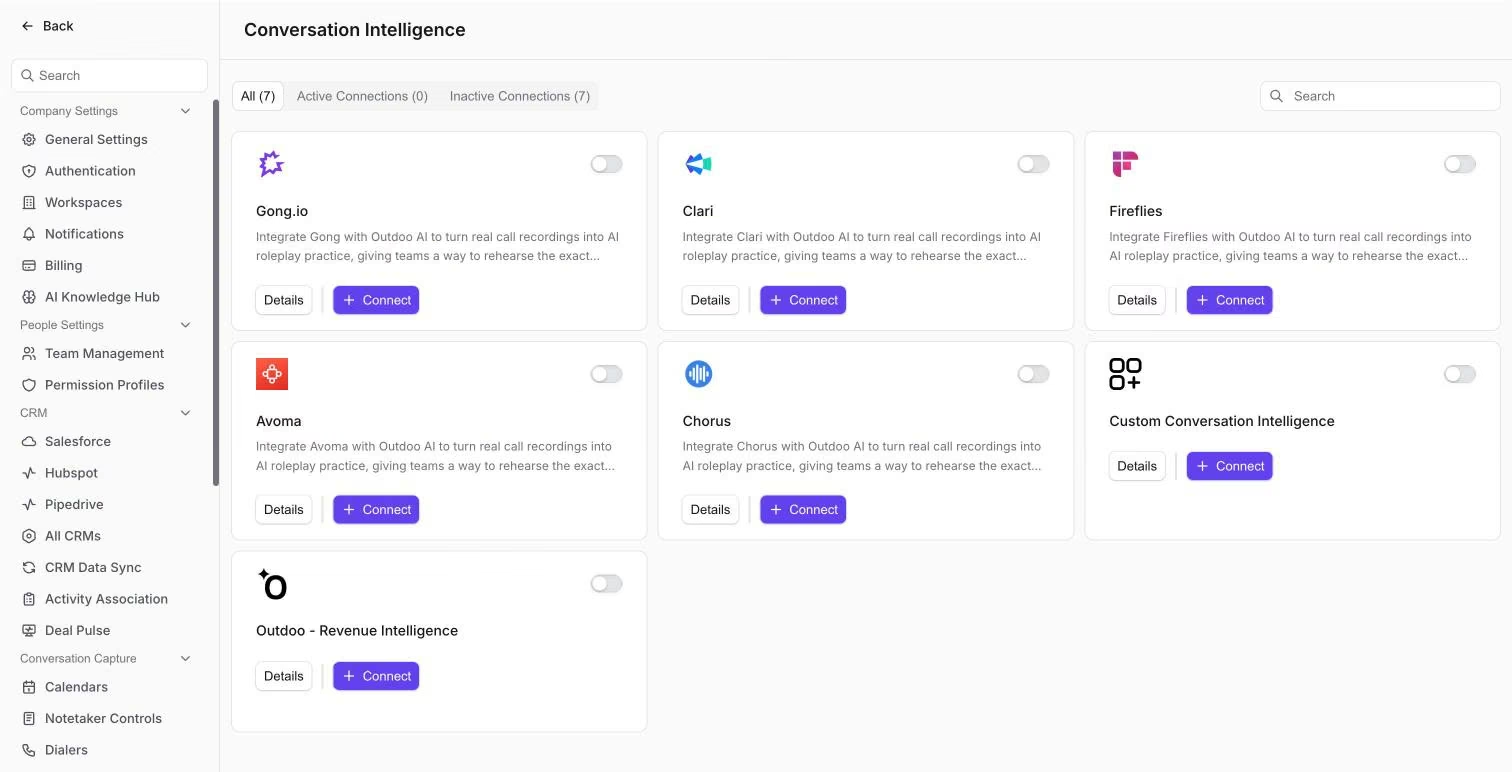
Each conversation intelligence integration has Details and Connect.
Create a roleplay from a Avoma call
When the Outdoo AI team has brought your Avoma recordings in, use them like any other call:
- Go to Practice > Roleplay Agents, click Create Roleplay Agent and choose Create Single Agent. Pick a Roleplay Type and Scenario, then use Create from > Import to select the call.
- Or, if your plan includes Real Calls, open Real Calls > History and click Create Roleplay Agent on the call.
Then set the scenario, persona and scorecard, and publish the agent. See Create a roleplay agent from existing calls.
Hope this article was helpful. For any queries, please write to support@outdoo.ai