Multiple notetakers joining meeting?
Learn how to prevent multiple notetakers from joining your meetings by enabling the host-only recording setting in Outdoo AI.
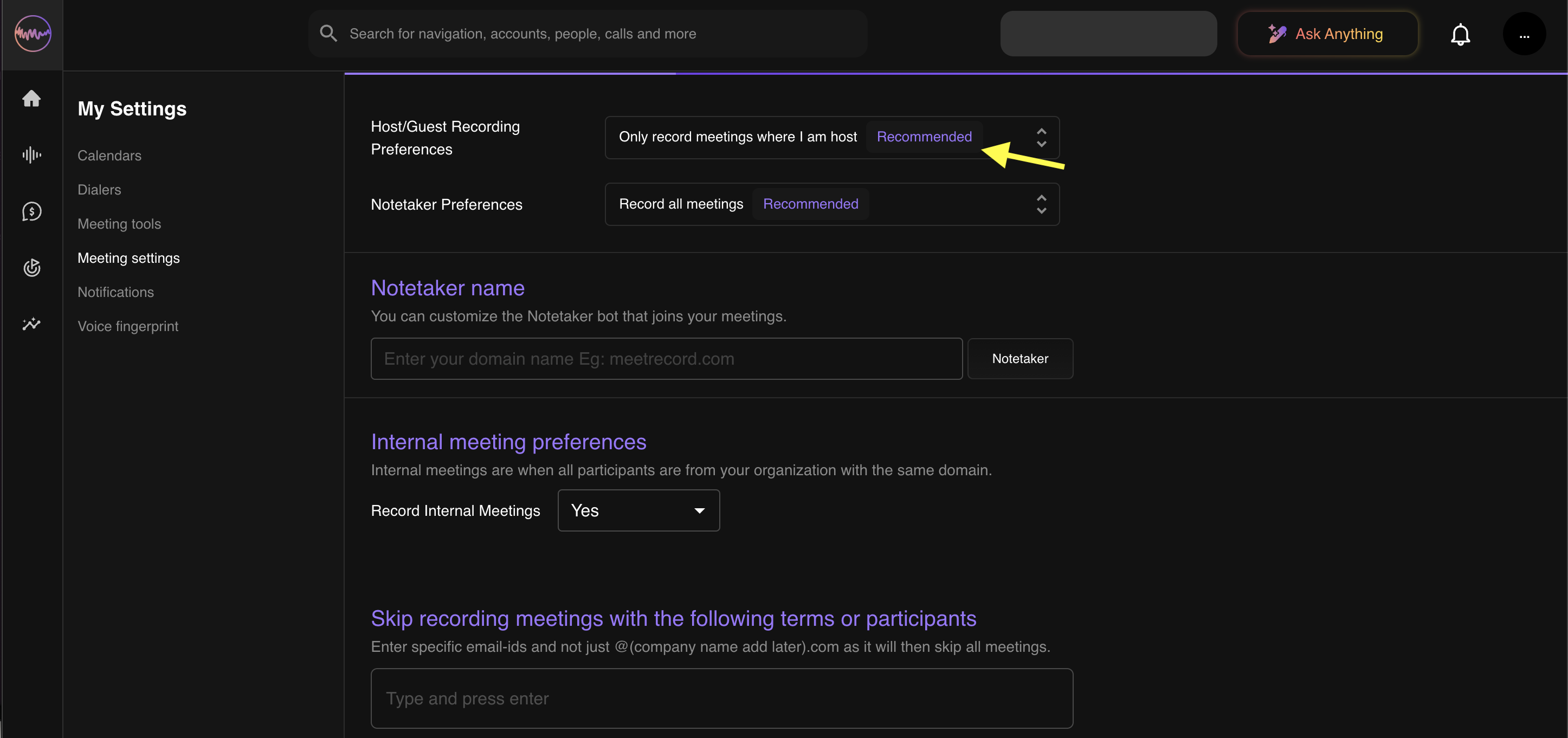
If multiple notetakers are joining your meetings, you can fix this by limiting recordings to meetings where you are the host. Follow the steps below to enable that setting.
Steps to change the recording setting
- Log into your Outdoo AI account: Navigate to the Outdoo AI login page and sign in with your credentials.
- Access your settings:
- Click on your profile icon in the top-right corner.
- Select Meeting Settings from the dropdown menu.
- Navigate to Host/Guest Recording Preferences.
- Enable "Only record meeting where I am host".