
Intro to Conversations
Use the Conversations section to review what was said on any call, find specific recordings by topic or participant, and surface calls for coaching. It is the primary place managers and reps go to review real customer interactions rather than practice sessions.
Conversations > Calls
Navigate to Conversations > Calls to access your company's call list. At the top of the page, a summary gives you an overview of recent activity. From here you can search by participant, filter by call type or date, sort the results, upload calls manually, and download call data.
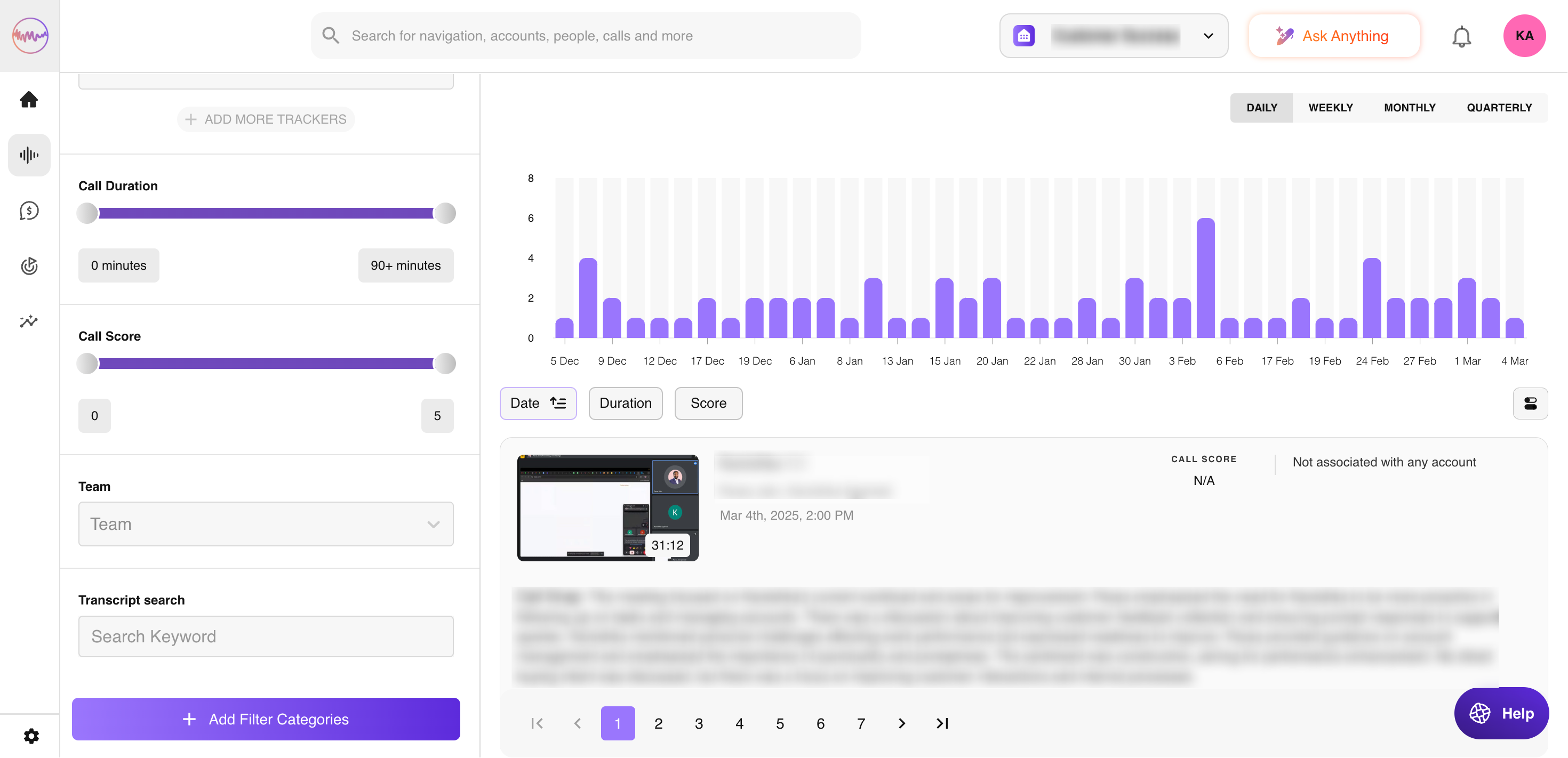
Filtering calls
Outdoo's filtering options let you narrow the call list based on date, call type, participants, scorecard score, tracker mentions, talk ratio, and more. Over 100 filters are available. Filters are especially useful when preparing for a 1:1 — a manager can pull all calls for a specific rep in a given week, filtered by score range, in seconds.
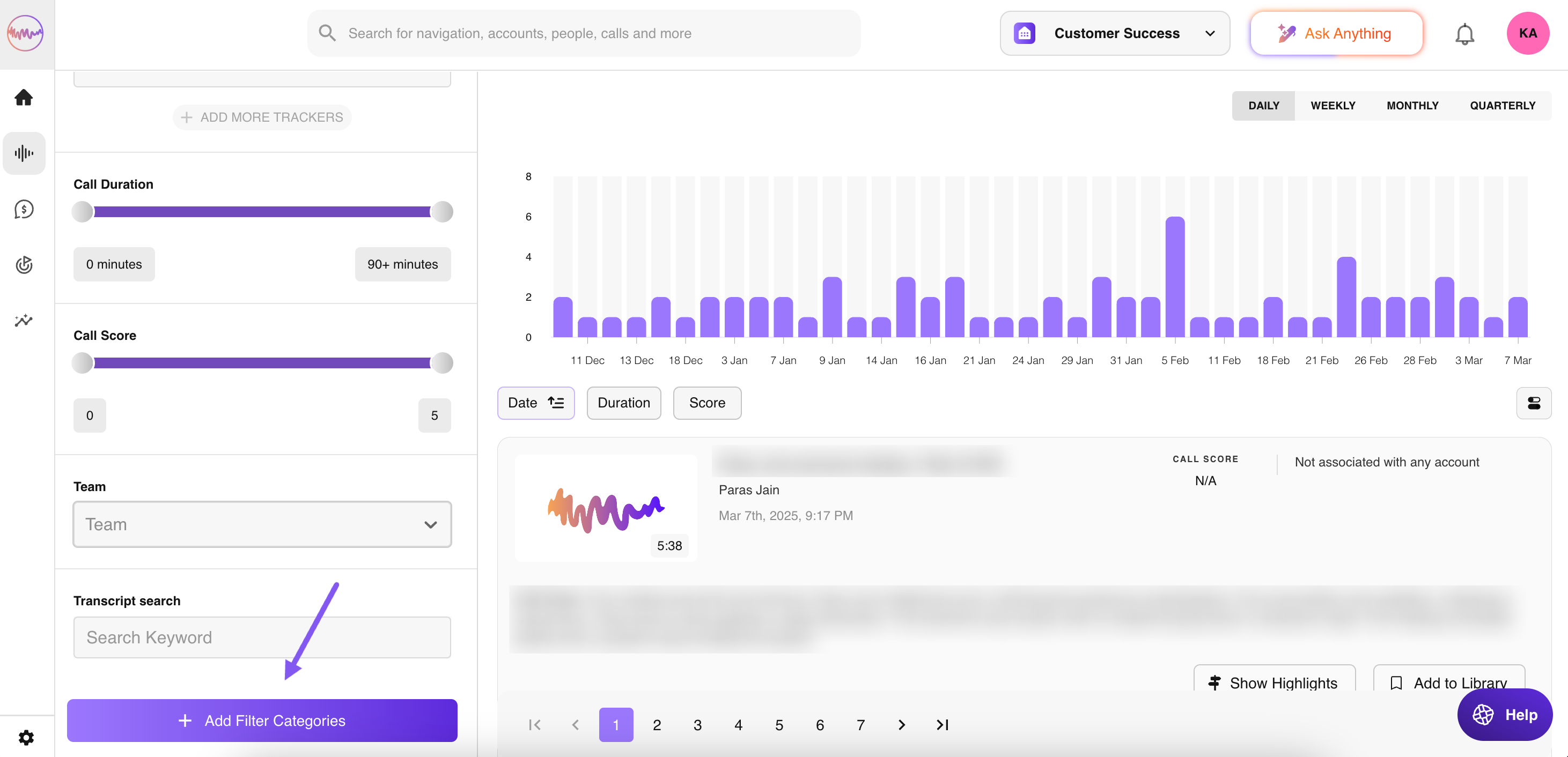
Saving filters
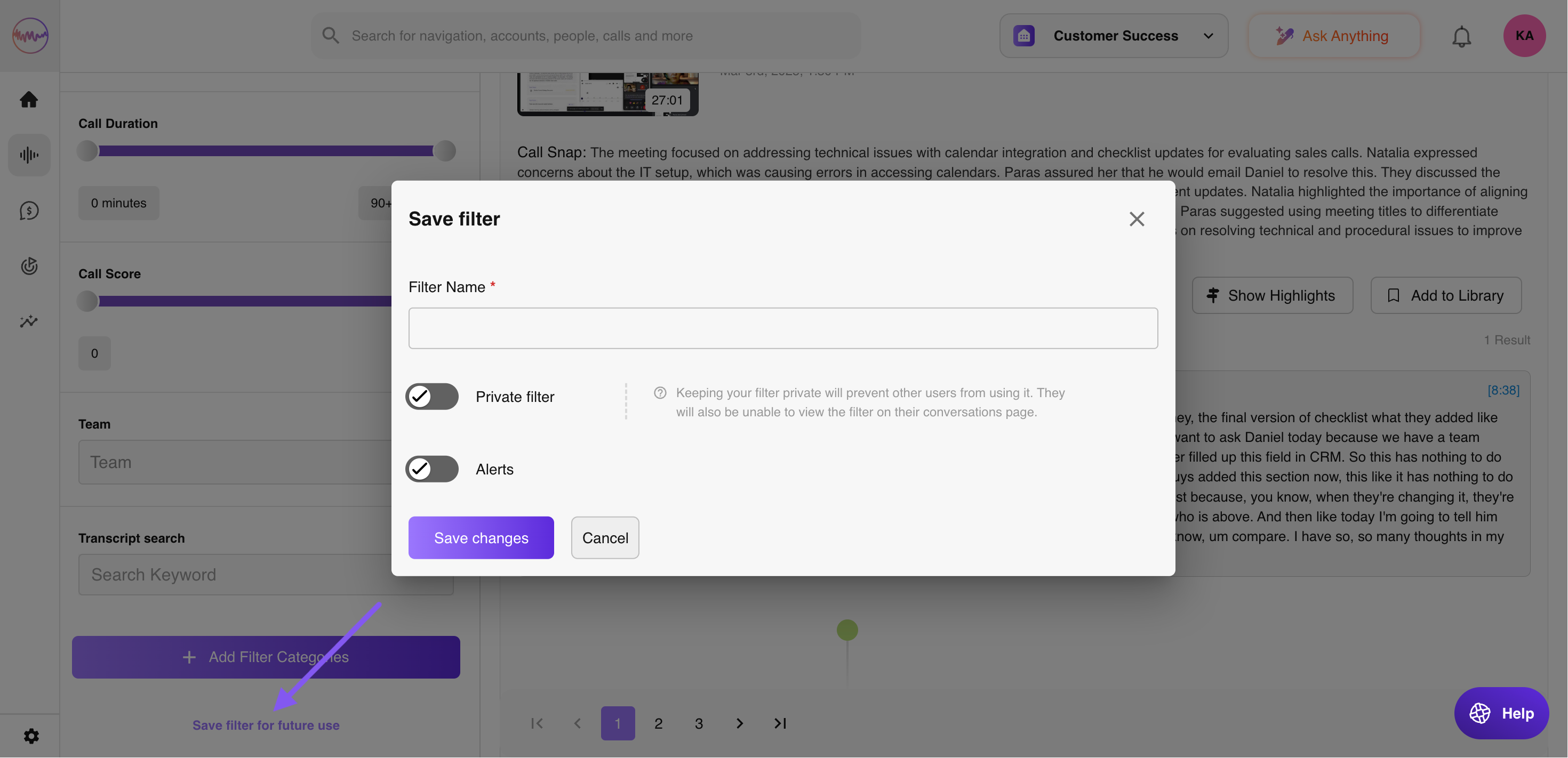
Once you have set up a filter combination you use regularly, save it for future use. Saved filters stay on the left panel and reload instantly. To save a filter: go to Conversations > Calls, use the filter panel on the left to add your criteria, then select Save filter for future use at the bottom of the filter panel.
If you need help, contact us at support@outdoo.ai.