
How Outdoo AI generates personalized micro-learning from performance data
Scorecard results show you where each team member struggles, such as weak objection handling or shallow discovery questioning. You can use that data to build short micro-learning practice aimed at that exact gap, instead of generic content everyone gets regardless of where they actually struggle. This article explains how to do that with the tools available today.
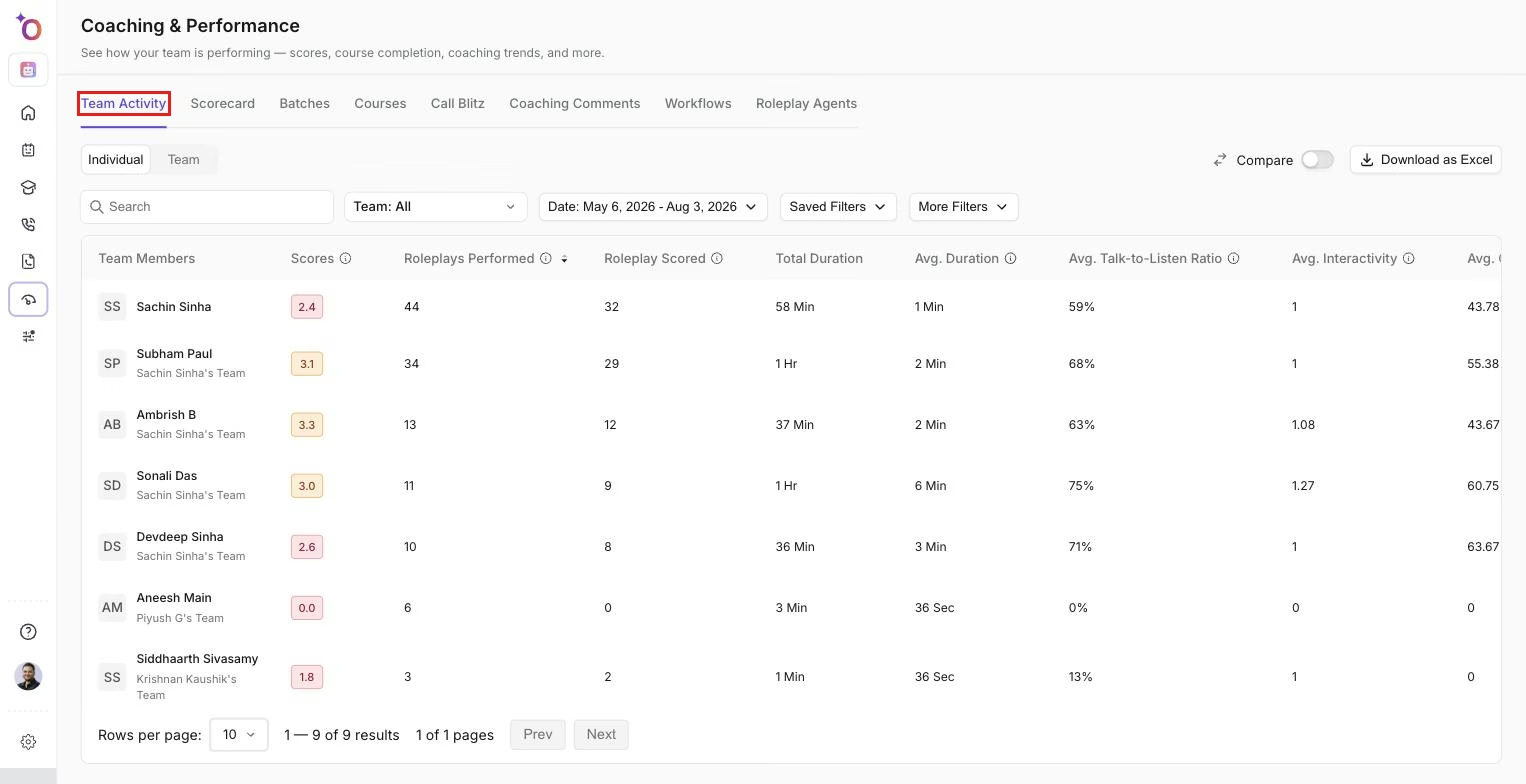
The Performance dashboard is where these gaps first become visible, at both the individual and team level.
Where the gap shows up first
The Performance section (Performance in the left sidebar) already surfaces this data for managers. Performance > Scorecards shows which objectives a team member or a team is consistently failing, and the individual team member view shows each scored session with the specific objectives that passed and failed over time. See Roleplay performance analytics and Performance analytics overview for how that dashboard is organized.
A team member who repeatedly loses points on the same objective, say, price objection handling, is a clear candidate for focused practice on that objective specifically, rather than another full-length discovery roleplay that only touches on it briefly.
From gap to targeted practice
A micro-learning agent is built to isolate one section of a conversation, such as objection handling, negotiation, or pricing, instead of running a full call end to end. The manual version of this flow is:
- Start with a prompt describing the scenario.
- Select Micro-Learning mode instead of Full Conversation.
- Choose the relevant sub-section (for example Negotiation > Discount Negotiation).
- Set a short time limit so the session stays focused.
See Create a Micro-Learning Roleplay Agent for the full manual steps.
The personalization comes from the scorecard: the objective a team member keeps failing tells you which sub-section the micro-roleplay should target. Outdoo AI doesn't create or assign these micro-roleplays automatically. A manager picks the gap, builds or chooses the agent, and shares it with the team members who need it, for example by adding it to a course.
Use the scorecard recommendations
Each scored session shows a Recommendation for every objective and an Overall Recommendation for the session. Read them alongside the failed objective to decide what the micro-roleplay should practice.
In Manage > Scorecards, the Recommendation Context setting in Scorecard Details controls which data the AI uses when it writes these recommendations: Team Calls, AI Knowledge Hub and Past Recommendations (which avoids repeating feedback already given to the same team member).
Add reference material
If you have a battle card or another short reference document for the same skill, upload it to Manage > Resources. You can attach it to the micro-learning agent with Add Context > From Resources, or add it to the course's resources so team members can review it before or after the practice session. See Managing resources.
Closing the loop
The cycle looks like this: score a session, identify the weak objective, assign a short roleplay (and reference material) tied to that objective, then check the next round of scores in Performance > Scorecards to see whether the objective improved. If your Real Calls scorecards cover the same objectives, you can also check whether the practice shows up in real call scores.
Hope this article was helpful. For any queries, please write to support@outdoo.ai