
Generating a scorecard with AI
Outdoo can generate a complete scorecard structure from a plain-language description. You describe what you want to evaluate, choose a scoring mode, and the AI produces a ready-to-review scorecard with criteria and weighting. You can edit anything it generates before saving.
Where to generate a scorecard
Go to Manage > Scorecards, click Add Scorecard, then select Create using AI. The Create Scorecard screen opens with a prompt box.
If you do not see Create using AI, AI scorecard generation is not enabled for your workspace or your permission profile. You can still build one manually: see Creating a scorecard.
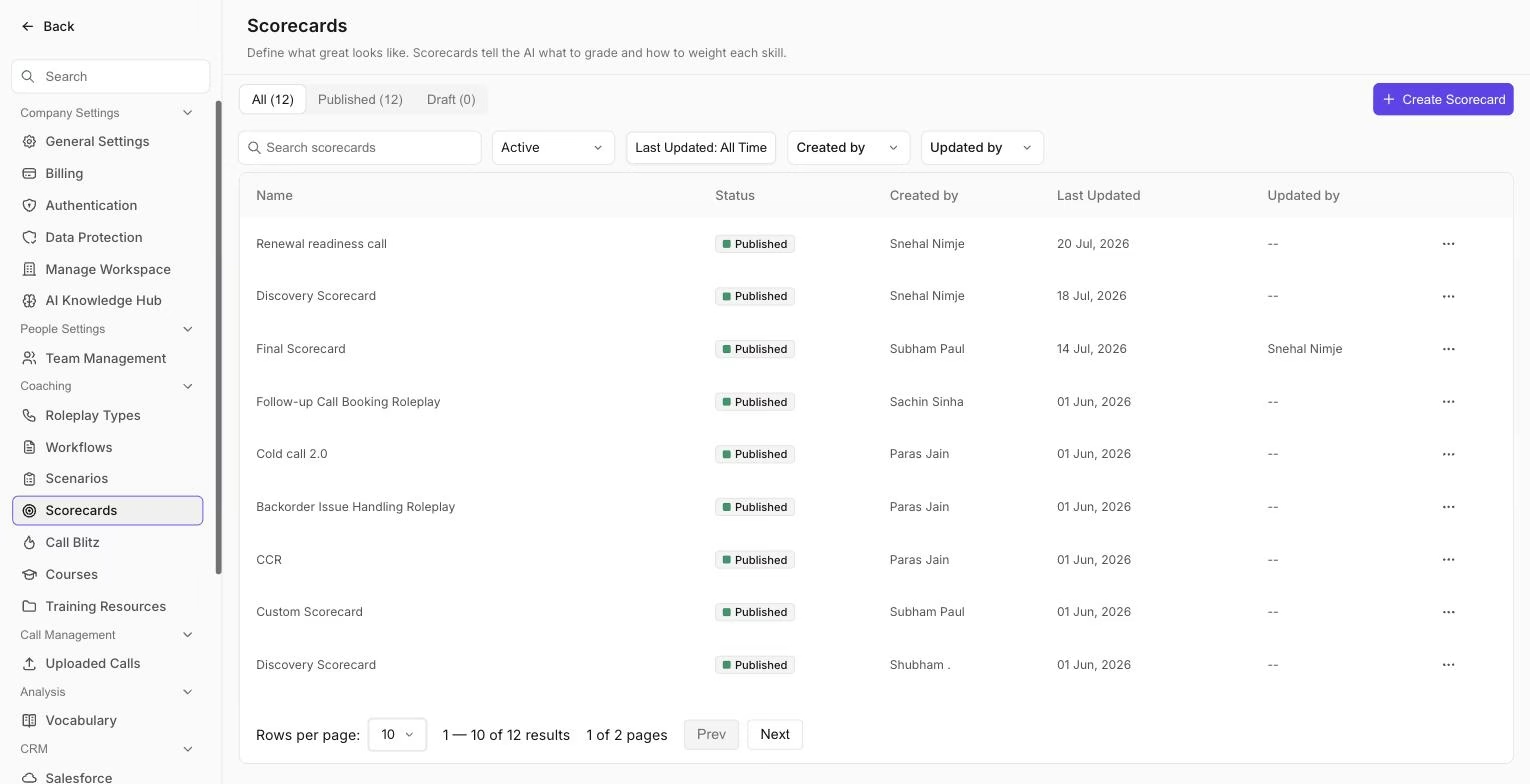
The Scorecards page, where published and draft scorecards are listed and where AI generation starts.
What to write in the prompt
The prompt is a description of the scorecard you want. The more specific you are, the better the output. You can include:
- The role being evaluated (SDR, AE, Customer Success Manager)
- The call type (cold call, discovery, demo, renewal, objection handling)
- The skills or behaviors you want to measure (opening, discovery questions, handling pushback, closing, active listening)
- Any specific criteria your team has agreed on
- Your product or industry context, if relevant
Example: "Create a scorecard for evaluating SDR cold calls in a B2B SaaS context. Focus on opening strength, qualifying questions, handling the 'send me an email' objection, and booking the next step. 8-10 criteria total."
The prompt field accepts up to 12,000 characters.
Scoring modes
Before generating, select a scoring mode. This controls how strictly the AI evaluates team members against each criterion.
- Standard: credit is given for reasonable attempts. A team member who partially meets a criterion still scores points. Good for early-stage teams or criteria where effort matters.
- Strict: criteria must be clearly met to receive full credit. Partial attempts score lower.
- Stringent: the highest bar. Criteria must be met completely and demonstrably. Use this for advanced teams or compliance-sensitive conversations.
You can change the scoring mode later in the scorecard's AI Scoring Mode setting.
Adding a resource (optional)
Click Add Resource under the prompt to attach one document from your Resources library, such as a sales playbook or call guide. The AI then uses that document to shape the criteria and wording. A good prompt alone also produces a usable scorecard, so this step is optional. For when and how to do this, see Create a scorecard using AI (with resources).
Generate and review
Click Enter (or press the Enter key) to generate. Outdoo shows "Creating Scorecard..." while it works, then opens the result in the scorecard editor. From there you can:
- Edit the title, final objective, and scoring mode
- Edit any objective's wording and its Must do and Good to do criteria
- Add or remove objectives
- Change how objectives are weighted under Overall Score
The scorecard is not live until you click Publish. Click Save Draft to come back to it later.
If you would rather start from a blank scorecard, click Create from Scratch below the prompt box.
When to use AI generation vs. building manually
AI generation is fastest when starting from scratch or exploring what a scorecard for a new call type might look like. If you already have a detailed rubric or specific scoring logic, building manually gives you more precise control. The two approaches can also be combined: generate a starting point, then edit it to match your exact requirements.
Hope this article was helpful. For any queries, please write to support@outdoo.ai
Related articles
- Creating a scorecard: build a scorecard manually, objective by objective
- Create a scorecard using AI (with resources): ground the AI draft in your own document
- Scorecards with attached resources: attach a reference document to an existing scorecard
- Creating a scorecard for the roleplay agent: use a scorecard to grade roleplay sessions