
First Interaction Flag in Roleplay Types
The first interaction toggle in Roleplay Type creation tells the AI buyer that this is the very first time a rep is speaking with them. The buyer has no prior relationship with the rep, no familiarity with the product, and in most cases no awareness that the problem you solve applies to them. Turning this on changes how the AI opens the conversation and how it responds in the early exchanges.
What the toggle does
When first interaction is enabled for a Roleplay Type, the AI buyer is configured to behave as a cold contact would:
- No prior relationship context. The buyer does not recognize the rep's name or company from previous calls.
- No assumed product familiarity. The buyer is not waiting for a demo or already interested. They are a stranger who picked up the phone or accepted a calendar invite without strong prior intent.
- Higher initial resistance. The buyer is less open than they would be in a follow-up scenario. They may ask why you are calling, push back early, or try to end the conversation quickly.
- Opening-exchange behavior. The AI uses patterns appropriate for first contact, with short, guarded responses rather than the more collaborative back-and-forth of a second or third conversation.
When first interaction is off, the AI behaves as if some context already exists: the rep's name or company is familiar, there is a reason for the call that both parties understand, and the conversation can start further along in the relationship.
When to turn it on
Enable first interaction for Roleplay Types that represent genuine cold or near-cold contact:
- Cold calls to prospects who have not engaged before
- SDR handoff introductions where an AE is meeting a prospect for the first time after an SDR qualified them
- Initial discovery calls, meaning the first scheduled meeting with a net-new prospect
- Introductory demos with a buyer who came inbound but has no relationship with the rep
When to leave it off
Leave the toggle off for scenarios where relationship context already exists:
- Follow-up discovery or second meetings
- Demo calls where the buyer requested a meeting after a prior conversation
- Renewal and QBR scenarios
- Re-engagement calls with past customers or lapsed opportunities
- Multi-call sequence training where an earlier roleplay already established rapport
How to set it
Configure the toggle from the Roleplay Types settings page.
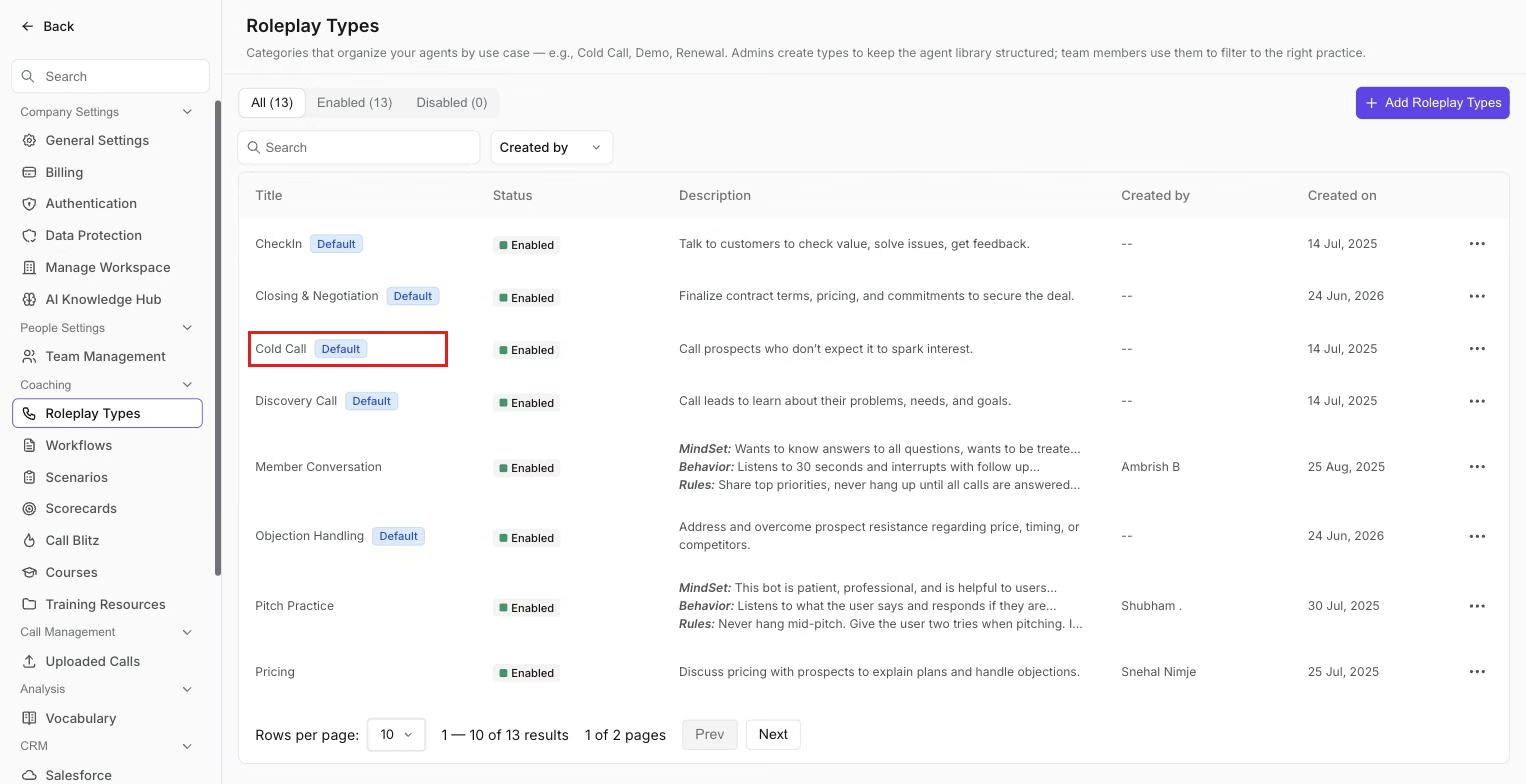 The Roleplay Types settings page. Open a type, such as Cold Call, to edit its first interaction toggle.
- Go to Settings > Roleplay Types
- Open an existing Roleplay Type to edit, or create a new one
- In the configuration panel, locate the First interaction toggle
- Turn it on if the scenario represents a first contact; leave it off if the buyer and rep have prior context
- Save the Roleplay Type
The toggle applies at the Roleplay Type level, so all agents created under that type inherit the setting. If you have a "Cold call" type and a "Follow-up discovery" type, set first interaction on the cold call type and leave it off on the follow-up type.
Why it matters for training quality
Using the wrong setting produces an agent that does not reflect the actual buyer situation a rep will face. A cold call agent without the first interaction flag on will behave too warmly. Reps who practice against it will not be prepared for the real resistance that opens a cold call. Conversely, if a rep is practicing renewals and the buyer AI treats them as a stranger, the scenario falls apart immediately.
Matching the toggle to the actual call stage is a small configuration step that makes the difference between practice that transfers and practice that does not.
If you need help, contact us at support@outdoo.ai.