
Intro to AI Trainer
An AI Trainer is a conversational agent that teaches from your own documents. Your team joins a live session with the trainer and works through the material by talking about it, instead of reading a deck or watching a recording.
The difference between a trainer and a roleplay agent is who is playing which part. In a roleplay, the agent plays a buyer or a customer and your team practises selling or supporting. With a trainer, the agent plays the teacher — it knows the playbook, the product doc, or the call guide you attached, and it walks the learner through it, asks questions, and corrects them.
You'll find AI Trainer in the left sidebar under Practice.
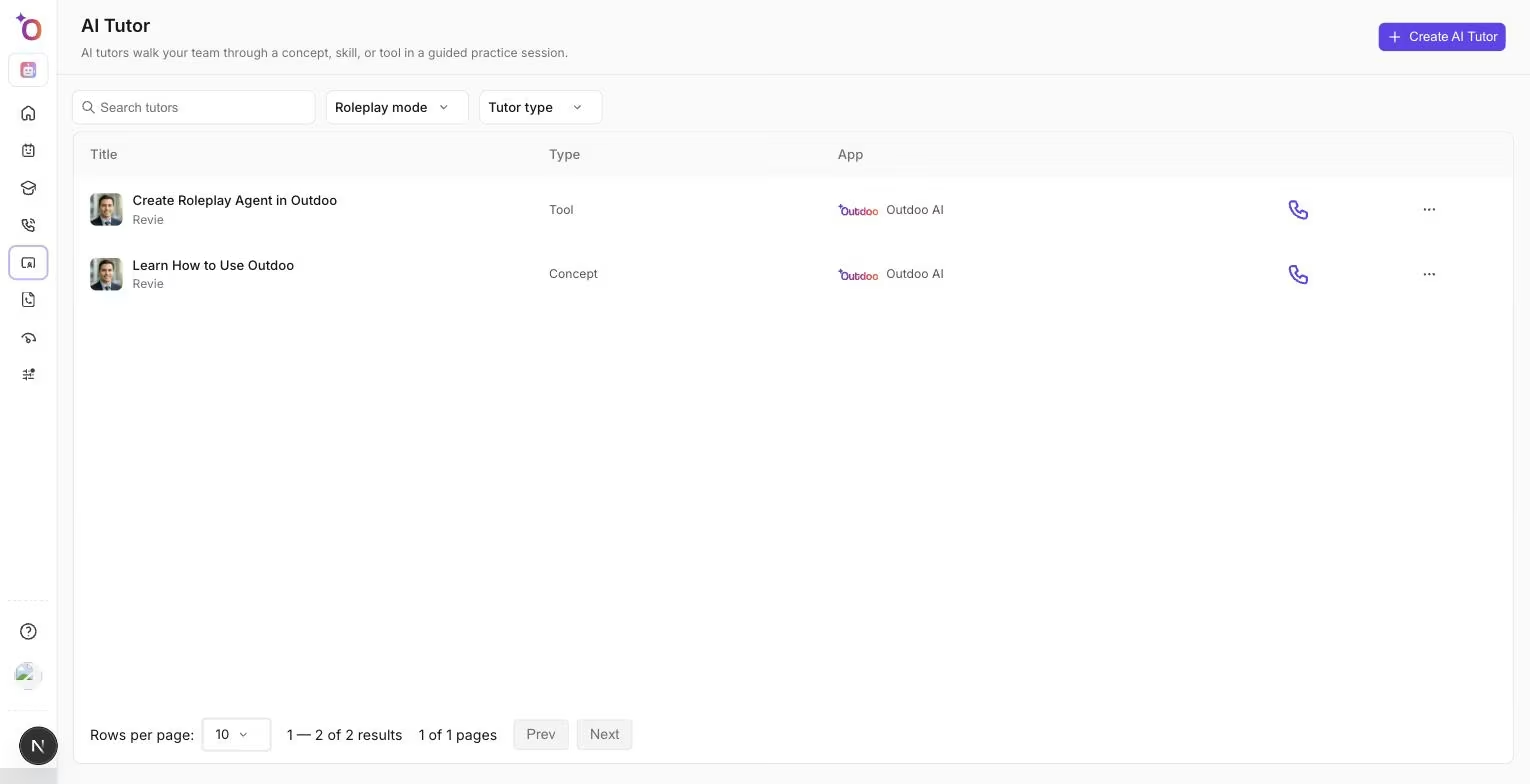
The AI Trainer list.
What a trainer is built from
Every trainer has three parts.
Resources. The documents the trainer teaches from — playbooks, product documentation, call guides, onboarding material. This is the trainer's source of truth, and at least one resource is required. The trainer answers from what you attach, so the quality of the resource is the quality of the session.
A type. What kind of learning the trainer is for:
- Concept — understanding something. Product knowledge, a pricing model, a compliance rule, the reasoning behind a methodology.
- Skill — doing something. Running a discovery call, handling a pricing objection, structuring a demo.
- Tool — using a specific system or application. This type is available on request; contact support to have it enabled for your workspace.
A persona. The trainer's name, gender, language, avatar, voice, and the greeting line it opens the session with. This is what makes the trainer feel like a person rather than a search box.
How your team practises
Trainers run in Voice Mode — a spoken conversation, the same session experience as a voice roleplay. Chat Mode and Video Mode are available on request; contact support to have them enabled for your workspace.
You can also add Roleplay Instructions to a trainer. These are shown to the learner just before the session starts, so you can point them at what to focus on — for example, "Focus on discovery questions before pitching the product."
A trainer can share its screen during a session. When it does, the learner sees what the trainer is showing in a panel next to the conversation — useful when the material is easier to point at than to describe.
When the session ends, the learner stays on the session page rather than being sent elsewhere. Outdoo prepares the transcript, asks for a thumbs up or down on the experience, and saves the session to Practice History with its recording and transcript. It counts as a Practice Call, just like a roleplay call. Trainer sessions are not scored — no scorecard, no call score — because what matters is whether the learner understood the material, not how they performed on a call. If you want a score, that's what the roleplay agent and its scorecard are for.
When to use a trainer instead of a roleplay
Use a trainer when the learner needs to understand something before they can practise it. A new hire who has never seen your pricing model will not get much from a pricing objection roleplay — they will get more from a Concept trainer built on the pricing doc, followed by the roleplay.
A common pattern is to pair them: a trainer to teach the material, then a roleplay agent to pressure-test whether it stuck, then a scorecard to measure the result.
Trainers that come with your workspace
Some trainers are shipped by Outdoo rather than built by your team. They carry a Default badge in the list and are view only — anyone can practise with them, but nobody can edit or delete them, including admins. Open one to see how a trainer is put together, then build your own for your own material.
Who can create trainers
Creating and editing trainers is limited to admins and managers. Most other permission profiles can see the trainer list and practise with the trainers that exist, but the Create AI Trainer button will be unavailable. The Billing and Viewer roles don't get AI Trainer in the sidebar at all.
Hope this article was helpful. For any queries, please write to support@outdoo.ai