
Close Dialer and Outdoo AI
Learn how to integrate Close Dialer with Outdoo AI to automatically record, transcribe, and analyze your sales calls with step-by-step setup instructions.
Outdoo AI integrates with Close Dialer, allowing you to automatically capture and analyze your sales calls.
How the Integration Works
When you make or receive calls using Close Dialer, Outdoo AI automatically records, transcribes, and analyzes these conversations.
- Automated Call Recording: every call is captured automatically, no manual effort required
- AI-Powered Insights: get summaries, action items, and conversation analytics
- Easy Access and Sharing: quickly review and share recordings with your team
How to Enable Close Dialer Integration
- Enable call recording in Close. See instructions here
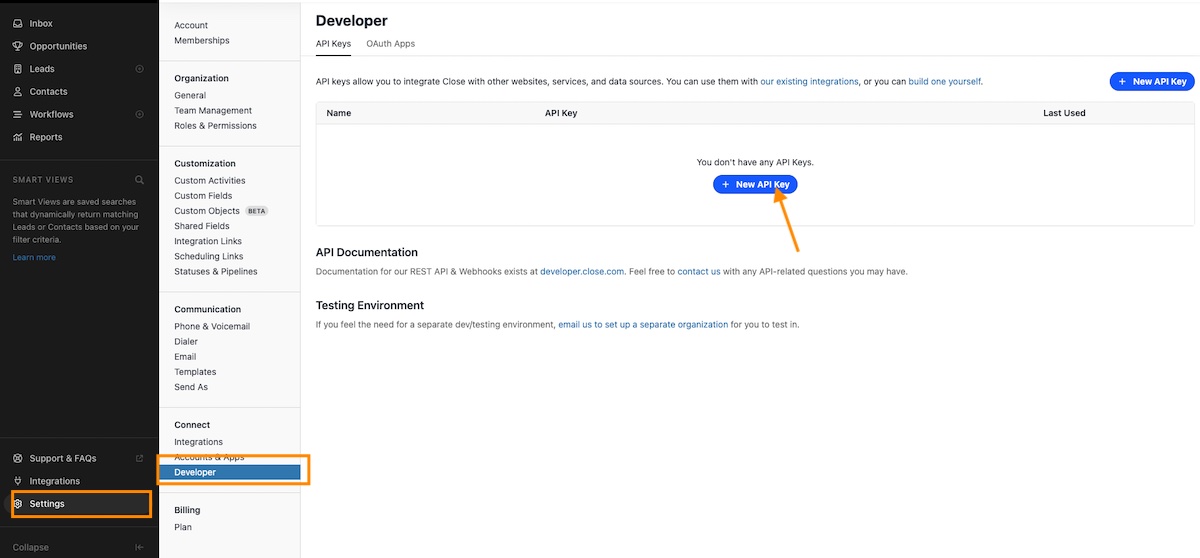
- Create an API key in Close. Go to Settings > Connect > Developer and create an API key. Copy the key. For more information on Close API keys, see Close documentation
\
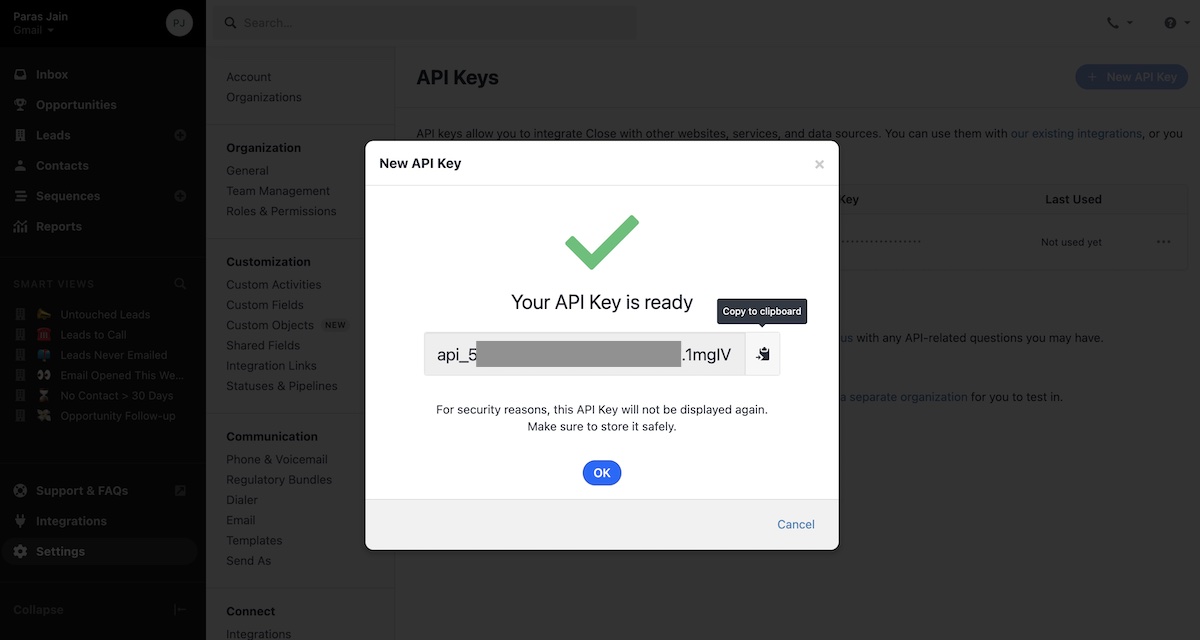
- Copy the API Key as shown below
\
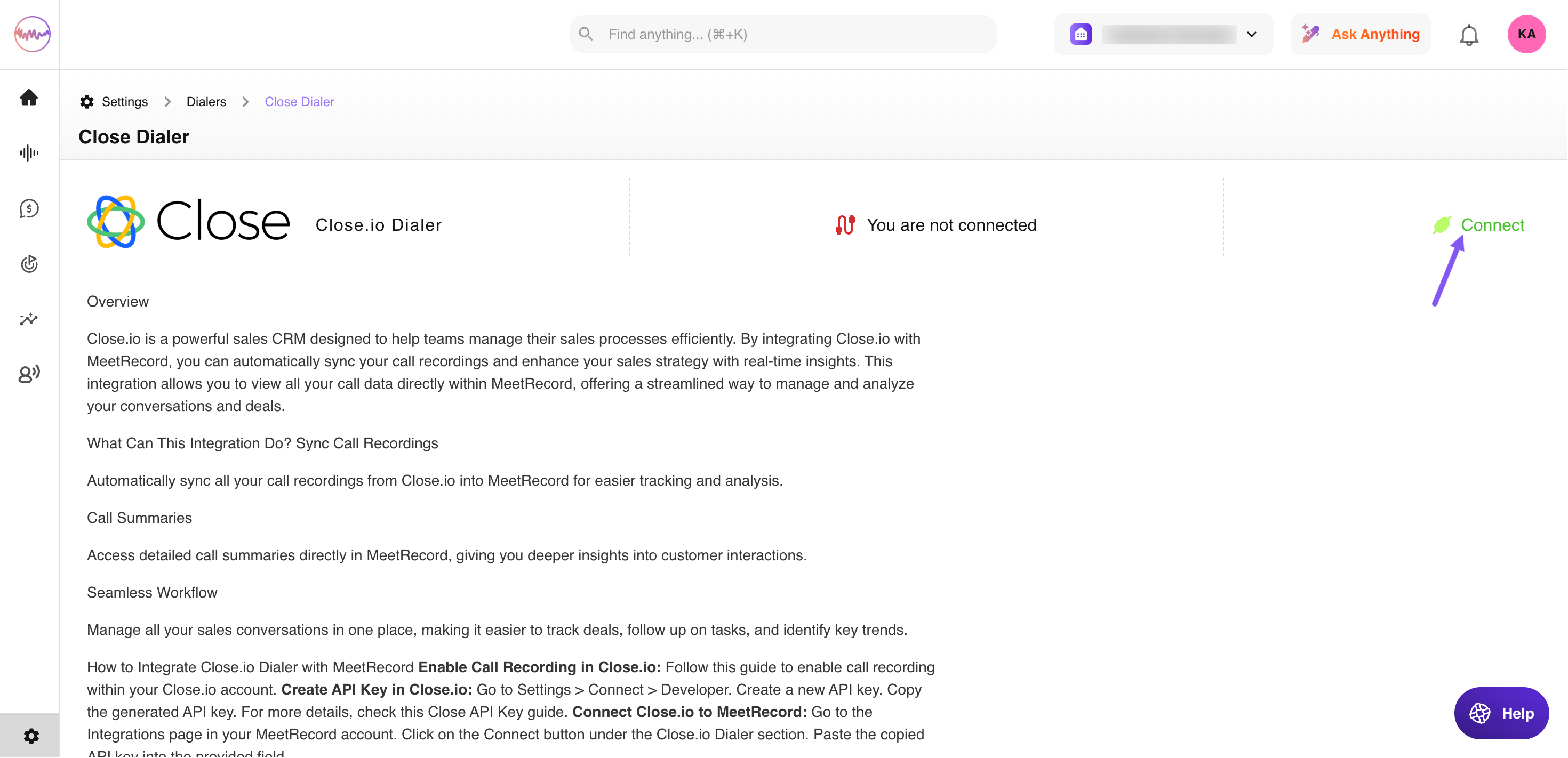
- Go to Outdoo AI Company Settings, navigate to Dialers under Conversation Capture, select Close.io Dialer, and enter the API key value
\

Each user should have their API key created from their own Close account.
Once integrated, all Close Dialer calls will be automatically recorded in Outdoo AI.
Frequently Asked Questions
Do I need to start the recording manually? No, recordings are automatic once the integration is set up.
Can I disable call recording for specific calls? Yes, you can adjust settings in Close CRM to exclude certain calls from being recorded.
How secure is my data? Outdoo AI follows enterprise-grade security standards to protect your recordings.