
Coaching Summary
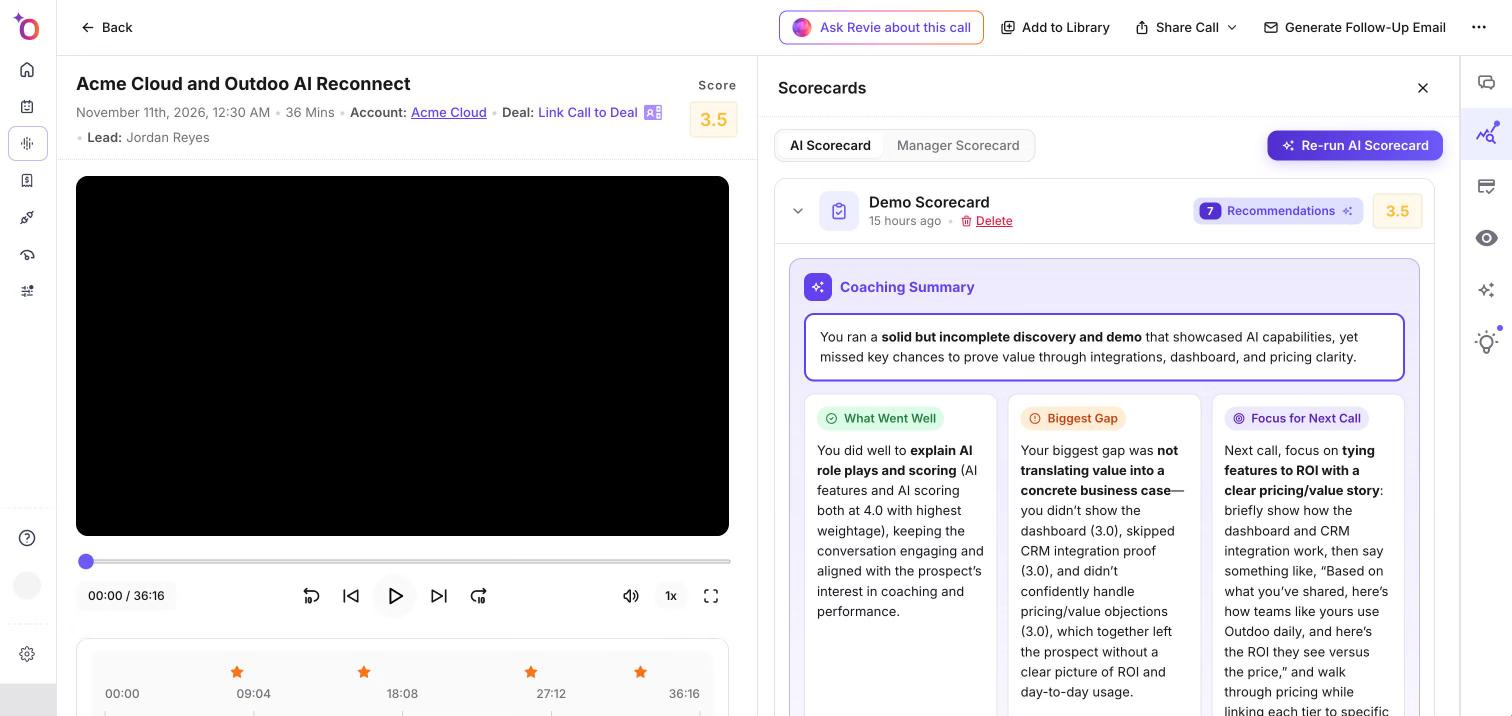
The Coaching Summary is a short written review at the top of an AI scorecard. It tells you what went well on the call, where the biggest gap was, and what to focus on next time, so you can see the main point before you read the full breakdown.
Where to find it
- Open a call from Real Calls > History.
- Open the Scorecards panel on the call page.
- On the AI Scorecard tab, click a scorecard to expand it. The Coaching Summary is at the top of the expanded card.
You also see it when you run an AI scorecard yourself. Click Re-run AI Scorecard, choose a Scorecard and a Participant to Score, and click Run AI Scorecard. The result shows the Coaching Summary above the Objective Breakdown. Click Save Score to Call to keep the result on the call.
The Coaching Summary only appears when the scorecard has one. If a scorecard has none, you go straight to the rest of the scorecard.
What it shows
A Coaching Summary can have these parts:
- A summary line at the top, in a highlighted box, with no label.
- What Went Well: what the team member did well on the call.
- Biggest Gap: the area that most needs work.
- Focus for Next Call: what to work on in the next call.
Some scorecards show the Coaching Summary as a plain list of points under the title Coaching Summary instead of the three labeled cards.
Jump to the moment in the call
When the text mentions a time in the call, such as 12:34, the time is a link. Click it in the expanded scorecard card to jump the player to that moment. The times are not clickable in the AI Scorecard window that opens when you run a scorecard.
How it fits with the rest of the scorecard
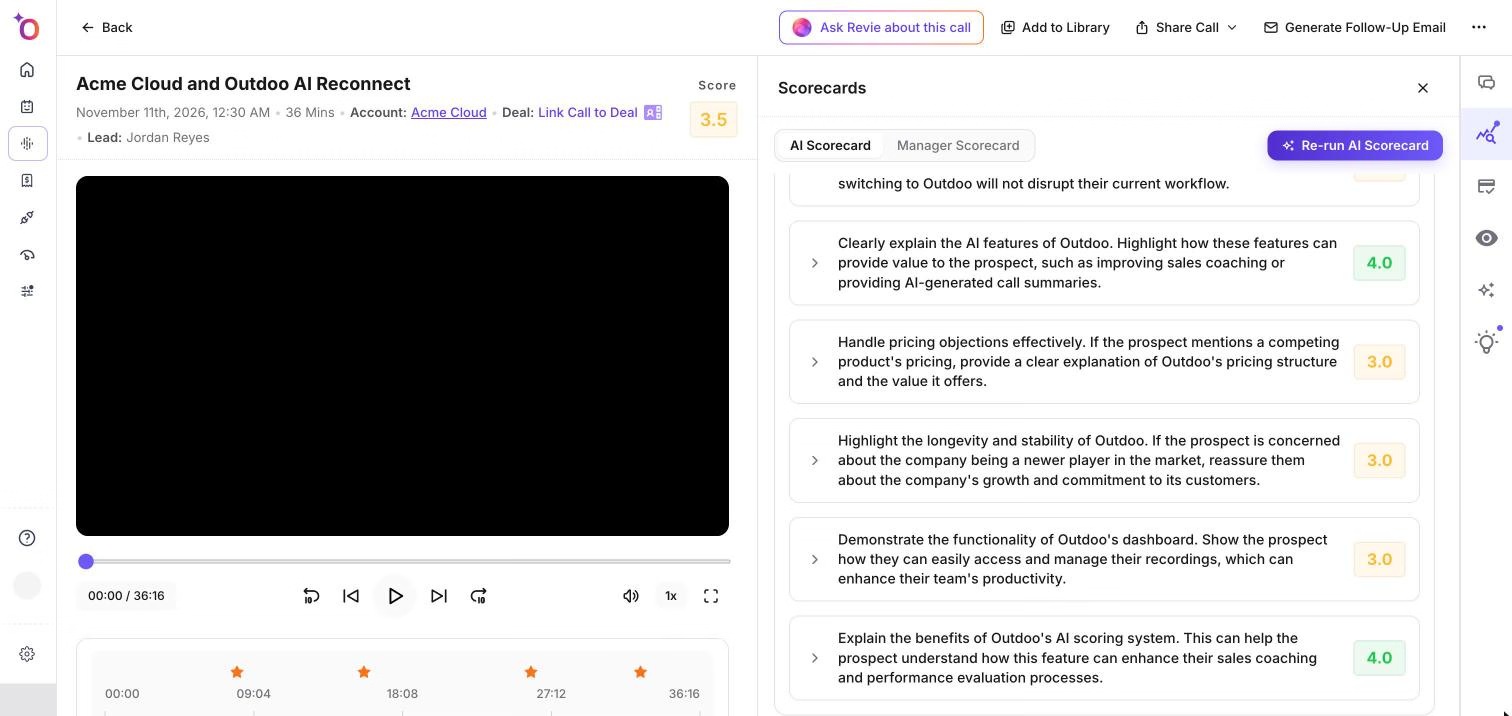
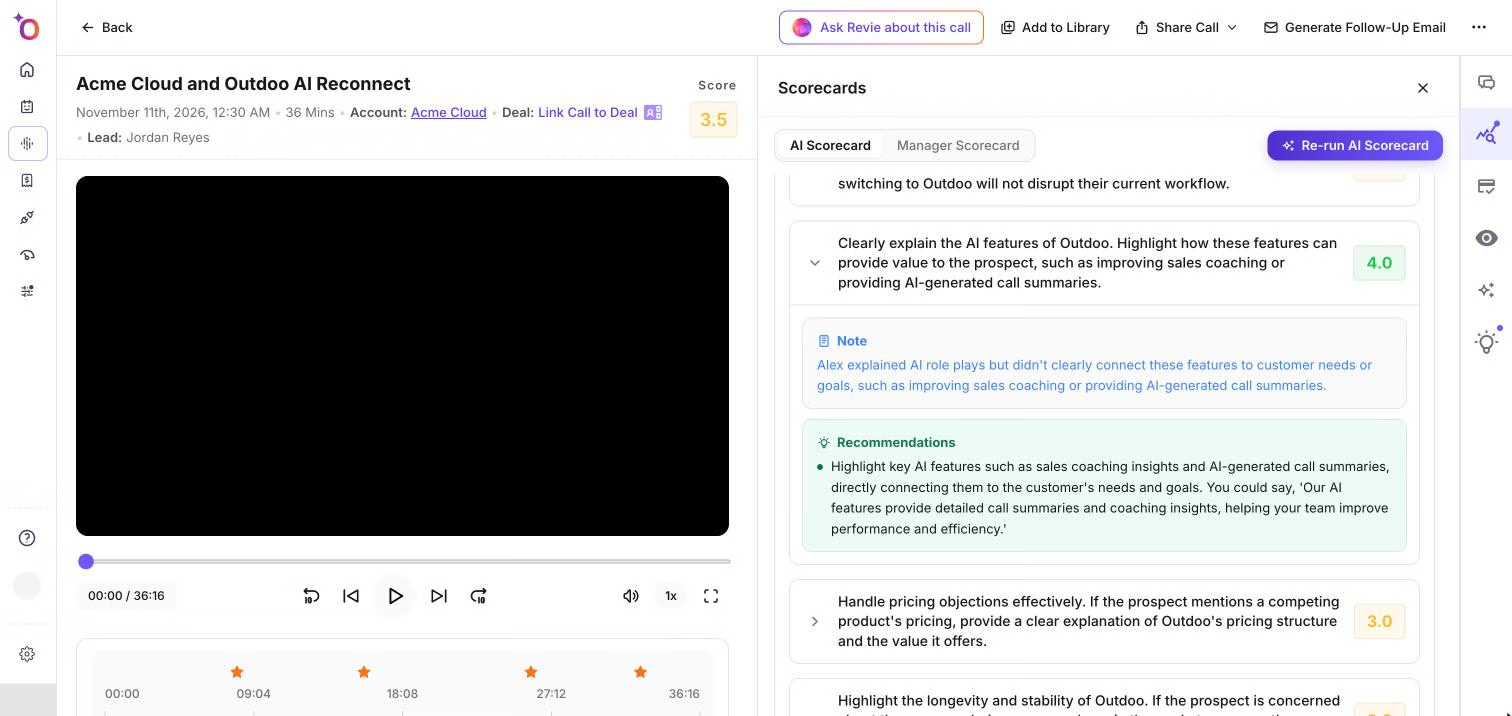
Below the Coaching Summary, the card shows the Overall Recommendation and the Objective Breakdown, where each objective has its own score, Reasoning, Note and Recommendations. The Coaching Summary is the short version. The breakdown is where you check the detail behind it.
Hope this article was helpful. For any queries, please write to support@outdoo.ai