
Create a Roleplay Agent from a Prompt
Learn how to quickly create AI roleplay agents from simple text prompts, including how to specify buyer personas, customize behaviors, and set up coaching tools for your team.
Watch: How to Create a Roleplay Agent from a Prompt (Step by Step)
When to use this method
Use prompts when you want to quickly create:
- New buyer personas
- Roleplays for upcoming product launches
- Simulations for new markets
- On-demand roleplay during onboarding
- Objection-handling or discovery drills
Steps to create from a prompt
Start from the agent creation menu and describe the buyer you want in plain language; Outdoo turns that description into a working agent.
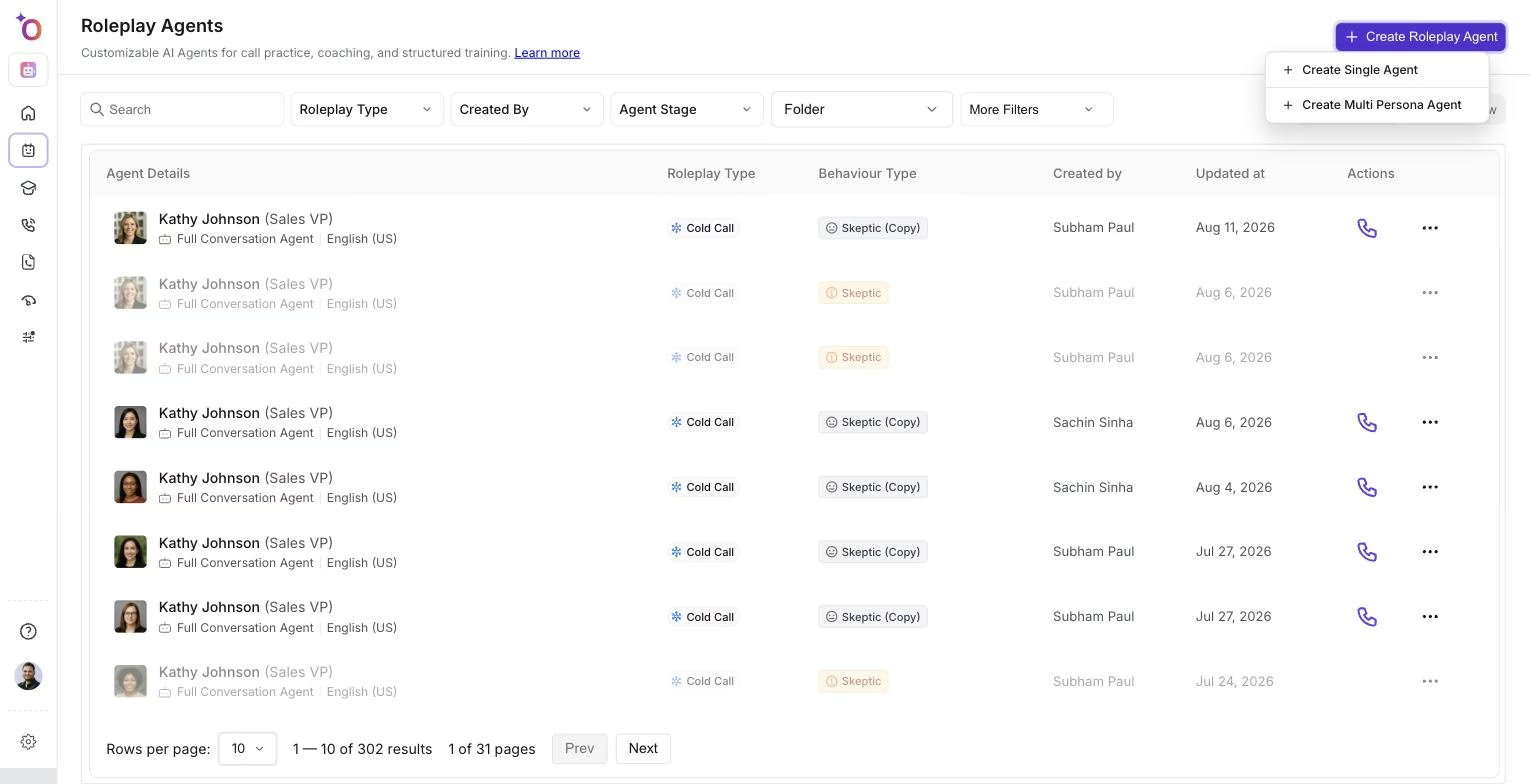 The Create Roleplay Agent menu, where you choose to build a single agent from a prompt.
Step 1: Write a short prompt
Include details like:
- Buyer persona
- Company details
- Mindset and emotional state
- Context of the call
Step 2: Outdoo generates behaviors
Outdoo automatically creates:
- Persona traits
- Communication patterns
- Objections and preferences
- Interests and motivations
Step 3: Choose call type
Options include:
- Cold call
- Discovery
- Qualification
- Demo
- Pricing
- Negotiation
Step 4: Customize the agent
Refine:
- Emotional tone
- Objections
- Preferences
- Scenario
Step 5: Add feedback and coaching tools
Include:
- Scorecards
- Coaching notes
- Background settings
Step 6: Save and share
Your agent is ready for team training.