
Google Calendar and Outdoo AI
Learn how to integrate Google Calendar with Outdoo AI to automatically capture, transcribe, and analyze all your scheduled meetings without manual setup.
Overview
Integrating Google Calendar with Outdoo AI means all your scheduled meetings are captured, transcribed, and analyzed automatically. The Outdoo AI Notetaker bot joins your meetings and processes them without any manual setup on your part.
How to Integrate Google Calendar with Outdoo AI
Log in to Outdoo AI
- Sign in to your Outdoo AI account.
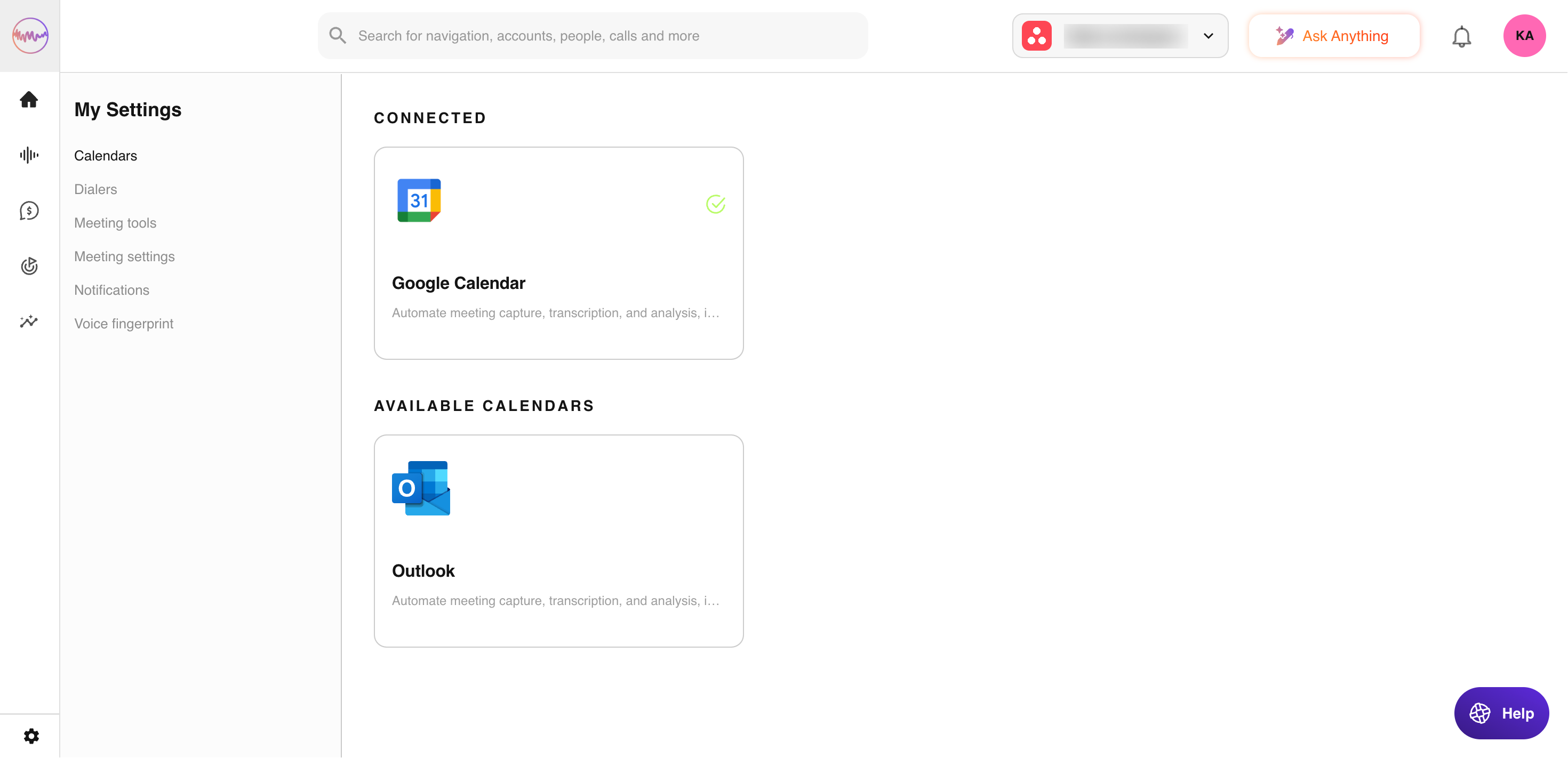
- Navigate to My Settings > Calendars.
Find Google Calendar
- Locate Google Calendar in the list of integrations.
- Click the Connect button.
Approve the Connection
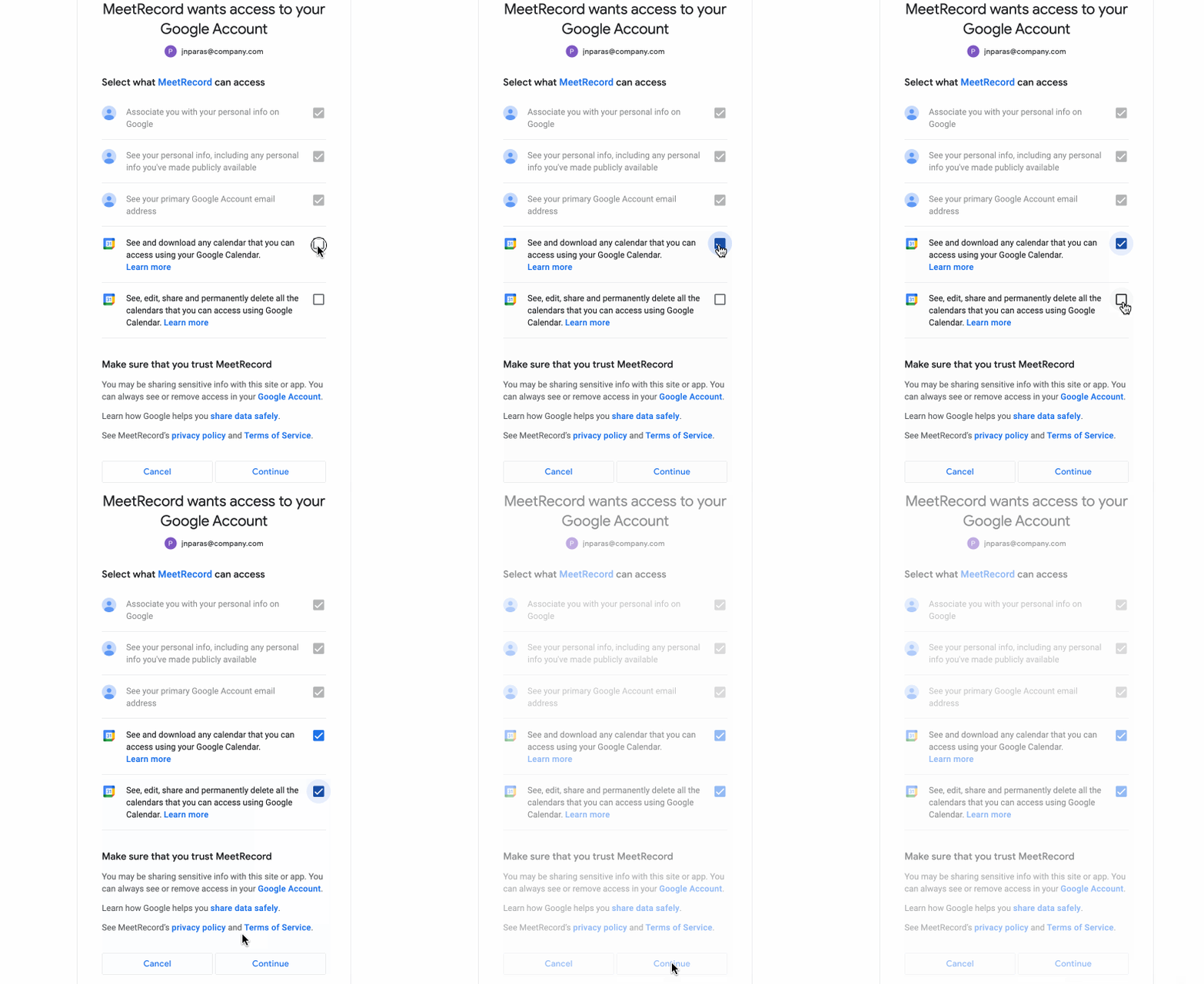
- Follow the prompts to authorize Outdoo AI to access your Google Calendar.
- Grant the necessary permissions.
IMPORTANT — Tick all permission checkboxes to complete the connection with Google Calendar.
Confirm the Integration
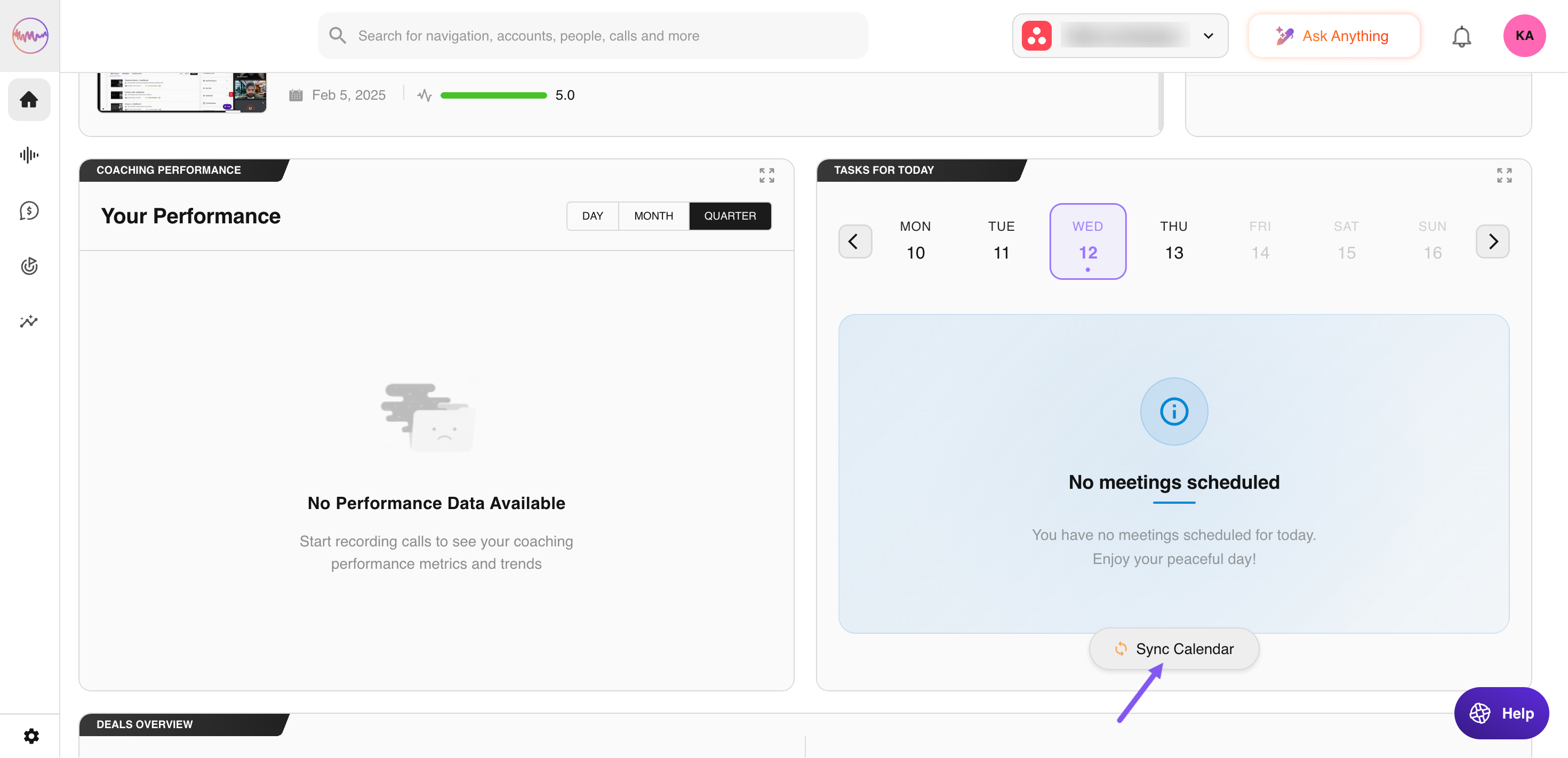
- On the Homepage, locate Tasks For Today to see your upcoming meetings.
- Click Sync Calendar to confirm the integration.
- The Outdoo AI Notetaker bot will join your next meeting and process it within 2-3 hours of meeting completion.
Note: Connecting Google Calendar gives you a complete view of your meetings and keeps deal tracking current, so no conversation goes unnoticed.